Need help?
Do you have a question about the Kicker 46KMC3 and is the answer not in the manual?
Secure the KMC3 to the surface using screws and attach the faceplate. This method is for surface mounting.
Attach bolts to the KMC3, position the mounting bracket, and secure with washers and nuts for bracket installation.
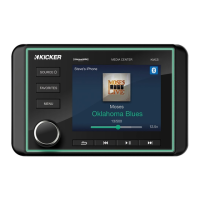
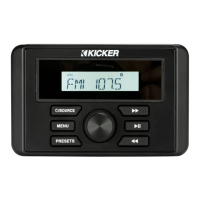
Use SOURCE to select input. Covers Bluetooth pairing, USB playback, and saving radio presets for easy access.
Access settings via MENU. Configure Bluetooth pairing, sound alerts (BEEP), low frequency boost (LOUD), and tuner region (REG).
Adjust Bass, Treble, Balance, Fader, and EQ presets using the VOLUME KNOB for optimal audio output.
Return defective merchandise to dealer or KICKER Customer Service for RMA number. Include proof of purchase.
Excludes damage from improper installation, misuse, accidents, or unauthorized modifications. Warranty void without proof of purchase.
KICKER aims for one-week turnaround for repairs. Delays may occur; contact Customer Service for inquiries.
 General
| Bluetooth | Yes |
|---|---|
| Water Resistance | Yes |
| Weatherproof | Yes |
| Tuner Bands | AM/FM |
| RCA Outputs | 2 Pair |
| Voltage | 12V |
| Type | Marine Receiver |
| Power Output | 50W x 4 |
| Display | LCD |
| Inputs | USB |
| Source Units | Bluetooth/USB |

 To Next Page