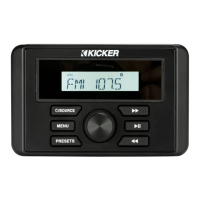
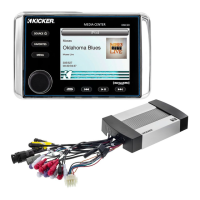
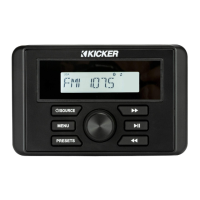
The KMC50 is a multi-media receiver designed to provide a comprehensive audio experience with various input options. It functions as a central media hub, allowing users to enjoy music and other audio content through USB, Bluetooth, and AUX inputs. The device is designed for ease of use, featuring a clear display and intuitive button layout for navigation and control.
Function Description
The KMC50 Media Center serves as a versatile audio receiver, capable of processing and outputting sound from multiple sources. Its primary function is to act as a control unit for audio playback, offering a range of connectivity options to suit different user preferences and devices.
- Multi-Source Playback: The receiver supports playback from FM, AM, Weatherband (WX) radio, USB devices, Bluetooth-enabled devices, and auxiliary input. This broad compatibility ensures that users can access their preferred audio content regardless of the source.
- Radio Tuner: It includes a built-in radio tuner for FM, AM, and Weatherband frequencies. Users can seek and tune to stations, save favorites, and access weather updates.
- USB Connectivity: A dedicated USB port allows for direct playback of audio files stored on USB drives. This feature provides a convenient way to play digital music without the need for streaming or additional devices.
- Bluetooth Audio Streaming: The KMC50 is equipped with Bluetooth technology, enabling wireless audio streaming from smartphones, tablets, and other Bluetooth-enabled devices. This allows for a clutter-free listening experience and easy access to personal music libraries or streaming services. The device is identified as "Media Center" for pairing, and no password is required. Users can manually disconnect and re-enter pairing mode or reconnect to the last known device.
- AUX Input: A standard auxiliary input port provides a wired connection option for any audio device with a 3.5mm headphone jack. This ensures compatibility with older devices or those without Bluetooth capabilities.
- Audio Output: The receiver features multiple RCA outputs, including Front, Rear, Subwoofer, and Zone 2, allowing for connection to external amplifiers and speakers to create a customized audio system. This flexibility makes it suitable for various installation scenarios, from basic setups to more complex multi-zone audio configurations.
- Zone 2 Control: The KMC50 offers independent volume control for Zone 2, allowing users to manage audio levels in a separate listening area. This is particularly useful in applications where different audio levels are desired in distinct locations.
- Audio Customization: The device includes an Audio Settings Menu that allows users to fine-tune the sound output. This includes adjustments for Bass, Treble, Balance, Fader, and an Equalizer with preset options (FLAT, CLASSICAL, POP, ROCK) and a CUSTOM mode for specific frequency adjustments.
Usage Features
The KMC50 is designed with user convenience in mind, featuring a straightforward interface and a range of controls for easy operation.
- Intuitive Controls: The front panel features clearly labeled buttons for Source selection, Favorites, Menu, Seek/Tune, Play/Pause, and a rotary knob for volume and menu navigation. This ergonomic design ensures that essential functions are readily accessible.
- Display: A central display provides visual feedback on the current source, track information, radio frequency, and menu settings, enhancing the user's ability to navigate and control the device.
- Source Selection: A dedicated "Source" button allows users to cycle through available audio inputs (FM, AM, WX, USB, Bluetooth, AUX) with a single press.
- Favorites Functionality: The "Favorites" button enables users to save and quickly access up to 10 preferred radio stations for each source (FM, AM, WX). This feature streamlines access to frequently listened-to content. For USB, the Favorites button acts as a "Quick Browse" menu, displaying files and folders for selection.
- Seek and Tune: "Seek Up" and "Seek Down" buttons allow for automatic scanning of radio frequencies, while holding these buttons enables manual tuning.
- Play/Pause and Track Control: Dedicated buttons for "Play/Pause," "Next Track," and "Previous Track" provide standard media playback controls for USB and Bluetooth sources. Holding "Next Track" or "Previous Track" buttons enables Fast Forward and Rewind functions, respectively.
- Menu Navigation: The "Menu" button provides access to the Audio Settings Menu and other system configurations. The rotary knob is used to scroll through menu items and adjust settings.
- Loudness Feature: A "Loud" setting can be toggled on or off to enhance bass and treble at lower volumes, improving the listening experience.
- Dimmer Function: The "Dimmer" setting allows users to adjust the brightness of the screen and buttons, which is useful for optimizing visibility in different lighting conditions.
- HPF (High-Pass Filter): The KMC50 includes an adjustable High-Pass Filter for internal channels and Front, Rear, and Zone 2 RCA outputs, with options for OFF, 50Hz, 80Hz, and 120Hz. This helps in optimizing sound quality by directing specific frequencies to appropriate speakers.
- Z2VOL (Zone 2 Volume): This setting allows users to choose between "Absolute" and "Relative" volume control for Zone 2. "Absolute" means Zone 2 volume increases or decreases with the main zone, while "Relative" allows independent adjustment.
- Beep Function: An audible beep can be enabled or disabled to provide feedback when buttons are pressed.
Maintenance Features
While the KMC50 is designed for durability, some aspects of its operation and troubleshooting are covered to ensure long-term performance.
- Troubleshooting Guide: The manual includes a troubleshooting section to help users diagnose and resolve common issues, such as no power, no sound, radio reception problems, and USB playback issues. This self-help guide aims to minimize the need for external support.
- Firmware Updates (Implied): Although not explicitly detailed as a user-accessible feature, multi-media receivers often have the capability for firmware updates to improve performance or add new features.
- Warranty Information: The device comes with a warranty, ensuring support for manufacturing defects and malfunctions within a specified period. This provides peace of mind for users regarding potential hardware issues.
- Contact Support: For issues that cannot be resolved through troubleshooting, the manual provides contact information for customer support, ensuring users can get assistance when needed.
- Installation Overview: The manual provides a detailed installation overview, including wiring diagrams and hole cutout dimensions, which is crucial for proper setup and can prevent issues arising from incorrect installation.
- UV Cover: The inclusion of a UV cover suggests a design consideration for protection against environmental elements, particularly ultraviolet radiation, which can prolong the life and appearance of the unit in outdoor or marine environments.
- Mounting Gasket: A mounting gasket is provided to ensure a secure and potentially weather-resistant seal when the unit is installed, contributing to its durability and protection against moisture.

 Need help?
 General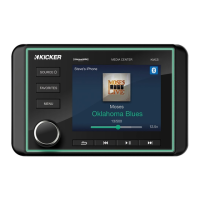

 To Next Page