OPERATION
Audio Settings
Audio Menu:
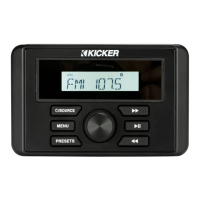
Press the knob for 2 seconds from any source screen
to
enter the Audio Settings Menu. Rotating the knob left
and right will
scroll
between the
available
settings. Pressing the knob
will select
high-
lighted
setting.
Bass: Rotate the knob
left and right to adjust the Bass. Pressing enter
will
confirm setting. Adjustment
is
from -6
to
+6.
Mid:
Rotate the knob
left
and right
to
adjust the Midrange. Pressing
enter
will
confirm setting. Adjustment
is
from -6
to
+6.
Treble:
Rotate the knob left and right
to
adjust the
Treble.
Pressing
enter
will
confirm setting. Adjustment
is
from -6
to
+6.
Balance: Rotate the knob left and right
to
adjust the
Balance.
Pressing
enter
will
confirm setting. Adjustment is from Left 1
0
to
Right 1
0.
Fader:
Rotate the knob left and right
to
adjust the Fader. Pressing enter
will
confirm setting. Adjustment is from Front 1
0
to
Rear
10.
Source Specific Menus
Press and
release
of
the Menu button
while
in
the following
sources
will
bring up Source Specific Menu items:
WX
- USB - BT - AUX. Rotate the
knob
to
adjust the settings and press enter
to
confirm.
WX Menu:
Auto-Alert
On
and
OFF
- this
feature will automatically
interrupt any
source and tune
to
Weatherband for
an
alert
message. This setting is
defaulted
to
ON.
USB1/
iPod Menu:
BROWSE
-
Displays all files/folders available
for playback. Rotate the
knob
to
scroll
through the items and press enter
to
begin playback
of
selected
track.
8



 To Next Page