EasyManua.ls Logo

Kicker KX3 - User Manual

Kicker KX3
8 pages
Print Icon
To Next Page IconTo Next Page
Loading...
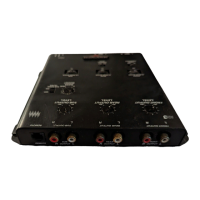
KX3
Electronic Crossover
Features & Controls
Congratulations! You have just purchased one of the latest products
in signal processing technology to carry the famous KICKER name.
Your KICKER KX3 is designed and built to give you years of trouble-
free performance. This installation manual contains valuable informa-
tion on how to get the most out of your new KX3 Electronic Crossover.
Thanks for buying KICKER. Enjoy!
Front High Frequency Output Jacks High passed at 18 dB/octave with infi-
nitely variable frequencies of 35 to 8000 Hz.
Rear High Frequency Output Jacks High passed at 18 dB/octave with infi-
nitely variable frequencies of 35 to 400 Hz.
Frequency multiplier switch Increases the front HI-Pass frequency by 1x or
20x depending on the type of speakers being used. The switch determines the
frequency. 1x (35Hz-400Hz) or set to 20x (700Hz-8000Hz)
Low Frequency Output Jacks Low passed at 18 dB/octave in a range of 45
to 250 Hz for use with low frequency amplifier(s).
Subsonic Filter Set at 25Hz with a slope of 24dB/octave to increase power
handling and help control subwoofer excursion.
Remote Bass Level Control Provides a convenient way to adjust the amount
of bass to suit your taste without having to leave your seat.
R
Question and Answer IconNeed help?

Do you have a question about the Kicker KX3 and is the answer not in the manual?

Summary

Features & Controls

Front High Frequency Output Jacks

High passed at 18 dB/octave with variable frequencies from 35 to 8000 Hz.

Rear High Frequency Output Jacks

High passed at 18 dB/octave with variable frequencies from 35 to 400 Hz.

Frequency Multiplier Switch

Adjusts front HI-Pass frequency by 1x (35Hz-400Hz) or 20x (700Hz-8000Hz).

Low Frequency Output Jacks

Low passed at 18 dB/octave from 45 to 250 Hz for subwoofer amplifiers.

Subsonic Filter

Set at 25Hz with a 24dB/octave slope to improve power handling and subwoofer control.

Remote Bass Level Control

Allows convenient adjustment of bass level from the listening position.

Mounting Instructions

Wiring Instructions

Adjustments and Controls

Initial Setup: Levels and Frequencies

Set all output levels down, HI-Pass/LO-Pass frequencies to max, and amplifier gains down.

System Power-Up and Head Unit Gain

Power on system, adjust head unit volume to maximum without distortion.

Setting KX3 Output Levels

Raise KX3 output levels until distortion, then reduce slightly for optimal signal.

High-Pass Frequency Adjustment

Set HI-Pass frequencies based on speaker size and power handling for best performance.

Low-Pass Frequency Adjustment

Set LO-Pass frequency to match HI-Pass or optimize subwoofer sound quality.

System Diagrams

4 Channel Bi-Amp Configuration

Wiring diagram and recommended settings for a 4 channel bi-amp setup.

Example Crossover Settings (4 Channel)

Specific settings for front, rear, and subwoofer crossovers for the 4-channel setup.

System Diagram using the KX3

2 Channel Tri-Amp Configuration

Wiring diagram and recommended settings for a 2 channel tri-amp setup.

Example Crossover Settings (2 Channel)

Specific settings for front, rear crossovers and frequency multiplier for 2-channel setup.

Frequency Multiplier Note for Tweeters

Sets frequency multiplier to 20x for dedicated tweeter amplifiers to prevent damage.

Troubleshooting

Music Not Loud Enough

Issues related to output level and amplifier gain settings causing low volume.

Music Loud and Distorted

Problems with output level and amplifier gain settings causing distortion.

Midrange Speakers Pop with Loud Passages

Cause is low HI-Pass frequency or too much power at the high frequency amplifier.

One Channel Does Not Operate

Step-by-step checks for diagnosing a non-operational audio channel.

No Sound; Green Power LED Off

Checks for power and ground wiring connections for the unit.

ELECTRONICS LIMITED WARRANTY

Warranty Coverage Details

Details on warranty periods, coverage, and exclusions for the KICKER product.

How to Obtain Warranty Service

Procedure for returning defective merchandise for warranty repair or replacement.

What Is Not Covered

List of conditions and damages that void the product warranty.

Warranty Service Timeframe

Information on the expected turnaround time for warranty service.

International Warranty Information

Guidance on warranty policies for products purchased internationally.

Hearing Protection Warning

Warning regarding potential hearing damage from excessive volume levels.

Kicker KX3 Specifications

General IconGeneral
Frequency Range10Hz - 20kHz
Crossover Slope12 dB/octave
Input Impedance10k ohms
Output Impedance100 ohms
TypeActive
Input Voltage12V DC