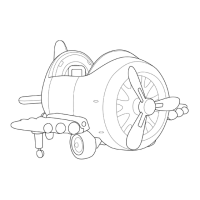
This document describes the "Ride On Aircraft 360 Rotation (12V)" from Kidzone, item number 060-ROT-09. It is a ride-on toy designed for children, resembling an airplane with a propeller and training wheels.
Safety Instructions
The manual emphasizes several safety precautions for using the electrical product:
- Read all instructions before use.
- Electrical Shock Prevention: Do not immerse the cord, charger, transformer, battery, or the product in water or other liquids.
- Charging: Only use charging devices, transformers, and batteries provided or recommended by the manufacturer.
- Assembly: The product must be assembled by an adult.
- Age Restriction: This toy is not intended for children below 3 years old.
- Supervision: Close supervision is necessary when children are using the product.
- Battery Disconnection: Unlatch the battery if not used for a long time.
- Protective Equipment: Personal protective equipment, such as a helmet, is required when using this product. The manual illustrates correct helmet fitting, emphasizing that the helmet should cover the forehead to prevent serious injury.
- Usage Environment: Do not use this product as a traffic tool, on public roads, raceways, by swimming pools, or in any potentially dangerous places. Avoid slippery surfaces.
- Moving Parts: Always keep hands, hair, and clothing away from moving parts.
- Weight Limit: The maximum user weight for this product is 66 lb / 30 kg.
- Modifications: Do not change, modify, or add any electrical wiring to this product.
- Tight Environments: Avoid using the product in tight environments to prevent damage or injury.
- Lighting Conditions: Only operate this product during daytime or in well-lit areas.
- Seat Belt: Ensure the seat belt is fastened for the child's safety.
Technical Specifications
- Battery: 2 * 6V4.5AH
- Motor: 2 * 22W, 390, 15000R
- Age Range: 37-96 Months
- Max Weight: 66 lb
- Product Dimension (Inch): 39.37" X 49.61" X 24.41"
- Speed (miles per hour):
- High speed: 2mph
- Mid speed: 1.5mph
- Low speed: 1mph
- Play Time: 60 minutes
- Charger: 110-240V 15V 1000MA
- Charging Time:
- First charging time: 8-12 hours
- Charging time after first charge: 8-12 hours
- Max charging time: 20 hours
- Average Battery Life: One year
- Battery Temperature Tolerance: -20°C (68°F) to 60°C (140°F)
Parts and Features
The aircraft consists of several key components:
- Screw Propeller
- Fuselage
- Windshield
- Seat
- Vertical Tail
- Horizontal Tail
- Airfoil
- Training wheel
- Wheel Cover
- Nut
- Wheel
- Washer
- Gearbox
- Remote Control
- Charger
Assembly Instructions
The assembly process involves several steps:
- Training Wheel and Airfoil: Press the training wheel to the underside of the airfoil, then push the airfoil onto the plane body.
- Tail Assembly: Assemble the horizontal and vertical tail to the plane body.
- Propeller Assembly: Assemble the propeller blades by fastening screws. Push the entire propeller assembly onto the plane body, ensuring it fits into position.
- Battery Connection: Remove the seat. Plug the battery into the plane, ensuring terminals are properly paired (red to red, black to black). Reassemble the seat and secure it with screws.
- Windshield: Push the windshield onto the plane body.
User Instructions
Vehicle Control (Cockpit):
- A. General Power Switch: Press to turn the power on or off.
- B. Joystick: Controls the movement of the plane.
- Forward: Push both joysticks forward.
- Reverse: Pull both joysticks backward.
- Turn Left: Push the right joystick forward and pull the left joystick backward.
- Turn Right: Push the left joystick forward and pull the right joystick backward.
- CAUTION: Operate with caution to prevent collision or injury.
- C. Sound Button: Right side for artillery sound, left side for gunfire sound.
- D. USB Multi-functional Player:
Multifunction Player:
- LED Display: Displays "USB" in USB mode and "FM" in Radio Mode. Also shows voltage digitally.
- A. Previous Track / Decrease Volume: Press once for the previous track; press and hold to decrease volume.
- B. Play / Pause: Press to pause/play in USB mode. In radio mode, press to search for stations.
- C. Next Track / Increase Volume: Press once for the next track; press and hold to increase volume.
- D. Mode Button: Cycles through USB and Radio modes.
Remote Control:
- Usage: The remote control should only be used by an adult.
- Frequency Binding:
- Insert batteries into the remote control.
- Press the "M" button for 2-4 seconds; the indicator will flash.
- Turn on the vehicle's power; the indicator should become a solid light.
- If binding fails, remove and replace the battery in the remote control and repeat.
- Vehicle Control:
- Directional Buttons: Move the vehicle.
- "P" Button (Emergency Brake): Enables emergency brake, disabling all running functions. Press again to disable.
- "S" Button (Speed Cycle): Cycles through Swift (1mph), 1.5mph, and 2mph speeds.
- WARNING: Close supervision is needed when children operate the vehicle. The remote control overrides all control input from the vehicle.
Charging:
- WARNING: The battery should only be charged by an adult.
- Procedure:
- Insert the charging cable into the charging port under the seat.
- Insert the charger plug into a wall outlet.
- Notes:
- The vehicle must be OFF when charging.
- Recharge the battery if the vehicle operates slowly.
- The vehicle cannot be operated during charging.
- Damage may occur if the battery is completely drained.
- Do not charge the battery for more than 20 hours.
Fold Airfoil:
- Press the button on the airfoil to fold or unfold it.
Care and Maintenance
- Regular Checks: Regularly check for missing or loose parts and re-tighten as necessary.
- Damage Inspection: Ensure there are no cracked or broken plastic parts.
- Storage: When not in use, store the product away from heat sources, cover it with a tarp, and keep it away from wet weather.
- Battery Disconnection: Turn off the product and disconnect the battery if it will not be used for a long period.
- Cleaning: Clean the vehicle with a cloth. Use a non-wax furniture polish to restore shine to plastic parts. Do not use abrasive cleaners. Do not wash the product with a hose or immerse any parts in water.
- Lubrication: Occasionally use lightweight oil to lubricate moving parts.
Troubleshooting
The manual provides a troubleshooting guide for common issues:
-
Vehicle does not move:
- Low Battery: Fully charge the battery.
- Fuse Protection: Wait for the fuse to reset.
- Disconnected / Badly connected battery: Reconnect the battery.
- Failed battery / engine: Contact Customer Service.
- Loose Assembly: Make sure the product is properly assembled.
- Bad Connection: Make sure all electrical connections are well connected.
-
Battery does not recharge:
- Charger is not connected to a socket: Make sure the charger is connected to a socket.
- Failed charger / Failed battery: Contact Customer Service.
-
Vehicle does not run very long:
- Low Battery: Fully charge the battery.
- Old Battery: Replace battery if necessary.
-
Battery buzzes when charging: Normal.
-
Charger feels warm when charging: Normal.
Limited Term Warranty (One Year from Date of Purchase)
Warranty Terms:
Kidzone warrants merchandise free from manufacturing defects (workmanship and/or material) for one year from the purchase date. They will provide credit or replace defective parts. If a defect is found, Kidzone must be notified with a copy of the invoice and delivery ticket. Inspection or samples may be required. If a replacement is needed and the original item is discontinued, Kidzone reserves the right to supply similar merchandise or offer full credit. This warranty is solely for the retailer and is not transferable. Retailers are responsible for contacting Kidzone; claims from consumers are not handled directly. Retailers should retain invoices for one year. This warranty supersedes all implied warranties of merchantability and use for a particular purpose. No representative is authorized to assume additional liability for Kidzone. Implied warranties are limited to one year. Kidzone is not liable for indirect, consequential, or incidental damages.
Additional Conditions (Not Manufacturer's Defects):
- Slight color variations due to photography and printing.
- Slight size variations (U.S. standard measurements) due to metric manufacturing.
- No returns for buyer's remorse.
- No returns other than stated above will be accepted.
Additional Conditions (Warranty Void):
- Improper maintenance or use causing damage.
- Product modifications not authorized by Kidzone.
- Floor samples or "AS IS" products.
- Minor variations between floor samples/illustrations and the product.
- Cost of packaging and shipping to/from Kidzone (unless expressly arranged).
- Covers only residential use; not industrial, commercial, institutional, or rental use.
- Dissatisfaction due to buyer's remorse.
- Normal wear and tear.
- Damages incurred during transportation.
- Damages incurred during assembly or maintenance.
- Damage incurred by accidents or abuse.

 Need help?
 General


 To Next Page