EasyManua.ls Logo

Kieback&Peter RPW404P-FTL - User Manual

Kieback&Peter RPW404P-FTL
30 pages
Print Icon
To Next Page IconTo Next Page
Loading...
Kieback&Peter GmbH & Co. KG
Tempelhofer Weg 50, 12347 Berlin/Germany
Telefon: +49 30 60095-0, Telefax: +49 30 60095-164
www.kieback-peter.de, info@kieback-peter.com
Datasheet 1.10-65.030-01-EN
RPW404P-FTL
Issue 2017-04-03
A
Änderungen vorbehalten - Contents subject to change - Sous réserve de modifications - Reservado el derecho a modificación - Wijzigingen
voorbehouden - Con riserva di modifiche - Innehåll som skall ändras - Zmeny vyhradené - Změny vyhrazeny - Zmiany zastrzeżone - Возможны
изменения - A változtatások jogát fenntartjuk - ؍⮉ᵚ㓿䙊⸕㘼᭩ࣘⲴᵳ࣋
Product Description
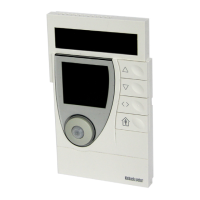
RPW404P-FTL Room control module
Room control module with temperature sensor with SolarRadio technology,
integrated bidirectional EnOcean wireless interface and algorithm for
self-learning of utilization time profiles/heating profiles in rooms.
Application
Solar-powered, self-learning room control module with LCD and smart commu-
nication management.
for measuring room temperature, independent generation of utilization time
profiles and their continuous dynamic adjustment/optimization and for wireless
transmission of measured values.
Operating elements for manually changing the comfort mode or economy mode
status to adjust the room setpoint.
Together with the MD15-FTL radio actuator, the RPW404P-FTL room control
module constitutes a functional unit for easy room temperature control.
The following EnOcean Equipment Profiles (EEP) are supported:
EEP D2-10-30 *
* You can find information about the protocol description on the EnOcean
Technology website http://www.enocean-alliance.org/en/enocean_standard/
Question and Answer IconNeed help?

Do you have a question about the Kieback&Peter RPW404P-FTL and is the answer not in the manual?

Summary

Product Overview

Product Application

Details the use of the self-learning room control module with LCD.

Safety, Care, and Disposal

Safety Instructions and Symbols

Outlines warnings, cautions, and notes for safe operation and installation.

Care Instructions and Handling

Details how to clean the device and handle its sensitive surface.

Product Disposal Recommendations

Provides guidance on environmentally safe product disposal.

Technical Specifications and Components

Key Technical Parameters

Lists nominal voltage, measured quantity, measuring system, range, tolerance.

Device Controls and Interfaces

Describes device controls, buttons, and radio interfaces.

Physical and Environmental Specifications

Details housing, protection class, ambient conditions, and mounting.

Dimensions and Radio Interface Details

Provides specific dimensions and radio interface characteristics.

Device Components and Controls

Lists and explains the function of each physical component and button.

Display Indicators and Symbols

Details the meaning of all icons shown on the device display.

Installation and Commissioning

General Installation Guidelines

Covers site selection, interference avoidance, and planning.

Installation Location Considerations

Details optimal placement for air circulation and solar cell function.

Commissioning and Initial Setup

Instructions for switching the device on, off, and initial commissioning.

Test Installation Location Function

Function to evaluate optimal installation site based on signal and occupancy.

Teaching Radio Partners

Procedure for registering MD15-FTL actuators with the control module.

Mounting the Device

Guidance on attaching the device to surfaces using screws or adhesive.

Operation and Configuration

Operating Level Functions

Describes manual setpoint adjustment and mode switching.

Manual Mode Switching

How to switch between comfort and economy modes using the occupancy button.

Automatic Mode Switching

How the device automatically switches modes based on learned profiles.

Manual Valve Closing

Procedure to manually close the valve for ventilation purposes.

Restoring Factory Defaults

How to reset the device to its original factory settings.

Menu Level Configuration

Overview of available settings in the configuration menu.

Setting Vacation Mode

How to set the duration for vacation mode.

Setting Time and Date

Procedure for configuring the device's internal clock and calendar.

12;24 Hour Display Setting

How to switch between 12-hour and 24-hour time formats.

Temperature Scale (°C;°F)

How to switch the display between Celsius and Fahrenheit.

Information, Setpoints, and Service

Info Menu Navigation and Status

Accessing status messages and radio connection information.

Radio Partner Information Display

Displays information about taught-in radio partners and signal strength.

Setting Temperature Setpoints

How to configure setpoints for comfort, economy, and vacation modes.

Service Level Functions

Accessing advanced service functions like teaching actuators or resetting.

Teaching EnOcean Gateway

Procedure for connecting to an EnOcean system gateway.

Deleting Radio Partners

How to remove all previously taught-in radio partners.

Restore Defaults and Power Off

Resets the device and switches it off.

Software Version Display

Shows the software version of the internal processors.

Messages, Status, and Error Handling

Status Message Icons and Meanings

Explains the meaning of various status icons and states.

Radio Connection Status Monitoring

Monitors and displays the current state of radio connections.

Energy Storage and Source Information

Information on the battery icon, charging, and energy sources.

Rapid Temperature Drop Handling

How the device reacts to sudden temperature changes like open windows.

Summer Mode Operation

How the device operates during the summer period.

Transmission Function Malfunctions

Troubleshoots issues related to radio transmission errors (Er08).

System Time Malfunctions

Troubleshoots errors related to the device's internal clock (Er03).

Kieback&Peter RPW404P-FTL Specifications

General IconGeneral
BrandKieback&Peter
ModelRPW404P-FTL
CategoryControl Panel
LanguageEnglish

Related product manuals