04 Operating Instructions
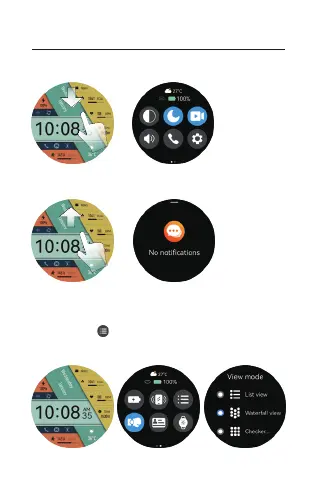
a. Shortcut page: Slide down from main page, go to
shortcut, and slide up to return.
b. Information page: Slide up from main page, go to
information, and slide down to return.
c.go to menu:Press the upper butoon from watchface
main page to enter menu list, press again the upper
button to back to menu. Slide down based on watchface
page and click“ ”to change menu style. 3 style “list” or
“waterfall flow” or “chessboard”for your options (You can
also go to settings to switch )



 To Next Page