Need help?
Do you have a question about the KIESLECT Kr2 Pro and is the answer not in the manual?
Company may modify manual contents; functions might vary with software versions.
Refer to manual before use; connect APP, sync time, set info.
3ATM waterproof, but not for diving or corrosive liquids to maintain warranty.
Identifies upper/middle/down buttons, microphone, heart rate sensor, charging port, speaker.
Explains functions of buttons via single, double, long press, and rotation.
Charge for 2+ hours, use 5V 0.5A adapter, clean contacts if unresponsive.
Wear one finger from carpal; adjust for comfort to ensure accurate health data.
Scan the provided QR code to download and install the Kieslect APP.
Add device, select Kr2 Pro, confirm on watch, and agree to pairing for notifications.
Enable Audio Bluetooth pairing for receiving calls, messages, and notifications.
Operations may differ between Apple and Android systems; follow APP instructions.
Understand indicators for connection states: None, APP, BT Call, APP+BT Call.
Ensure the app is updated; compatible with Android 5.0+ and iOS 9.0+.
Enable phone Bluetooth, GPS, network; grant Android permissions for full functionality.
Reset or power cycle the watch if connection fails; disconnect from charger to power off.
Ensure the App switch is enabled for message push and other notifications.
Use the middle button to enter the menu list and return to the watch face.
Slide down from the main page to access the shortcut/quick settings panel.
Slide up from the main page to access information screens.
Slide left to see more shortcuts; long-press to edit and customize components.
Slide right for split-screen view; long-press icons to customize content.
Change menu style (list, waterfall, chessboard) from the watch face or settings.
Supports 100 sports modes with detailed tracking of metrics like heart rate and distance.
Continuous 24H heart rate monitoring with configurable intervals and alarms via the app.
Records daily activity like steps, distance, and calories, storing sports hours.
Make, receive, and end calls via Bluetooth; view call logs and contacts.
Monitors blood oxygen levels 24H; automatic monitoring can be enabled in the app.
Guided breathing sessions to set rhythm and time for relaxation.
Continuously monitors pressure conditions 24H; automatic monitoring is configurable in the app.
Track menstrual cycle data and receive reminders after setting personal female information in the app.
Activate watch functions using voice commands via Bluetooth-connected, unlocked phone.
Features four built-in casual games for entertainment.
Accurately detects four types of emotions: pleasure, calm, anxiety, and irritability.
Control phone camera remotely for photos, with options for delay and burst shots.
Control music playback and volume on your phone directly from the watch.
Monitors sleep status and quality, providing data for scientific analysis of sleep time.
Set and manage up to 10 distinct alarm reminders.
Use focus work and break timers to manage productivity and tasks.
View recent weather information by enabling the function in the mobile app.
Illuminates surroundings with the watch's flashlight feature; tap to turn on/off.
Perform simple arithmetic operations like addition, subtraction, multiplication, and division.
Add and manage up to 10 different national regional times via the app settings.
Set custom timers for durations such as 1, 5, or 10 minutes.
Record and manage up to 20 sets of lap times or interval records.
Access and adjust watch faces, time, display, sound, vibration, user preferences, and system settings.
Covers watch faces, raise-to-wake, screen-off gestures, Find Phone/Watch, DND, brightness, button customization, etc.
Lists Bluetooth 5.3, 1.58" screen, 3ATM water resistance, 39g weight, 360mAh battery, etc.
One-year hardware warranty; half-year for battery/cable. Excludes damage from misuse or unauthorized repair.
Requires a completed warranty card; contact authorized dealers for service.
Avoid dismantling, keep from children, supervise use, protect from heat and short circuits.
In case of leakage, avoid skin/eye contact; wash affected areas with water and seek medical attention.
Use only the provided charger and batteries designed for the equipment.
Charge before first use; avoid prolonged charging when not in use; recharge after storage.
Use batteries only for their intended application and keep product literature for future reference.
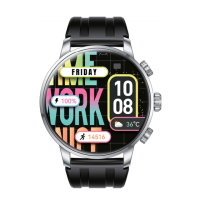
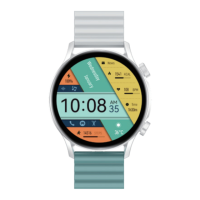
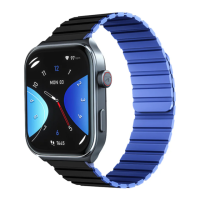
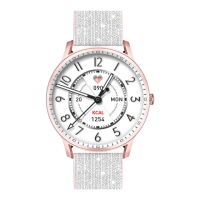
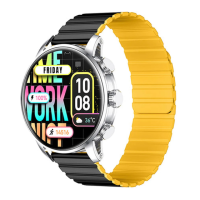
The Kieslect Calling Watch Kr2 Pro is a versatile smartwatch designed to enhance daily life through a blend of communication, health monitoring, and convenience features. This user manual provides comprehensive guidance on its appearance, charging, wear, app connection, and various functions, ensuring users can maximize their experience with the device.
The Kieslect Calling Watch Kr2 Pro serves as a comprehensive personal assistant on your wrist. Its core functionality revolves around communication, allowing users to make, answer, and hang up calls directly from the watch when connected to a mobile phone via Bluetooth. It also supports viewing call records and a list of common contacts, making it a convenient tool for staying connected on the go.
Beyond communication, the watch excels in health and fitness tracking. It boasts support for 100 sports modes, providing detailed data such as heart rate, calorie consumption, steps, distance, pace, stride frequency, heart rate zone, and training effect. The 24-hour heart rate monitoring feature allows users to set monitoring time intervals and heart rate alarm thresholds via the accompanying app. Similarly, the watch offers 24-hour blood oxygen monitoring, with an option to enable automatic monitoring through the app. For stress management, it monitors pressure conditions throughout the day, with automatic monitoring also configurable in the app. The "Breathe" function guides users through breathing exercises with customizable rhythm and time settings.
For female users, the "Physiological Cycle" feature provides personalized reminders for safety periods, menstrual periods, and ovulation periods, based on data entered in the app. The watch also includes a "Sleep" function that intelligently monitors sleep status and quality, records data, and scientifically analyzes sleep time.
The Kr2 Pro integrates several smart features for daily convenience. The "AI Voice" assistant allows users to wake up functions by voice command, provided the watch is connected to a mobile phone via Bluetooth and the phone screen is unlocked. "Camera Control" enables remote control of a mobile phone's camera, allowing users to take pictures, set delay times, and configure continuous shots. Music control is also available, allowing users to play, pause, skip tracks, and adjust volume for music playing on their connected mobile phone.
Productivity tools include a "Pomodoro Timer" for focused work sessions and breaks, and an "Alarm" function that supports up to 10 customizable reminders. For practical utilities, the watch features a "Flashlight" to illuminate surroundings and a "Calculator" for basic arithmetic. A "World Clock" function supports adding up to 10 different national regional times, configurable through the Kieslect APP. The "Weather" function, when connected to the mobile phone and set up in the app, displays recent weather information.
The watch also incorporates an "Emotion" detection feature, accurately identifying pleasure, calm, anxiety, and irritability. Additionally, it comes with four built-in games: "Flappy bird," "2048," "Dice," and "Air combat," offering entertainment directly on the wrist.
The Kieslect Calling Watch Kr2 Pro is designed for intuitive interaction. Its physical buttons include an upper button for light screen, lock screen, and home functions, a middle button for menu navigation and backing out, and a down button for custom sport modes, voice assistant, and SOS. The middle button also serves to power on/off the device and, when rotated, can be used for page flipping, volume adjustment, and screen brightness adjustment.
Navigation through the watch's interface is facilitated by various gestures. Pressing the middle button from the watch face enters the menu list. Sliding down from the main page accesses the shortcut page, while sliding up reveals the information page. Sliding left from the main watch face opens the shortcut interface, which can be customized by long-pressing function icons to add or remove components. Sliding right from the main page brings up the split-screen browser, where function icons can be customized by long-pressing them. The menu style can be changed by sliding down from the watch face and tapping a specific icon, offering "list," "waterfall flow," or "chessboard" views, with additional options in settings.
Connecting the watch to the "Kieslect" app is a straightforward process involving scanning a QR code, installing the app, and then pairing the device. The app guides users through connecting the watch and its audio Bluetooth, which is essential for using BT call and music playback features. The watch's connection status can be checked on the device itself, indicating whether it's connected to the app, BT call, or both.
Proper maintenance ensures the longevity and optimal performance of the Kieslect Calling Watch Kr2 Pro. Users are advised to charge the watch for at least two hours before initial use, using only 5V 0.5A or higher charging adapters. If the watch fails to turn on after prolonged storage, cleaning the charging contacts of the cable is recommended to remove any sweat or water residue.
The watch supports 3ATM waterproofing, making it resistant to splashes and brief immersion. However, it is explicitly stated that the watch is not suitable for deep-sea diving, hot water, tea, or other corrosive liquids, as these can damage the device and void the product warranty and free maintenance services.
For optimal health tracking, it's crucial to wear the device correctly: about one finger's width from the carpal bone and adjusted to a comfortable position. Incorrect wear can lead to inaccurate health test data.
Software maintenance involves keeping the Kieslect app updated to the latest version for the best experience. The app is compatible with Android 5.0 and iOS 9.0 or above. During the initial connection with Android devices, users must grant "Permissions" as prompted to ensure all functions operate correctly. For successful connection, mobile phone Bluetooth, GPS, and network should be enabled. If the device cannot be found or connected, resetting or turning off the watch and trying again is recommended. The watch cannot be turned off while charging; it must be disconnected from the charger first. To utilize features like message push, the corresponding switch in the app must be enabled.
The manual also includes a warranty certificate, outlining a one-year warranty for hardware defects and a half-year warranty for the battery and charging cable. It specifies conditions that void the warranty, such as personal assembly/disassembly, falling damage, and man-made damage or improper use (e.g., water ingress, external force shattering, scratches). Users are advised to provide a filled warranty card for after-sales service and contact direct dealers for warranty claims. All product functions are based on physical objects, and health data provided by the watch are for reference only and not intended for medical diagnosis.
 General
| Display Type | AMOLED |
|---|---|
| Display Size | 1.43 inches |
| Resolution | 466 x 466 pixels |
| Charging Time | Approximately 2 hours |
| Water Resistance | 5 ATM |
| Connectivity | Bluetooth 5.0 |
| Compatibility | Android, iOS |
| Strap Material | Silicone |
| Case Material | Aluminum alloy |
| Battery Capacity | 300 mAh |
| Sensors | Heart rate sensor, Accelerometer, Gyroscope |

 To Next Page