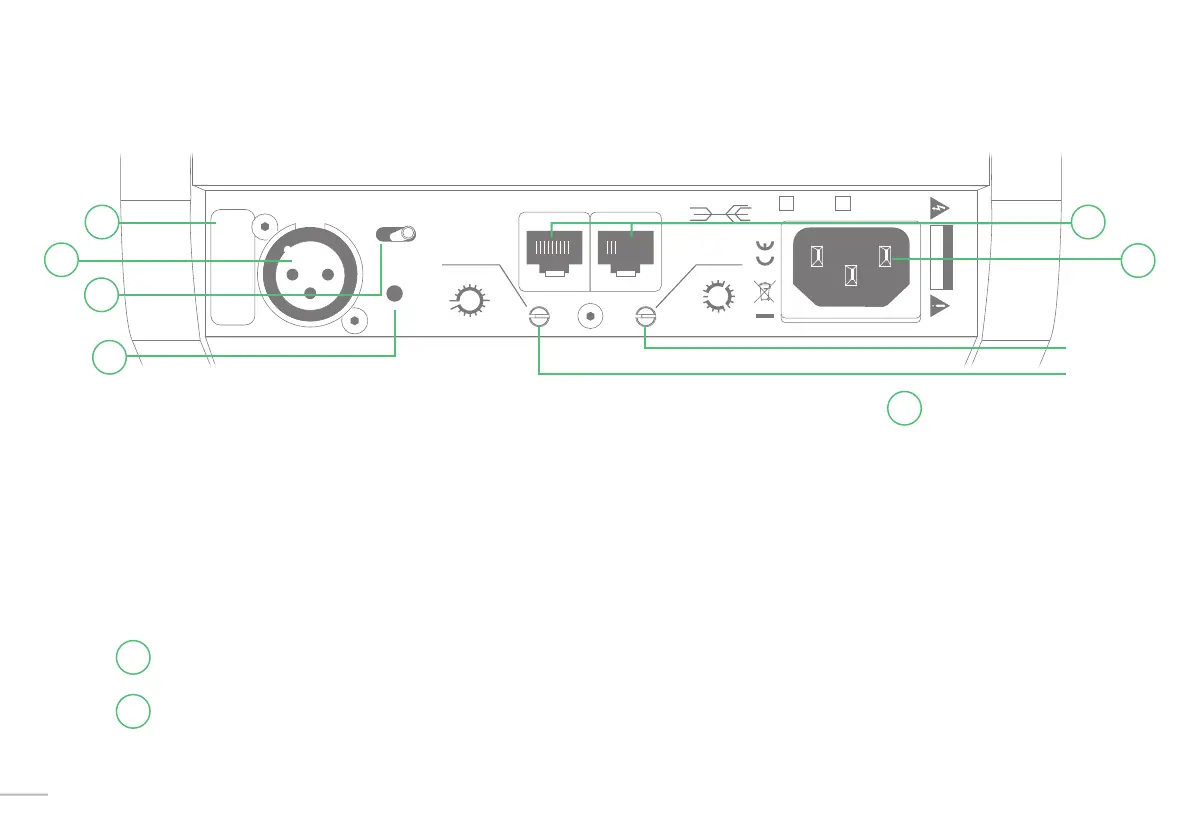
Installation + Connector Panel
Power - The Kii THREE has no power switch. Simply plug the power cable into the IEC socket
f
.
If no audio signal is present at the input for more than 15 minutes,
the speaker will automatically go into standby mode.
As soon as the input detects any audio signal (analog or digital) it will automatically power on.
This can take up to seven seconds.
Here is an overview of the connector panel from left to right:
SERIAL NUMBER - This is the individual Serial No. for each speaker.
XLR INPUT - This is the single XLR Input connector which can be set to process analog or digital audio
signals, depending on how the Select switch (c) is set.
Input Select In Kiilink Thru 230V~ 120V~200W
R Dig L
Analog
Boundary Contour
P/R
S/N
Kii Audio “THREE”
CAUTION
RISK OF ELECTRIC SHOCK
DO NOT OPEN
free
corner
wall
b
a
c
b
a
f
s
c
b
a
f
s
c
f
s
Ff F
B
C
B
b
f
c
a
s
C
F
300
3k
10k
a
b
a
b
c
d
e
f
Boundary
10



 To Next Page