English
Choosing a preset is easy.
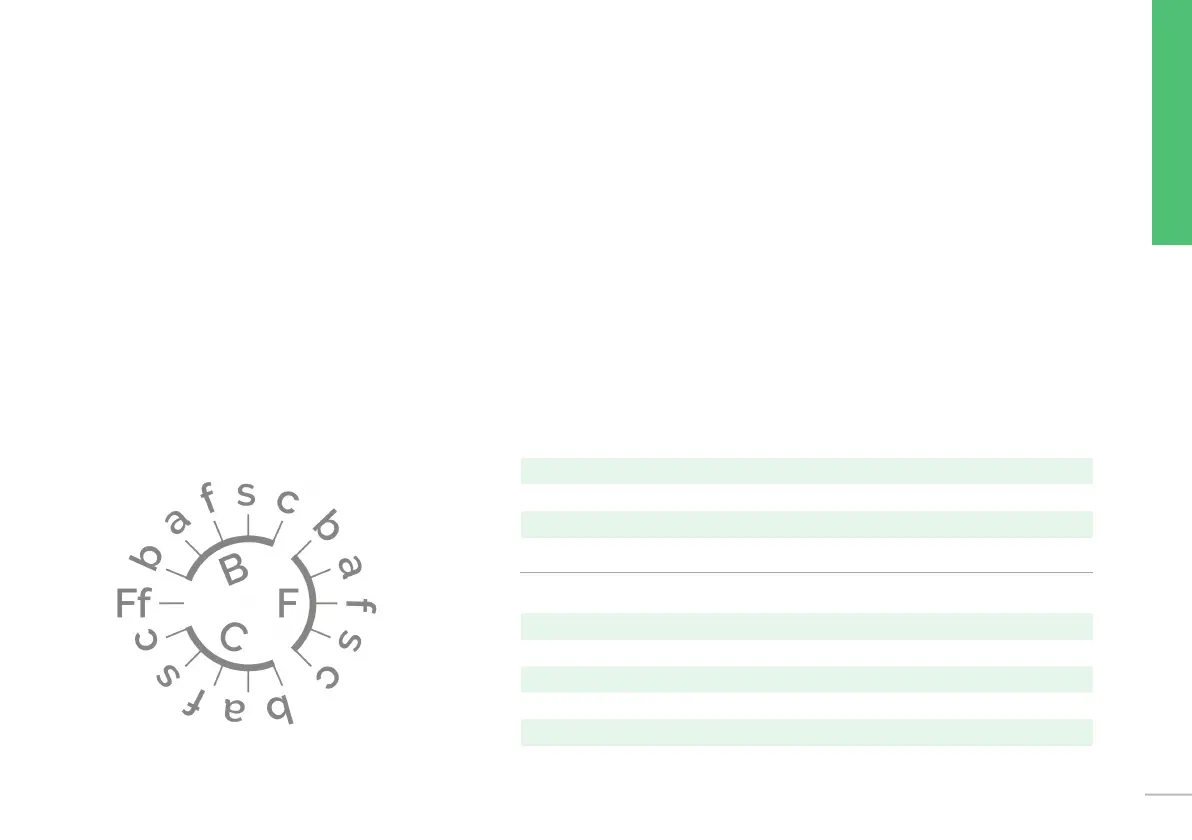
Each of the 14 dierent EQ positions is marked with two letters.
The rst upper case letter (B/F/C) marks the setting of the bass shelf.
The second lower case letter (b/a/f/s/c) marks the choice and setting of one
of the two dierent high shelves.
Simply choose a combination of upper and lower case letter to nd the preset you prefer.
Please use the graph to document your personal settings in this manual:
B = Boost enhanced low frequencies < 300Hz
F = Flat no change to the low frequencies
C = Cut reduced low frequencies < 300Hz
b = boost enhanced high frequencies > 3kHz
a = air enhanced high frequencies > 10kHz
f = at no change to the high frequencies
s = soft reduced high frequencies > 10kHz
c = cut reduced high frequencies > 3kHz
15


 To Next Page