25
Introduction
Daily use
KIMAX2
Menu
Configuration
Calibration
Protecting
calibration
Electrical
installation
Sensor
installation
Additional
information
Protecting your setup and calibration
When the setup, configuration and calibration is done, the settings and values can be
protected by activating a software lock on the Kimax 2 Radio.
In the locked position, you are able to read all measured weighing values on your Kimax 2
instrument. Furthermore, you can read the values in the service menus. However, you are not
able to change the setup, configuration or calibration by accident.
The software lock is not ‘hacker’ proof protection, you can easily (decide to) unlock your
instrument in order to modify the calibration.
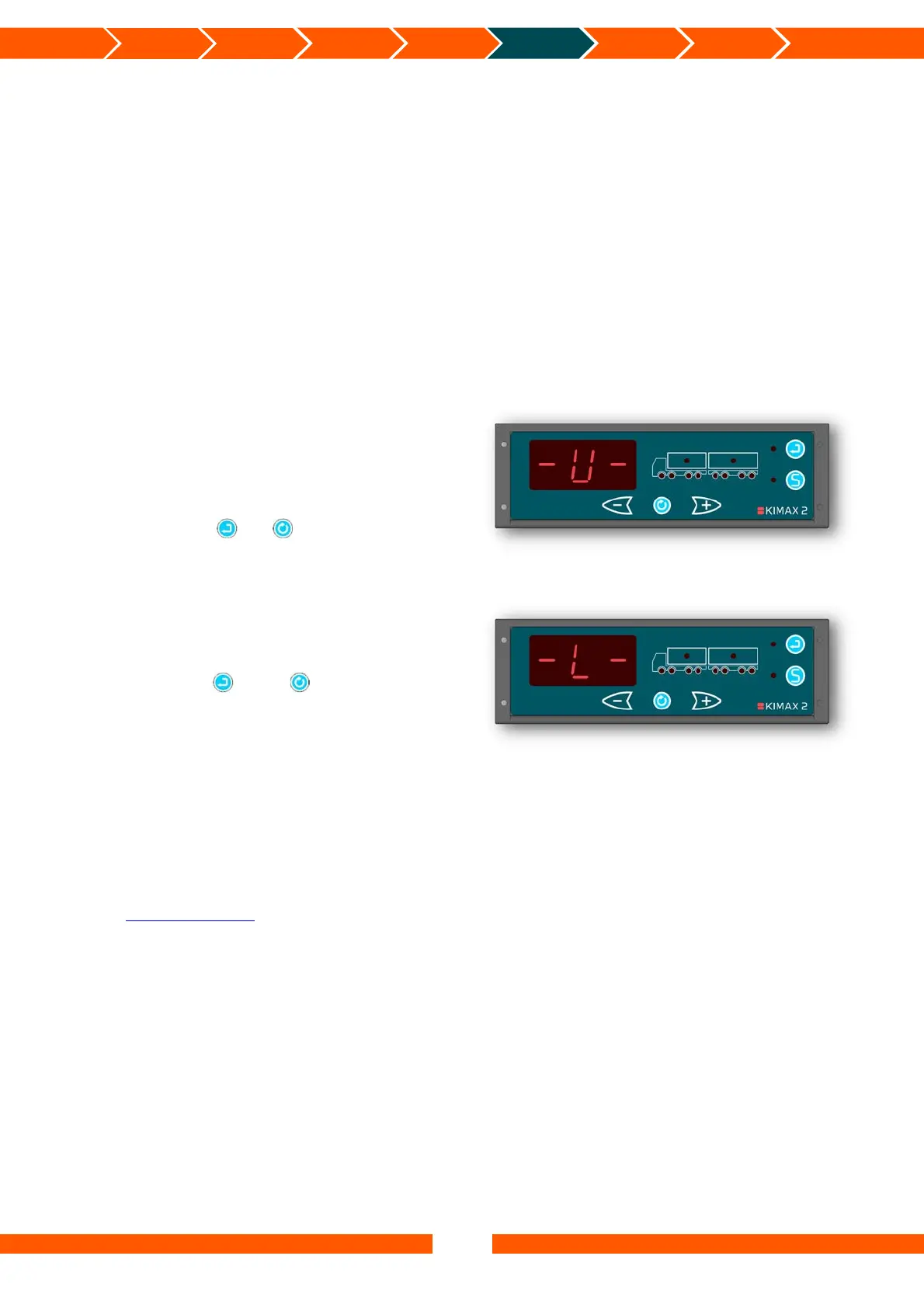
Locking Kimax 2 Radio
The factory setting is unlocked when you get
a new instrument, you read a -U- when you
power your instrument up.
After the setup, configuration and calibration
is done you can lock your Kimax 2 Radio by
powering up the instrument once again
while you press and .
Unlocking Kimax 2 Radio
When you decide to recalibrate your system,
you need to unlock the Kimax 2 Radio.
A locked instrument is displayed as a -L- when
you power it up.
Pressing both and while you are
powering the instrument up once again will
unlock the menus, and you will have access to
all setup, configuration and calibration menus
again.
You can lock and unlock your Kimax instrument as often as you like.
The Kimax 2 Radio can be delivered in a special version, where the instrument is protected
against changes made with the buttons. This type of instrument can only be configured and
calibrated through the Kimax 2 Terminal. To learn more about the Kimax 2 Terminal please
visit www.kimax.com.
The Kimax 2 instrument is a reliable instrument, which shows the real weight of your vehicle
when it is properly calibrated. However, it is your responsibility to maintain the calibration of
your instrument. Sense-tech Weighing Systems ApS do not in any case take over the
responsibility for the accuracy of your calibration.


 To Next Page
 Loading...