8
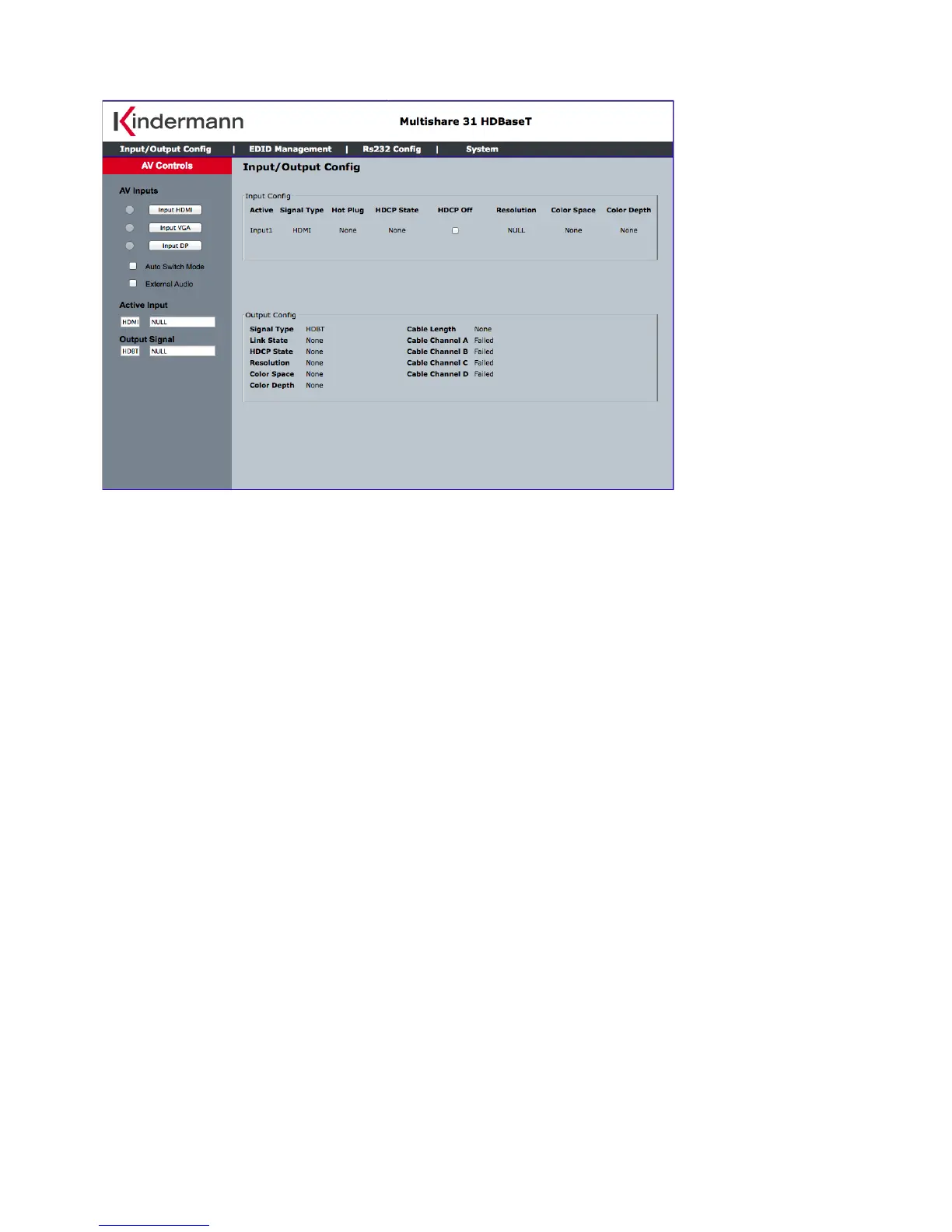
Eingang/Ausgang konfigurieren - Input/Output configuration
Klicken Sie im Hauptbildschirm auf “Input/Output Config“. Auf dieser Seite können Sie den Eingang
umschalten, und bekommen die entsprechende Eingangssignal-Information und den Status des HDBaseT
Ausganges angezeigt.
AV Inputs – Eingangswahlschalter
Auto Switch Mode – Schaltmodus: automatische oder manuelle Eingangswahl
External Audio – wählen Sie, ob das Audio-Signal am 3,5 mm Klinken-Eingang im digitalen
Video-Eingangssignal eingebettet wird
Input Config – Information über Eingangssignal
Output Config – HDBaseT Status am Ausgang
Active Input – Eingangssignals und aktuelle Auflösung
Output Signal – Format des Ausgangssignals und aktuelle Auflösung
HDCP O – wenn aktiv, ist Multishare 31 Eingang nicht HDCP konform
The page provided the switching and also the connection input signal information and HDBT output
connection status.
AV Inputs – Select to switch the input
Auto Switch Mode – If check, the device is set in auto switching mode else in manual mode
External Audio – If check, the 3.5 mm audio input is embedded to the input video
Input Config – Input port information
Output Config – HDBaseT connection status
Active Input – Showing the input signal format and resolution
Output Signal – Showing output signal format and resolution
HDCP O – When check, Multishare 31 will request none HDCP compliant source



 To Next Page