9
E. Operation environment presentation
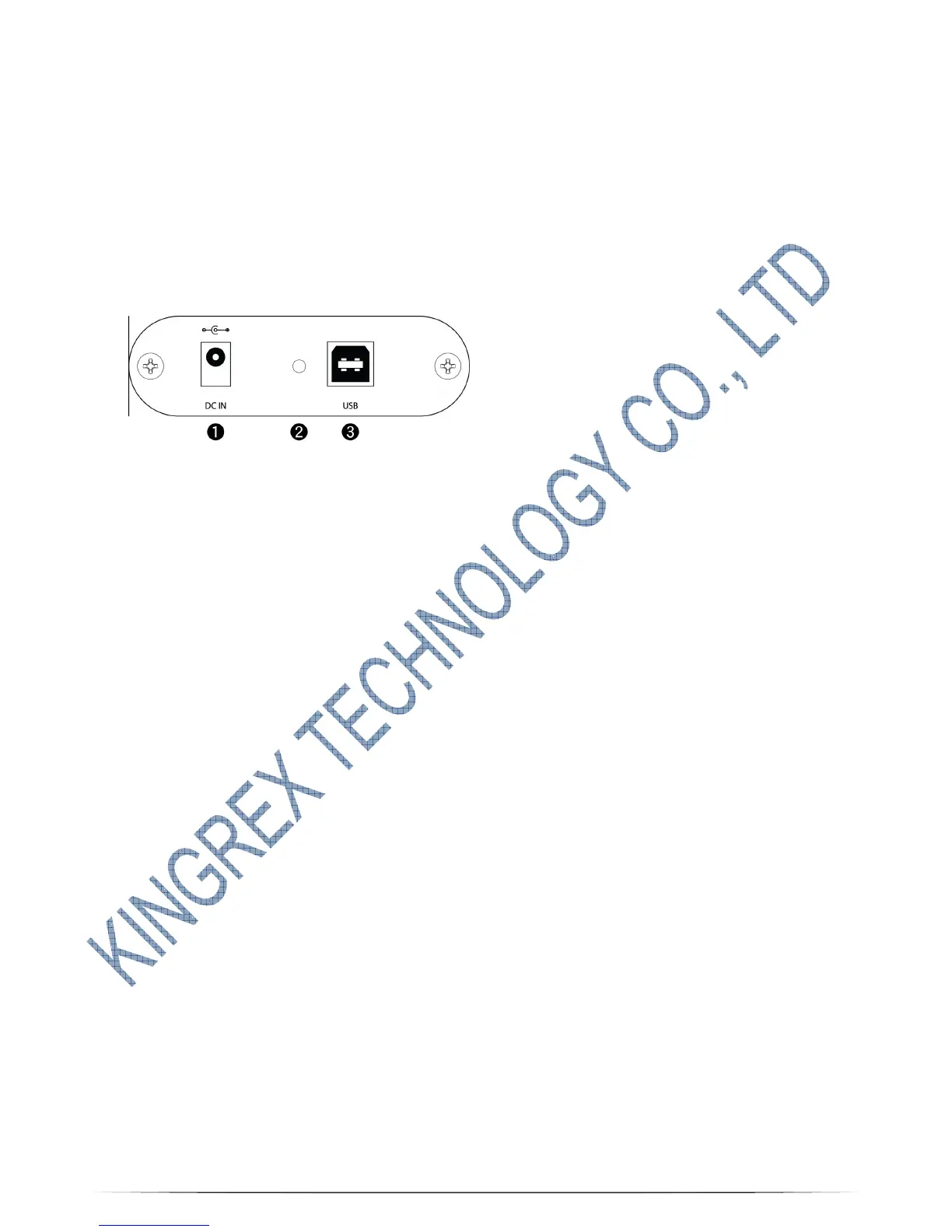
Front panel details & rear panel details
(Figure 1)
1. DC JACK: FOR 7.5V power input – Apply a voltage in DC7.5V. Tip is positive,
ring is negative. This input is protected against polarity inversion. 2.1mm tip jack
supply connector.
2. Power instruction LED light - Power indicated LED. After connected power,
the power indicated LED light will be glow. If the LED light is dim, please
exchange your 7.5V switching power supply or contact with your local distributor
& dealer for after service.
3. USB port for PC signal input –Connect to host w/ a suitable 2.0 USB cable.
Female B USB connector.



 To Next Page