EasyManua.ls Logo

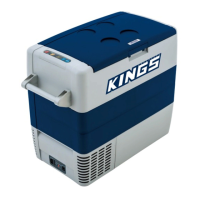
KINGS AFK60 - User Manual

KINGS AFK60
24 pages
Print Icon
To Next Page IconTo Next Page
Loading...
AFK60
Compressor Refrigerator Instruction Manual
Adventure-Kings-AKF60-Instruction-Manual.indd 1 6/06/2016 2:39 pm
Question and Answer IconNeed help?

Do you have a question about the KINGS AFK60 and is the answer not in the manual?

Summary

Manual Usage Guidance

General Safety Precautions

Danger of Electrocution

Warns about electrical hazards, especially on boats, and advises on safe connections.

Electronic Devices Not Toys

Highlights that electronic devices are not toys and must be kept out of reach of children.

Safe Operating Procedures

Electrical Safety Precautions

Provides critical safety advice on handling electrical components and avoiding contact with exposed cables.

Overheating Prevention

Stresses the importance of ventilation to prevent the device from overheating.

Whats Included

Product Application

Cooling Perishable Medicines

Advises checking cooling capacity for medicines, highlighting a specific use case.

Cooler Functionality

Control Panel and Indicators

Operating Panel Details

Explains the functions of buttons and indicators on the device's control panel.

Power and Fuse Connections

Details the various connection sockets for power supply and fuses on the device.

First-Time Use Instructions

Attaching Carrying Handles

Guides the user on how to assemble and attach the carrying handles to the cooler.

Reversible Lid Operation

Explains the procedure to reverse the lid opening direction for user convenience.

Temperature Display Settings

Celsius;Fahrenheit Conversion

Describes how to switch the temperature display between Celsius and Fahrenheit units.

Energy Efficiency Tips

Power Connection Guide

Connecting to 12;24 V DC Sources

Details how to connect the cooler to a vehicle or boat battery using the DC cable.

Connecting to 100-240 V AC Mains

Explains how to connect the cooler to a standard AC power outlet for home or office use.

Overvoltage Protection

Warns about potential damage from overvoltage when connecting to a quick charging device.

Electrical Shock Safety

Advises against handling plugs with wet hands and suggests using a residual current circuit breaker for boat use.

Vehicle Battery Monitoring

Low Voltage Operation Mode

Describes indicators when the device is switched off due to low battery voltage.

Battery Discharge Safeguard

Warns about potential battery damage if the device is switched off due to low voltage without proper charging.

Battery Mode Management

Choosing Battery Protection Levels

Outlines the steps to select the battery monitor mode (LOW, MED, HIGH) using the control buttons.

Cooler Usage Best Practices

Ventilation for Cooling

Stresses the importance of adequate ventilation to prevent overheating and damage.

Temperature Setting Caution

Warns against placing items in the cooler not meant for the selected low temperature.

Product Specifications

Temperature Display Clarification

Clarifies that the displayed temperature represents the center of the interior compartment.

Lid Security

Locking the Cooler Lid

Details the procedure for closing and securing the cooler's lid.

Temperature Adjustment

Emergency Switch Functionality

Cooler Shutdown Procedure

Defrosting Procedures

Safe Ice Removal

Warns against using sharp tools to remove ice, which can damage the cooler.

240 V AC Fuse Replacement

Electrical Safety Before Fuse Replacement

Crucial safety warning to disconnect power before replacing the fuse.

12;24 V DC Fuse Replacement

Internal Light Bulb Change

Cleaning and Care Instructions

Electrical Safety for Cleaning

Crucial safety warning to disconnect power before cleaning or servicing the device.

Safe Cleaning Practices

Warns against using harsh cleaning agents or methods that could damage the cooler.

Warranty Information Summary

Dometic Australia Contact

Provides contact and address details for Dometic Australia Pty Ltd.

Warranty Coverage Details

States the warranty duration and what product defects are covered.

Extended Warranty Terms

Warranty Repair Process

Explains the company's process for repair or replacement based on defect type.

Australian Consumer Law Rights

Informs about consumer rights under Australian Consumer Law regarding product failures.

Items Not Covered by Warranty

Lists specific exclusions from warranty coverage, such as improper use or incorrect power connection.

Troubleshooting Common Faults

Device Not Powering On

Addresses the problem of the device not functioning and the power LED not illuminating.

Cooling Not Working Properly

Troubleshoots why the device isn't cooling despite the power LED being lit.

Display and Indicator Errors

Diagnoses issues when the power LED flashes with a blank display and the device doesn't cool.

Error Messages and Cooling Issues

Guides on resolving issues when the "ERROR" LED flashes and the device does not cool.

12;24 V DC Connection Problems

Solves problems with the device not working via a 12/24V socket when ignition is on.

Troubleshooting Error Codes

Addresses error messages and cooling failures, suggesting internal faults as a cause.

Product Disposal and Recycling

Recycling Packaging Materials

Advises on recycling packaging materials responsibly.

Responsible Device Disposal

Guides users on how to dispose of the device according to local regulations.

AFK60 Technical Data

Cooler Specifications Summary

Lists essential technical specifications of the AFK60 cooler, including capacity, voltage, current, and dimensions.

Performance at High Temperatures

Informs that the minimum temperature may not be reached at ambient temperatures above 32°C.

Summary

Manual Usage Guidance

General Safety Precautions

Danger of Electrocution

Warns about electrical hazards, especially on boats, and advises on safe connections.

Electronic Devices Not Toys

Highlights that electronic devices are not toys and must be kept out of reach of children.

Safe Operating Procedures

Electrical Safety Precautions

Provides critical safety advice on handling electrical components and avoiding contact with exposed cables.

Overheating Prevention

Stresses the importance of ventilation to prevent the device from overheating.

Whats Included

Product Application

Cooling Perishable Medicines

Advises checking cooling capacity for medicines, highlighting a specific use case.

Cooler Functionality

Control Panel and Indicators

Operating Panel Details

Explains the functions of buttons and indicators on the device's control panel.

Power and Fuse Connections

Details the various connection sockets for power supply and fuses on the device.

First-Time Use Instructions

Attaching Carrying Handles

Guides the user on how to assemble and attach the carrying handles to the cooler.

Reversible Lid Operation

Explains the procedure to reverse the lid opening direction for user convenience.

Temperature Display Settings

Celsius;Fahrenheit Conversion

Describes how to switch the temperature display between Celsius and Fahrenheit units.

Energy Efficiency Tips

Power Connection Guide

Connecting to 12;24 V DC Sources

Details how to connect the cooler to a vehicle or boat battery using the DC cable.

Connecting to 100-240 V AC Mains

Explains how to connect the cooler to a standard AC power outlet for home or office use.

Overvoltage Protection

Warns about potential damage from overvoltage when connecting to a quick charging device.

Electrical Shock Safety

Advises against handling plugs with wet hands and suggests using a residual current circuit breaker for boat use.

Vehicle Battery Monitoring

Low Voltage Operation Mode

Describes indicators when the device is switched off due to low battery voltage.

Battery Discharge Safeguard

Warns about potential battery damage if the device is switched off due to low voltage without proper charging.

Battery Mode Management

Choosing Battery Protection Levels

Outlines the steps to select the battery monitor mode (LOW, MED, HIGH) using the control buttons.

Cooler Usage Best Practices

Ventilation for Cooling

Stresses the importance of adequate ventilation to prevent overheating and damage.

Temperature Setting Caution

Warns against placing items in the cooler not meant for the selected low temperature.

Product Specifications

Temperature Display Clarification

Clarifies that the displayed temperature represents the center of the interior compartment.

Lid Security

Locking the Cooler Lid

Details the procedure for closing and securing the cooler's lid.

Temperature Adjustment

Emergency Switch Functionality

Cooler Shutdown Procedure

Defrosting Procedures

Safe Ice Removal

Warns against using sharp tools to remove ice, which can damage the cooler.

240 V AC Fuse Replacement

Electrical Safety Before Fuse Replacement

Crucial safety warning to disconnect power before replacing the fuse.

12;24 V DC Fuse Replacement

Internal Light Bulb Change

Cleaning and Care Instructions

Electrical Safety for Cleaning

Crucial safety warning to disconnect power before cleaning or servicing the device.

Safe Cleaning Practices

Warns against using harsh cleaning agents or methods that could damage the cooler.

Warranty Information Summary

Dometic Australia Contact

Provides contact and address details for Dometic Australia Pty Ltd.

Warranty Coverage Details

States the warranty duration and what product defects are covered.

Extended Warranty Terms

Warranty Repair Process

Explains the company's process for repair or replacement based on defect type.

Australian Consumer Law Rights

Informs about consumer rights under Australian Consumer Law regarding product failures.

Items Not Covered by Warranty

Lists specific exclusions from warranty coverage, such as improper use or incorrect power connection.

Troubleshooting Common Faults

Device Not Powering On

Addresses the problem of the device not functioning and the power LED not illuminating.

Cooling Not Working Properly

Troubleshoots why the device isn't cooling despite the power LED being lit.

Display and Indicator Errors

Diagnoses issues when the power LED flashes with a blank display and the device doesn't cool.

Error Messages and Cooling Issues

Guides on resolving issues when the "ERROR" LED flashes and the device does not cool.

12;24 V DC Connection Problems

Solves problems with the device not working via a 12/24V socket when ignition is on.

Troubleshooting Error Codes

Addresses error messages and cooling failures, suggesting internal faults as a cause.

Product Disposal and Recycling

Recycling Packaging Materials

Advises on recycling packaging materials responsibly.

Responsible Device Disposal

Guides users on how to dispose of the device according to local regulations.

AFK60 Technical Data

Cooler Specifications Summary

Lists essential technical specifications of the AFK60 cooler, including capacity, voltage, current, and dimensions.

Performance at High Temperatures

Informs that the minimum temperature may not be reached at ambient temperatures above 32°C.

KINGS AFK60 Specifications

General IconGeneral
CategoryRefrigerator
Number of Doors1
Shelves2
Voltage220-240V
Frequency50Hz
RefrigerantR600a
Capacity60 liters

Related product manuals