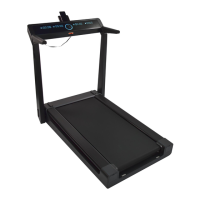
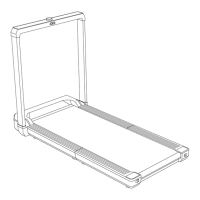
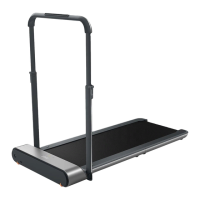
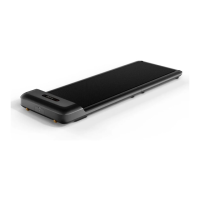
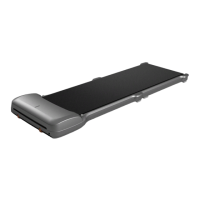
This document describes the KingSmith Smart Foldable Treadmill, Model No.: TRK12F, a 2-in-1 treadmill designed for home use, offering a blend of ingenious, simple, and innovative design for a healthy sports lifestyle. The appliance is intended for household use and emphasizes user safety and proper operation.
Function Description
The KingSmith Smart Foldable Treadmill is a versatile exercise machine that supports both walking and running modes. It features a foldable design, making it convenient for storage in home environments. The treadmill can be controlled via a remote control or through a dedicated mobile application, "KS Fit."
The device operates in two primary modes:
- Manual Mode (Fixed Speed Mode): In this mode, users control the speed of the treadmill using the remote control. It is recommended for beginners to start with this mode to become proficient before transitioning to automatic mode. The speed can be increased or decreased in increments of 0.5 km/h with a single click, or continuously by pressing and holding the acceleration/deceleration buttons. The treadmill will automatically stop if the user leaves it for more than 15 seconds in this mode. When the handrail is pulled down, the maximum speed is 6 km/h, suitable for walking. When the handrail is lifted up, the maximum speed is 12 km/h, suitable for running, and requires the safety key to be inserted.
- Automatic Mode (Advanced Mode): This advanced mode offers a higher level of difficulty, where the user can control the speed entirely without the remote control, relying on intelligent algorithms. It is recommended for users with good sports skills or running experience. In automatic mode, the treadmill's speed adjusts dynamically based on the user's footsteps. If the user quickens their pace, the treadmill accelerates; if they slow down, it decelerates. The treadmill will automatically stop if the speed decelerates below 2.5 km/h. Similar to manual mode, the maximum speed is 6 km/h with the handrail down (for walking) and 9 km/h with the handrail up (for running).
A safety clip is provided, which should be attached to the user's clothes. Inserting the safe key into its socket enables the treadmill's operation, and pulling it off will immediately stop the electric motor in case of unexpected conditions.
The treadmill also features a standby mode, where the electric motor and sensor stop functioning to prevent unintended activation. The device can be locked by pressing and holding the mode button for more than 2 seconds when stopped, and unlocked by pressing and holding the Start or Mode button for more than 2 seconds.
Usage Features
- Setup: The initial setup involves lifting the handrail, inserting the safety lock into its seat, and securing the handrails with bolts. The power cord is then connected, and the switch is turned on.
- APP Integration: Users can download the "KS Fit" APP, complete registration, and connect it to the treadmill for enhanced control and tracking. If direct remote control use is preferred, APP setup can be skipped.
- Safety Key: The safe key must be inserted into its socket, and the other end clipped to the user's clothing, especially when running or when the handrail is lifted.
- Display Panel: The display panel shows various metrics such as Time, Speed, Distance, Calories, and Steps. It also features an Error Warning Light that illuminates and shows an error code if any issue occurs.
- Remote Control: The remote control allows for starting/stopping the treadmill, adjusting speed, and switching between manual and automatic modes. It also has a battery cover and a hanging hole. If the remote control is unresponsive or replaced, it needs to be re-paired by restarting the power, then pressing and holding the mode key for 5 seconds until a "click--" sound is heard.
- Status Display: The display panel shows "KS M" for manual mode and "KS A" for automatic mode. A flashing "KS" symbol indicates the APP is not connected, while a solid "KS" symbol means the APP is connected.
- Warm-up Exercises: The manual provides a series of warm-up exercises to be performed for 5-10 minutes before using the treadmill to prevent sports injuries. These include stretching downward, hamstrings, calves and foot tendons, quadriceps muscles, and sartorius muscles.
- Safety Precautions:
- Maintain a safety area of 2000mm x 1000mm behind the treadmill and more than 500mm on both sides.
- Always wear sports shoes.
- Clip the safety lock clamp to your clothes.
- Do not operate the treadmill on uneven ground.
- Unplug the power cord when the treadmill is idle to prevent unauthorized use.
- Do not use the treadmill with pets.
- Do not walk backward or sideways on the treadmill.
- Avoid lateral placement of the treadmill.
- Only one person should use the treadmill at a time.
- Do not fold the treadmill during operation.
- Maintain eye level and avoid visual dizziness.
- Elderly and pregnant individuals should use the treadmill discreetly.
- Juveniles should be accompanied and guided by an adult.
- Avoid pinching hands when folding up the handrail.
- The appliance has a polarized plug; ensure it fits fully into the outlet. If it doesn't, reverse the plug. If it still doesn't fit, contact a qualified electrician. Do not modify the plug.
Maintenance Features
- Cleaning:
- Turn off and unplug the power cord before cleaning.
- Apply a few drops of detergent to a cotton rag or towel; do not pour detergent directly onto the belt.
- Avoid using acid or corrosive cleaners.
- Wipe dust and stains from the frame, front panel, and belt. Do not wipe the backside of the belt.
- Dust and stains on the back part after use are normal and should be cleaned.
- Treadmill Belt Slipping and Calibrating:
- If the belt deviates to the right, rotate the left adjustment screw clockwise by 1/4 circle.
- If the belt deviates to the left, rotate the right adjustment screw clockwise by 1/4 circle.
- If the treadmill belt is slipping, simultaneously rotate the left and right adjustment screws clockwise by half a circle.
- After adjustments, run the machine for 1-2 minutes to check if further readjustment is needed.
- Treadmill Band Lubricating:
- Shut down and unplug the treadmill.
- Raise the treadmill band edge and apply 5-10 ml of silicone oil to the inner surface.
- Reconnect the power.
- Run the treadmill belt for 10-20 seconds at a speed of 4 km/h.
- Apply silicone oil once every three months. Excessive application can cause slipping.
- Firmware Upgrading: The "KS Fit APP" may provide prompts for OTA firmware upgrades. Users can follow the instructions on their mobile phone to automatically complete the upgrade.
- Battery Replacement and Disposal:
- The battery must be removed for disposal.
- Use only original batteries, available from online parts shops.
- The battery compartment is on the underside of the appliance. Remove the screw, open the cover, and press the lower end of the locking catch to separate the connectors.
- When inserting a new battery, push the connectors together until the catch locks.
- Dispose of old or defective batteries at proper public collection points, not in domestic garbage.

 Need help?
 General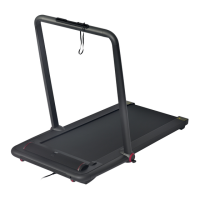

 To Next Page