
 Need help?
Do you have a question about the Kingston Technology Nucleum and is the answer not in the manual?
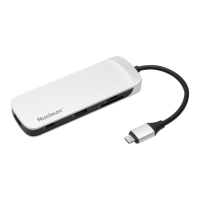
Lists the types of ports available on the Nucleum hub, including USB-C, HDMI, USB-A, SD, and microSD.
Details SD card reader capabilities: supported types (SD/SDHC/SDXC UHS I-II), version 4.0, up to 2TB capacity, 104MB/s.
Details microSD card reader capabilities: supported types (microSD/microSDHC/microSDXC UHS I), version 4.0, up to 2TB capacity, 104MB/s.
Specifies the need for a PC or Mac with a USB-C connection and lists compatible operating systems.
Details the ports located on Side 1 of the Nucleum hub, including USB-A and USB-C (Power).
Details the ports located on Side 2 of the Nucleum hub, including USB-C (Data), USB-A, and SD/microSD slots.
Details the HDMI port on Side 3 of the Nucleum hub, used for connecting external monitors and streaming 4K video.
Important reminder to safely remove external storage devices before disconnecting power or the hub.
 General
| Brand | Kingston Technology |
|---|---|
| Model | Nucleum |
| Category | Adapter |
| Language | English |

 To Next Page