Document No. Hub-091017.A00
Introduction
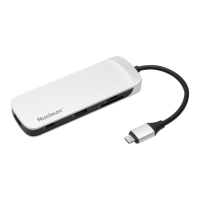
Use the mouse, monitor, and accessories you’ve grown to love with your new notebook or desktop. With
a single USB-C hub, you can connect up to 7 devices at once and keep your creativity flowing. The
Nucleum has you covered whether you want to connect to a larger monitor or need to offload footage.
The Nucluem also allows you to power your MacBook while simultaneously charging an iPhone and
running your external hard drive.
Specifications
Power pass-through supported
Ports
o USB-C (power input)
o USB-C (data)
o HDMI
o USB-A (x2)
o SD
o microSD
USB-C Data: USB 3.1 Gen 1 (5Gb/s)
USB-A Data: USB 3.1 Gen 1 (5Gb/s)
HDMI Standard v1.4b (supports 4K @30Hz)
o HDCP not supported
SD Card Reader supports SD/SDHC/SDXC UHS I-II
o SD spec version 4.0
o SD card capacity up to 2TB
o Up to 104MB/s
microSD Card Reader supports microSD/microSDHC/microSDXC UHS I
o SD spec version 4.0
o SD card capacity up to 2TB
o Up to 104MB/s
Operating Temp: 0-70 C
Storage Temp: -25-85 C
Requirements
PC or MAC with a USB-C connection.
Windows 10, Windows 8/8.1, Windows 7, Mac OS X (v.10.9.x +), Linux (v. 2.6.x +), Chrome OS.
* MacBook and iPhone are trademarks of Apple Inc., registered in the U.S. and other countries.


 To Next Page
 Loading...