LT03
9
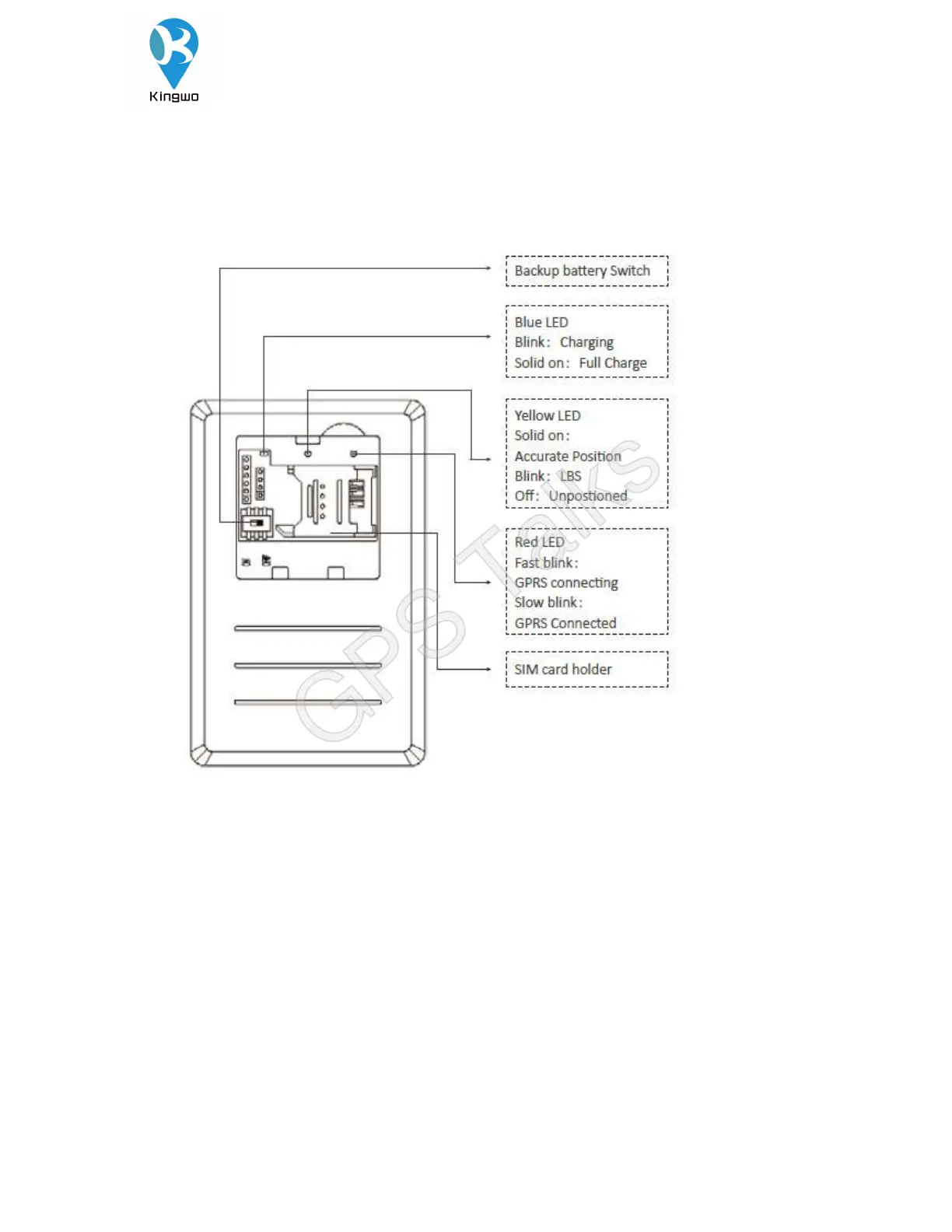
5.1 Product installation diagram
5.2Installation and debugging process
5.2.1 SIM card installation
Open the top cover of the terminal, insert the prepared SIM card into the SIM card holder, and then
confirm that the SIM card button is well placed . Please make sure that the SIM card has the GPRS
function available in advance and write down the SIM card number.
5.2.2 Main unit power on
After installing the SIM card, turn the battery switch to the ON position. When the red light starts to
GPS Talks


 To Next Page