10. Adding Game Methods
There are many ways to copy games:
The First Type: (compatible with multiple win systems)
Insert the game console memory card into the computer and use DiskGenius software:
(1) Open DiskGenius, make sure DiskGenius has recognized the memory card ;
(2) Find the rom folder and put the game in the corresponding folder ;
(3) Drag the game that needs to be placed directly into the corresponding folder ;
(4) Safe pop-up after transmission.
The Second Type:
The second way, if you use the memory card equipped with the game console, you can
directly insert it into the win10 computer,
find the data mobile hard disk, and directly copy the game to the corresponding emulator in
the roms folder.
The Third Type: (network connection)
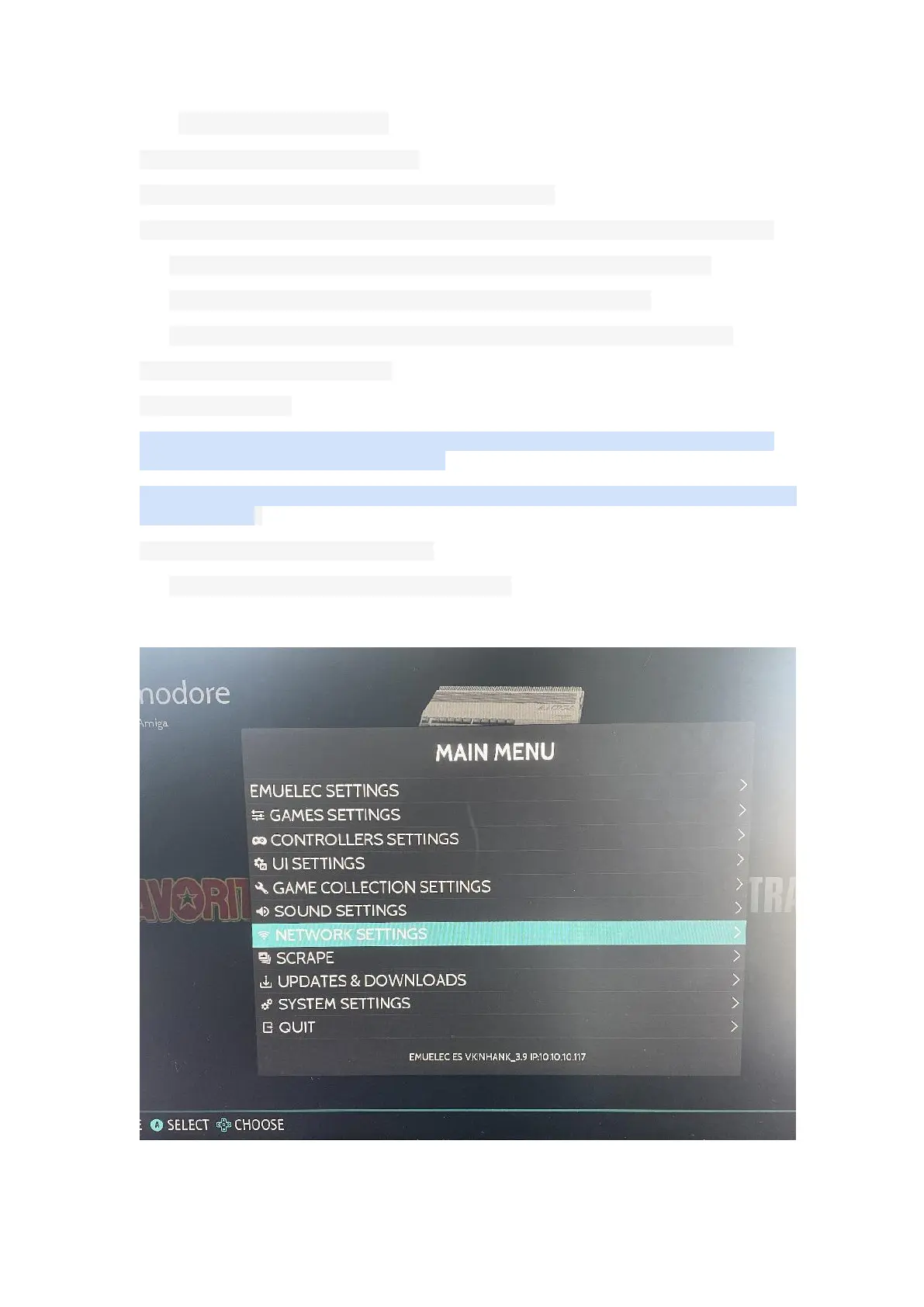
(1) Please connect the device to the network first.
View the IP address of the device


 To Next Page