EasyManua.ls Logo

Kinhank SUPER CONSOLE CUBE X3 - User Manual

Kinhank SUPER CONSOLE CUBE X3
16 pages
Print Icon
To Next Page IconTo Next Page
Loading...
SUPER CONSOLE CUBE X3
User Manual
Model:Super Console Cube X3 Dual System: Game & TV
CPU:Amlogic S905X3 RAM:4GB DDR3
GPU:Mail-G31 MP2 ROM:32GB eMMC
DC Power:5V/3A Bluetooth: BT4.0
WiFi:2.4G/5G Language:Multi-languages
1. Product Information
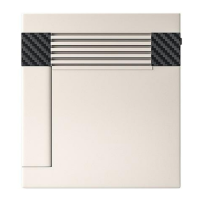
Product size: 12.5cm*10.7cm*4cm
Product weight: 200g
Support HDMI-compatible
Support 2.4G/5G WiFi. 10/1000M LAN
Support Multi-language
Three Systems: EmuELEC4.5 & Android 9.0 & CoreELEC
Question and Answer IconNeed help?

Do you have a question about the Kinhank SUPER CONSOLE CUBE X3 and is the answer not in the manual?

Summary

Product Information

Product Features

Packing List

Highlights of Latest Upgrades

Three Systems Operation

Safety Precautions

System Startup and Shutdown

More Settings

Language Setting

Procedure to change the system language via the settings menu.

Controller Settings

WiFi Connection

Adding Game Methods

Add Games via DiskGenius

Method for adding games using DiskGenius software and memory card.

Add Games via Direct Copy

Copy games directly from memory card to computer for emulator compatibility.

Add Games via Network

Connect to network, find IP, and copy games to the corresponding emulator folder.

Change Game Emulators

Tutorial Videos and FCC Warning

Kinhank SUPER CONSOLE CUBE X3 Specifications

General IconGeneral
BrandKinhank
ModelSUPER CONSOLE CUBE X3
CategoryGame Console
LanguageEnglish

Related product manuals