Note: The system distinguishes games by folder name, do not modify any directory
structure, just copy the game files to the folder of the corresponding simulator.
11. Change Game Emulators:
There may be multiple emulator files. If individual games cannot be opened or you want to
try the effects of other simulators, please use the following methods to change the
simulator:
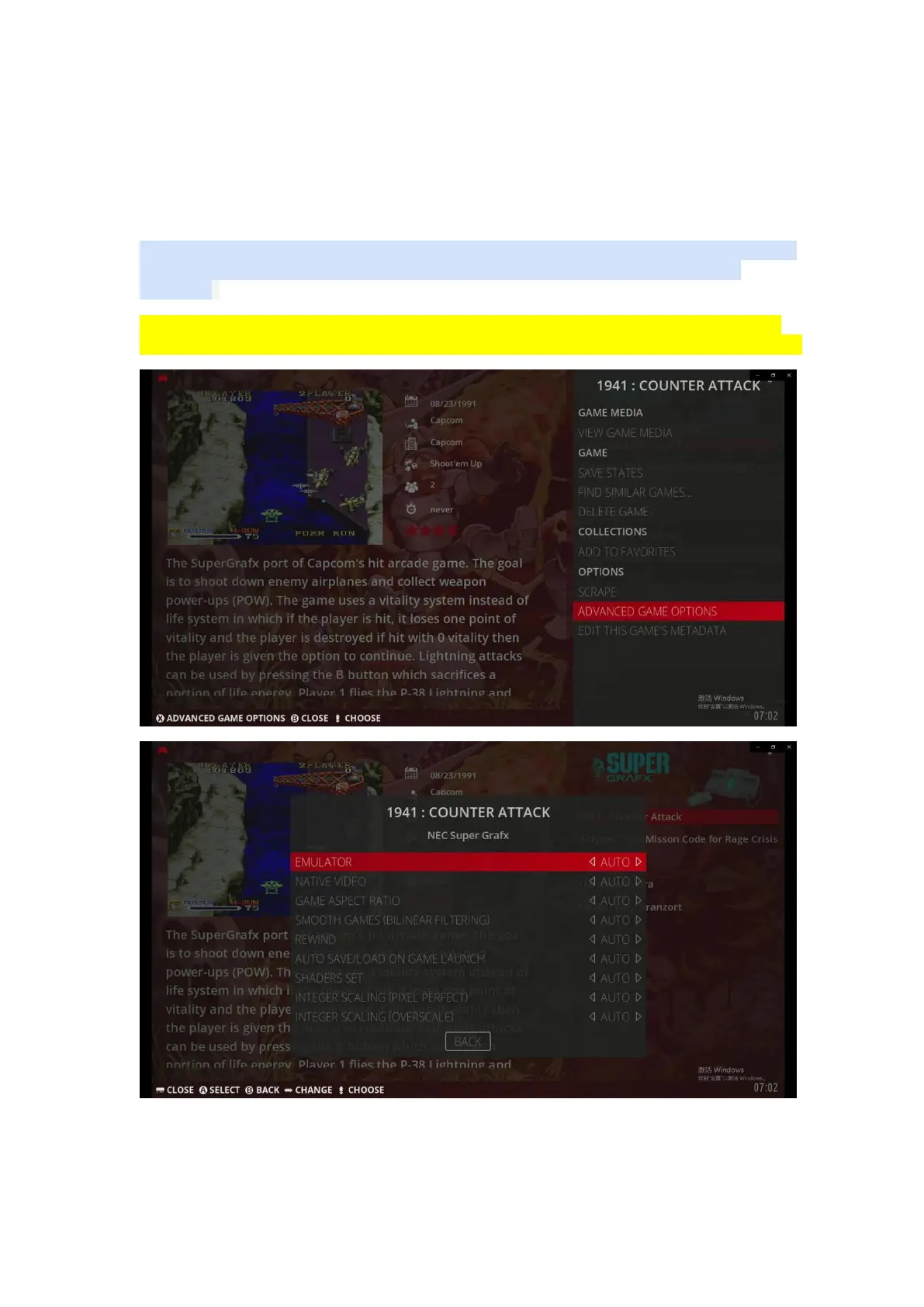
Select the game you want to change the emulator--->>Long press the B key--->>Game
settings menu--->>Advanced Game Options--->>Emulator--->>Choose the right emulator


 To Next Page