Inserting the Batteries
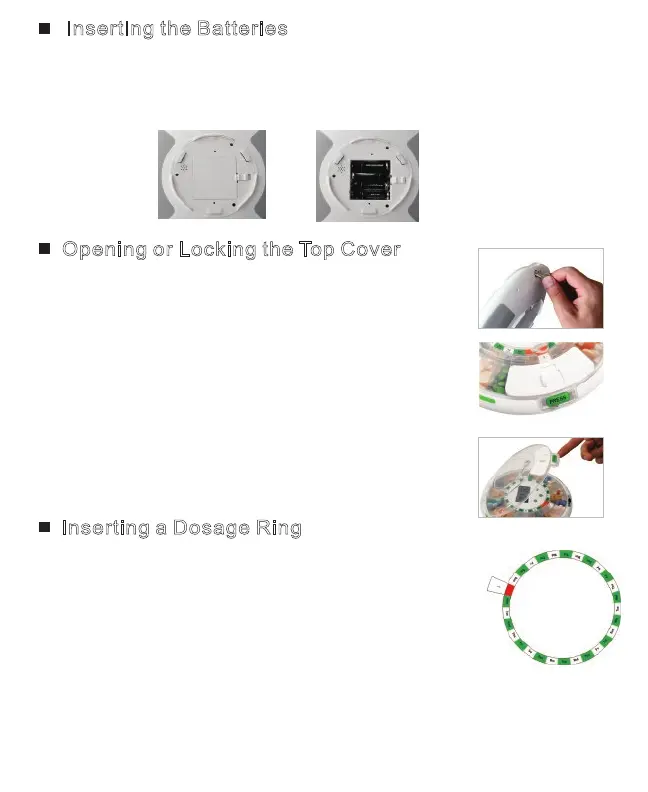
1. Slide battery door latch out and remove the battery door.
2. Insert 4 new AA batteries (included) in as directed and
close battery latch. Once powered, the LCD Display will turn on.
Opening or Locking the Top Cover
1. To unlock; locate the cover lock on the bottom of
the unit and insert the included key, and then
turn one quarter clockwise (right) to unlock.
2. Put pill dispenser on table, press the cover
handle to release the latch, then lift to open
the top cover.
3. To close and lock the top cover, press down on
the latch to ensure the unit is closed. Then,
insert the key into the bottom side and turn the
key one quarter counter-clockwise (left).
Inserting a Dosage Ring
1. Open the dispenser as directed above.
2. Select the correct dosage ring for your needs.
The rings are set up for 1-6 doses a day.
3. Set the correct dosage ring on the center of tray,
and fold the tab down to secure in place.*
4. Place pills in the correct pill slot according to the pill schedule.
* Do not place anything in the compartment corresponding with the red marking.
Page 3



 To Next Page