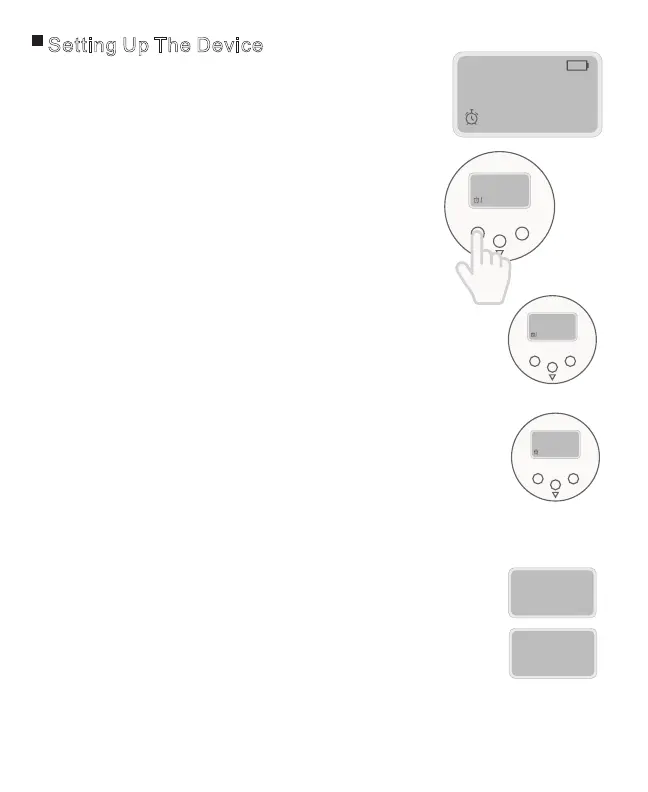
Setting Up The Device
•Open the top cover first using the earlier directions.
•Press and hold button A for approximately 3
seconds until the “:” symbol stops flashing.
• Press button B to adjust hour digits and press
button C to adjust minute digits.*
• To confirm clock settings, press button A once.
1. Setting the clock
2. Setting and checking alarm times
• Press button A once, an “alarm clock” symbol and
the number “1” will be displayed.
• Press button B to adjust hour digits and press
button C to adjust minute digits. *
• To confirm setting press button A once.
• To cancel a previously set alarm, continue pressing button
B until “-- : --“ is displayed. This occurs after 23:XX or
11:XXpm. You can also press and hold button A
until “-- : --“ is displayed.
• Repeat above steps to set Alarm 2, 3, 4, 5, and 6.
• After confirming Alarm 6, display will return
to clock mode.
A C
B
–
:
– – –
0
8
30
:
• Under clock mode, press button C once to enter
time format setting, then press button C again to
switch between 12-Hour and 24-Hour time formats.
• Confirm selected time format by pressing button
A once or wait 15 seconds.
3. Setting the time to be either 12 hour or 24 hour format
A C
B
0 00
:
8
A C
B
00
:
2
2
1
H2
2
1
H4
2
2
*Hold down B or C to cycle through the times faster.
Page 4



 To Next Page