Page 7
Battery for network-independent warning (optional):
o Serves the warning facility for approx. 72 hours in the case of power failure.
o The battery is monitored by charging automation.
o When the "Acc" error message is displayed, replace the battery.
o Technical data: Battery: 6 V, 4 A
Important Information
After disconnection from power supply the battery has to be switched off by pressing button (6) two times. Otherwise
battery wil be completely discharged.
Connect to central process control:
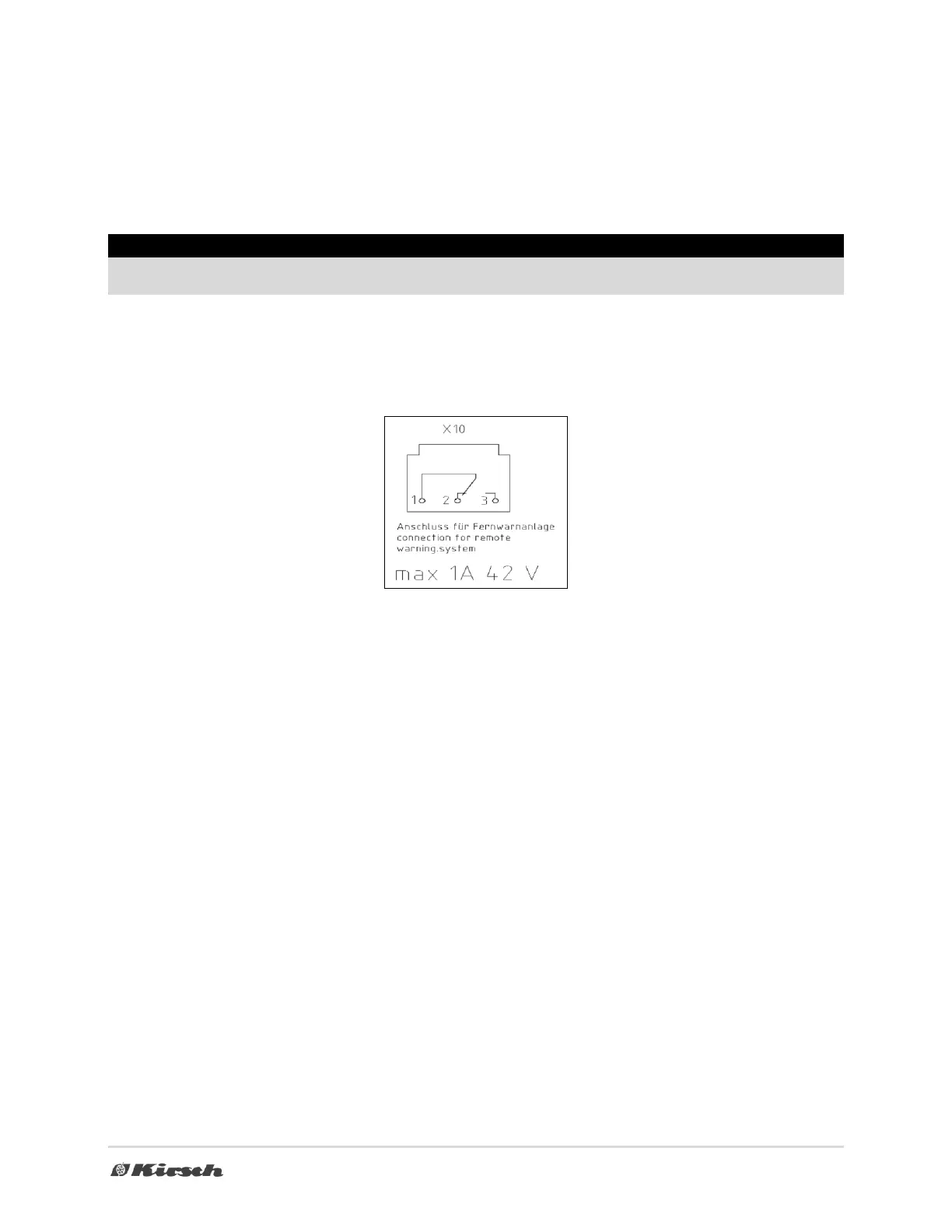
o Connect to the remote warning system (e.g. GSM module) via the floating alarm contact "X10" (tri-
ple-pole change-over contact). The contact is located on the connection terminal, fitted on model
ESSENTIAL-700 at the top behind the display, otherwise on the rear of the device.
o The contact switches in alarm state (see section 6). The "door open" alarm is not forwarded.
o The contact is designed for a maximum of 42 V, 1 A.
Loading:
o When the operating temperature has been achieved, you may load the device.
o After the door has been closed, a vacuum is created in the interior due to the forced-in external air
cooling down. Expect increased resistance when you open the door; therefore, open the door care-
fully.
Drawers (optional) and wire shelves must be height adjusted (possible on models with notch rails):
o Pull out the drawer until its end stop, lift up at the front and remove. Fold up the lateral rails and pull
them out of the notched slots. If you insert the guide rails, ensure that the clevis-type nibs are fitted at
the same height on all four notch rails. Observe the notch-rail designation for this purpose.
o Wire shelf with rails: The wire shelves do not have a hinge, and can be removed from the guide rails
without you lifting them. Offset the guide rails as previously described.
o Wire shelf with overlays: Lift the wire shelf and remove it. Offset the overlays as described for the
guide rails.
Defrost:
o The device defrosts automatically every 12 hours. The defrost water is directed into an externally
located pan and evaporates there automatically.
o By pressing button (4) for approx. 4 seconds an additional defrost will be effected..
o The yellow diode is illuminated during defrosting (8).
o Devices that are optionally supplied without defrost-water evaporation, must be inspected regularly
and the defrost-water tray must be emptied manually.



 To Next Page