EasyManua.ls Logo

Kisae 120V Series - User Manual

Default Icon
32 pages
Print Icon
To Next Page IconTo Next Page
Loading...
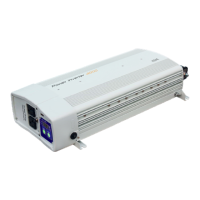
Inverter-Charger
120V Series
12V-2000W-80A (BIC1220080)
12V-3000W-100A (BIC1230100)
24V-2000W-40A (BIC2420040)
24V-3000W-50A (BIC2430050)
230V Series
12V-2000W-80A (BIC1220080i)
12V-3000W-100A (BIC1230100i)
24V-2000W-40A (BIC2420040i)
24V-3000W-50A (BIC2430050i)
Owners Manual

Questions and Answers

  • K
    Kyle CrosbyJul 31, 2025
    What to do if there is no AC output at the AC output socket of my Kisae 120V?
    • J
      James JohnsonJul 31, 2025
      If there's no AC output from your Kisae Inverter's AC output socket, first ensure that the thermal breaker hasn't tripped by resetting it. Next, verify the AC output is on by pressing and holding the ‘ESCAPE’ button for 5 seconds. Also, check that the AC input source is within the unit's acceptable range. Make sure the unit isn't set to Inverter Off. Finally, review any error codes on the display, as the inverter might be overloaded or the battery could be out of its operating range; in that case, check the AC load and the battery.

Summary

Important Safety Information

Safety Warnings and Compliance

Hazardous Conditions and Precautions

Details DANGER and WARNING statements for fire, shock, and explosion hazards.

System Wiring and Battery Bank

Unit Installation Guide

Installation Location and Mounting Procedures

Guidelines for choosing a location and mounting the unit.

DC Input Power Connection

Step-by-step instructions for connecting the DC input power.

Pre-Operation Setup and Testing

Optional Port Connections and Quick Test

Connects BTS, Ignition Start, and performs a basic unit test.

Unit Operation and Display Functions

Unit Settings Configuration

Inverter and Battery Management Settings

Details settings for inverter modes, load sense, and battery parameters.

Exploring Unit Settings: Inverter;Charger Modes

Automatic Backup with Charger Enabled

Details the default setting for automatic backup with the charger active.

Automatic Backup with Charger Disabled

Explains the setting to disable the unit's built-in charger.

Manual Backup with Charger Enabled

Describes the manual backup mode with the charger enabled.

Manual Backup with Charger Disabled

Details the manual backup mode with the charger disabled.

Charger Functions and Modes

Battery Charging Voltage and Current Settings

Details voltage and current settings for different battery types and charging stages.

Understanding Error Codes

Error Codes E01-E18 Explained

Explains error codes related to battery, output, temperature, and input issues.

Error Codes E19-E21 Explained

Details error codes specifically related to battery temperature sensing.

Troubleshooting Common Issues

Resolving No AC Output and Charger Issues

Addresses problems like no AC output and lack of charger current.

Troubleshooting Battery Temperature Charging Problems

Solves issues related to battery temperature affecting charging.

Specifications: 12 V Input Models

Specifications: 24 V Input Models

Kisae 120V Series Specifications

General IconGeneral
Input Voltage12V DC
Output Voltage120V AC
Output Frequency60Hz
EfficiencyUp to 90%
Protection FeaturesOverload, Short Circuit

Related product manuals