USING THE FOOD PROCESSOR | 17
USING THE FOOD PROCESSOR
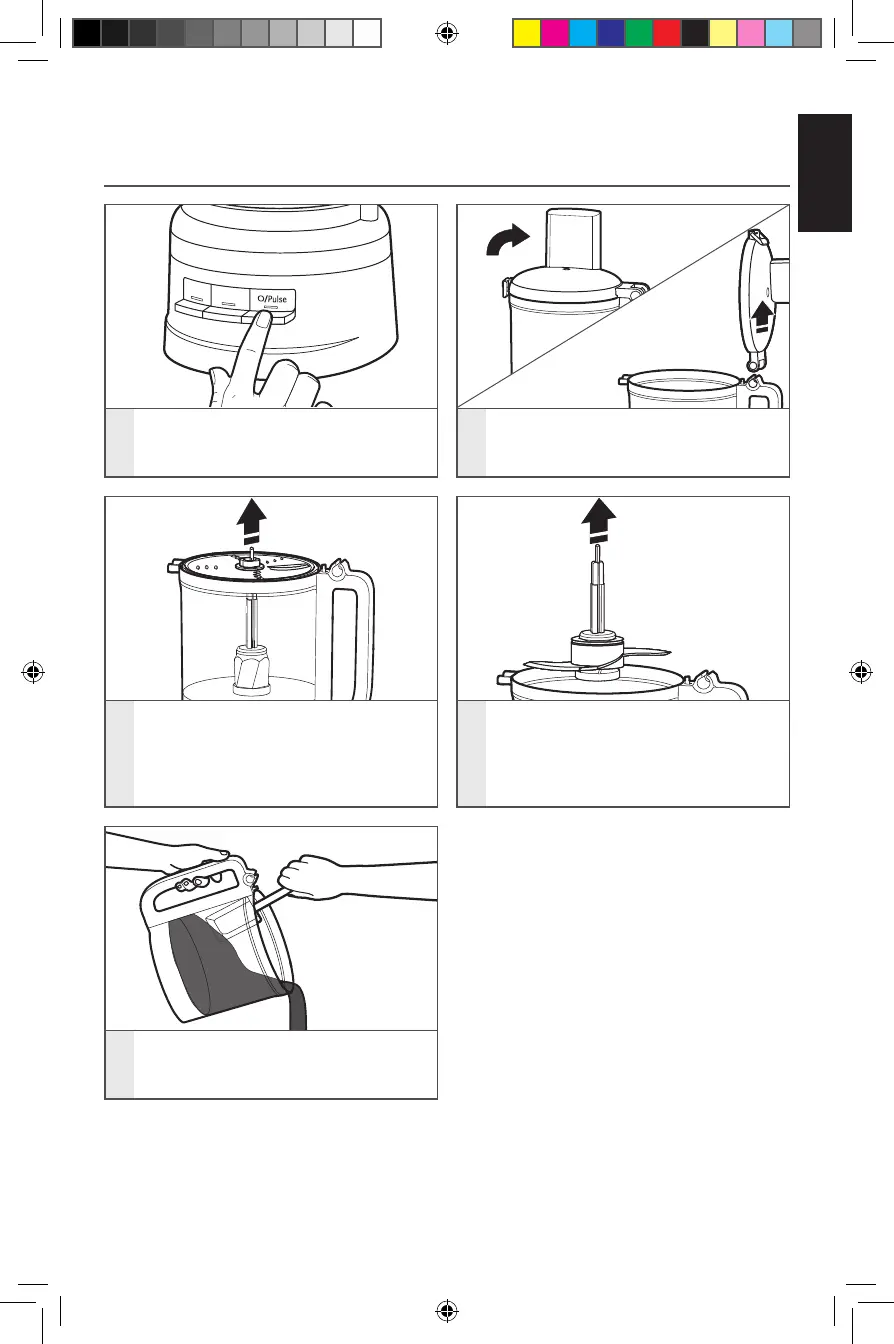
3
If using a disc, remove it before
removing the bowl. Holding the disc
by the center hub, lift it straight up.
4
Remove the drive adapter and
multipurpose blade, if using. The
blade will stay in place on the drive
adapter when you remove the
adapter.
5
Lift the work bowl off of the base to
remove food from the bowl with a
spatula.
1
Turn the Food Processor off:
Press O/Pulse and unplug the Food
Processor before disassembling.
2
Lift the lid latch to unlock the work
bowl cover, then lift cover to remove.
REMOVING PROCESSED FOODS
W11243754A_01_EN.indd 17 8/24/2018 2:28:33 PM






 To Next Page