EasyManua.ls Logo

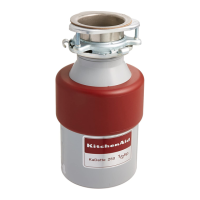
KitchenAid Imperial KCDI250 - Ownership Registration Card; Operating Instructions for Continuous Feed Models

KitchenAid Imperial KCDI250
8 pages
Print Icon
To Next Page IconTo Next Page
To Previous Page IconTo Previous Page
Loading...
OWNERSHIP
REGISTRATION
CARD
Before
you
use
your
disposer,
please
fill
out
and
mail
your
owne''ship
registration
card.
This
card
will
enable
us
to
contact
you
in
the
unlikely
event
of
a
product
safety
notification
and
assist
us
in
complying
with
the
provisions
of
the
Consumer
Product
Safety
Act.
THIS
CARD
DOES
NOT
VERIFY
YOUR
WARRANTY.
Keep
a
copy
of
the
sales
receipt
showing
the
date
of
purchase
and/or
date
of
installation
of
your
disposer
PROOF
OF
PURCHASE
WILL
INSURE
YOU
OF
IN-WARRANTY
SERVICE.
Write
down
the
following
information.
You
will
need
it
if
your
disposer
ever
requires
service.
Model
Number*_
Serial
Number*_
Date
Purchased_
Date
Installed_
Dealer's
Name
Address_
Phone
'Model
and
Serial
Numbers
are
located
on
a
label
near
the
bottom
of
the
disposer.
OPERATING
INSTRUCTIONS
FOR
CONTINUOUS
FEED
MODELS
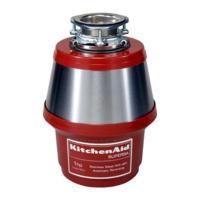
KitchenAid
Imperial
(Model
KCDI250)
KitchenAid
Superba
(Model
KCDS250)
The
KitchenAid
continuous
feed
disposers
have
a
two-piece
cover
that
acts
only
as
a
seal.
To
seal
the
cover
for
holding
water
in
the
sink,
insert
the
cover
into
the
disposer
opening
and
rotate
the
center
portion
of
the
cover
until
it
drops
into
the
seal
position.
Press
the
cover
down
firmly
in
the
disposer
opening.
A
wall
switch
is
used
to
turn
the
disposer
on
or
oft.
aganipni
Product
Damage
Hazard
Do
not
operate
the
disposer
with
the
cover
in
the
SEAL
position.
After
all
noAiKi'T^DiMr!’®®
disposer,
place
the
cover
in
the
DRAIN/GRIND
position.
Failure
to
do
so
can
result
in
product
damage.

Related product manuals