3-4
PRODUCT OPERATION
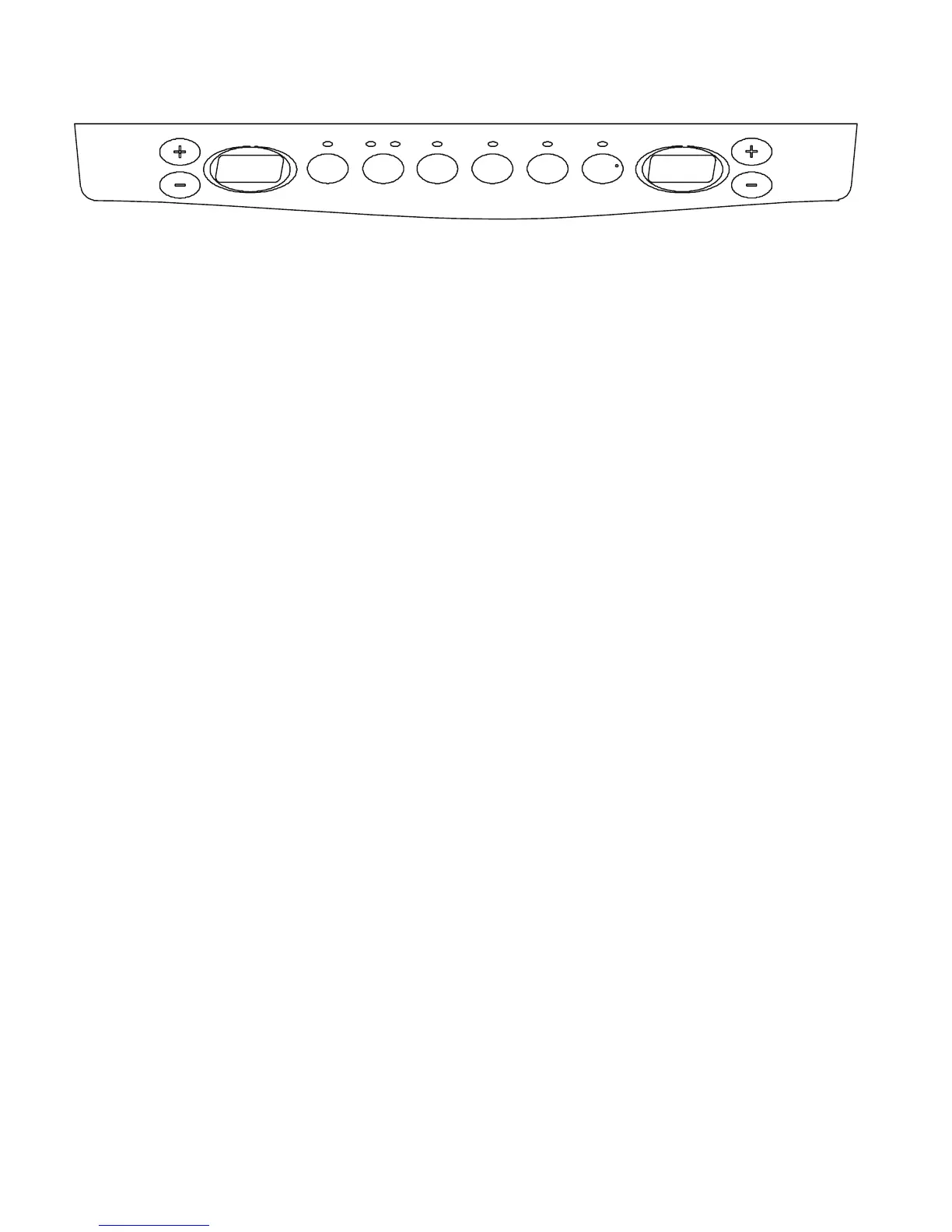
USER INTERFACE FEATURES
MAX COOL
The max cool feature assists with periods of
high refrigerator use, full grocery loads, or
temporarily warm room temperatures.
Press
the Max Cool touchpad to set the
freezer and refrigerator to the lowest tempera-
ture
settings. Press the Max Cool touchpad
again to return to the normal refrigerator
setpoint.
N
OTE: The Max Cool feature will automatically
shut off in approximately 12 hours.
OPTIMICE
®
FEATURE
The OptimIce
®
feature assists with temporary
periods of heavy ice use by increasing ice
production.
Press
the OptimIce
®
feature touchpad to set
the freezer to the lowest temperature setting.
Press the OptimIce
®
feature touchpad again
to return to the normal freezer setpoint.
NOTE: The OptimIce
®
feature will automati-
cally shut off in approximately 24 hours.
HOLIDAY MODE
In Holiday Mode, the freezer will not automati-
cally defrost as often to conserve energy
.
Press the Holiday Mode touchpad until the
indicator light is lit to turn on this feature.
Press the Holiday Mode touchpad again,
or open the refrigerator door to turn off this
feature.
NOTE: The refrigerator door may be opened
within
1 hour of setting Holiday Mode without
turning off the feature.
•
•
•
OptimIce
Filter
Reset
Holiday
Mode
O
rder Replace
T
emp
Alarm
Door
Alarm
Max
C
ool
Freezer
Refrigerator
USER INTERFACE
TEMP ALARM
The Temperature Alarm combines power out-
age and warm alarm features.
POWER OUT
AGE
During a power outage, if the temperatures in the
refrigerator and freezer compartments exceed
normal operating temperatures, the highest
temperature reached will be displayed.
Press
the Temp Alarm touchpad until the
indicator light is lit, to turn on this feature.
Press and hold Temp Alarm for 3 seconds
until the indicator light goes off to turn off
this feature.
W
ARM ALARM
An alarm will sound repeatedly if the freezer or
refrigerator compartment temperatures exceed
normal operating temperatures for an hour or
more.
The
temperature displays will alternately show
the current temperatures and the highest tem-
p
eratures the compartments reached when the
power was out.
Press
the Temp Alarm touchpad once to
stop the audible alarm and alternating tem-
perature
displays. The Temp Alarm light will
continue to flash until the refrigerator tem-
perature stabilizes.
DOOR
ALARM
The Door Alarm feature sounds a chime every
few seconds when the refrigerator door has
been left open for 5 continuous minutes. The
chime will sound until the door is closed or Door
Alarm is turned off.
Press the Door Alarm touchpad to turn this
feature on or off. The indicator light will be lit
when the Door Alarm feature is on.
•
•
•



 To Next Page