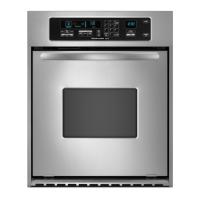
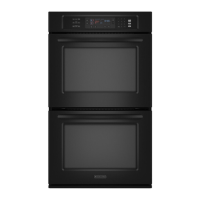
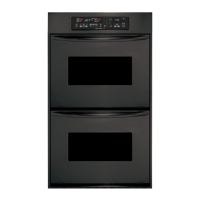
This document is a Use & Care Guide for KitchenAid Built-In Electric Convection Ovens, covering models KEBC107, KEBC177, KEBC247, KEBC278, KEBV107, KEBV208, KEBC147, KEBC208, KEBC277, and KEBC207. It provides comprehensive instructions for safe operation, feature usage, and maintenance.
Function Description:
The KitchenAid Built-In Electric Convection Oven is designed for baking, roasting, broiling, and convection cooking. It features an electronic oven control for precise temperature management and various cooking modes. The convection feature utilizes a fan and a hidden element (T.H.E.™ Third Hidden Element) to circulate hot air, ensuring even cooking, crisping surfaces, and sealing in moisture. The oven also includes a self-cleaning cycle for convenient maintenance. Double oven models offer the flexibility of cooking different dishes simultaneously or using one oven for self-cleaning while the other is off.
Important Technical Specifications:
- Temperature Range (Bake/Roast/Convection Bake/Convection Roast/Broil): Generally between 170°F (77°C) and 500°F (260°C), with specific ranges varying by mode.
- Convection Element: T.H.E.™ (Third Hidden Element) located in the rear panel.
- Bake Element: CleanBake™ bake element, hidden in the floor panel.
- Broil Elements: Inner and outer broil elements (not shown in diagram).
- Oven Lights: 12-volt, 5-watt maximum halogen bulbs.
- Power Failure: The oven retains Sabbath Mode settings after a power failure and returns to an untimed bake at 350°F (177°C) if set. "PF" will appear on the display after a power failure.
- Temperature Probe: Measures internal food temperature, with a default setting of 160°F (75°C) and an adjustable range of 130°F (55°C) to 190°F (85°C). Not for use during broiling, dehydrating, or proofing bread.
Usage Features:
- Electronic Oven Control: Features a display for oven temperature, heat source(s), start time, and time of day/timer countdown. Includes number pads, control lock, clock, and oven option selectors.
- Displays: Shows "PF" for power failure, "Err" for invalid pad press, "Lo" for temperatures under 170°F (75°C), and "End" for cycle completion.
- Clock: 12-hour clock, settable via CLOCK SET/START.
- Tones: Audible signals for valid pad press, preheat, function entry, invalid pad press, end of cycle, and reminders. Tone volume is adjustable (high/low). End-of-cycle and reminder tones can be turned off.
- Fahrenheit and Celsius: Temperature display is switchable between Fahrenheit (°F) and Celsius (°C).
- Timer: Counts down set time in minutes/seconds or hours/minutes. Does not start or stop the oven.
- Control Lock: Shuts down control panel pads to prevent unintended use, remaining active after a power failure.
- Oven Temperature Control: Allows adjustment of oven temperature calibration (±35°F/21°C) to compensate for faster or slower cooking compared to previous ovens.
- Aluminum Foil Use: Discouraged for lining the oven bottom due to potential permanent damage. Recommended for catching spills on a rack below the dish, ensuring air circulation.
- Positioning Racks and Bakeware: Instructions for optimal rack placement based on cooking method and number of racks used. Bakeware material (light aluminum, dark/dull/nonstick, insulated, stainless steel, stoneware, ovenproof glass/ceramic) affects cooking results and may require temperature/time adjustments.
- Oven Vent(s): Located at the top of the oven, should not be blocked to ensure proper air circulation.
- Meat Thermometer: Recommended for determining doneness of meat and poultry on models without a temperature probe.
- Sabbath Mode: Allows the oven to remain on in a bake setting until turned off, or for a timed duration. No tones, messages, or temperature changes are displayed, and oven lights/heating elements do not respond immediately to door opening/closing. Requires initial enablement.
- Baking and Roasting: Uses CleanBake™ and broil elements, which cycle on/off to maintain temperature. Broil elements turn off if the door is opened.
- Maxi and Econo Broiling: Maxi broiling uses both inner and outer broil elements; Econo broiling uses only the inner broil element. Direct radiant heat cooking. Broiler pan and grid are provided to drain juices and prevent spatter.
- Convection Cooking: Fan-circulated hot air for even cooking. Recommended to reduce recipe temperature by 25°F (14°C) and potentially reduce cooking time by up to 30%. Foods should not be covered to allow browning and crisping.
- Convection Bake: Ideal for delicate cakes, pastries, and multiple racks. T.H.E.™ convection and CleanBake™ elements heat the oven, with the fan circulating hot air.
- Convection Roast: Suitable for meats, poultry, yeast breads, and loaf cakes. CleanBake™ and broil elements cycle on/off, with the fan circulating. Roasting rack on top of broiler pan is recommended for air circulation.
- Convect Full Meal (on some models): Offers 11 preset cooking cycles with specific oven settings, temperatures, and cook/probe times. One pad is customizable.
- Easy Convect™ Conversion (on some models): Automatically adjusts standard recipe temperatures and times for convection cooking, prompting a food check at the end of non-delayed cook times. Categories include Baked Goods, Meats, and Other Foods.
- Proofing Bread: Prepares dough for baking by activating yeast. Uses low heat (100°F/40°C) and boiling water in a broiler pan for humidity.
- Temperature Probe (on single and upper ovens only): Accurately measures internal food temperature for meats, poultry, and casseroles. Automatically shuts off the oven when the set probe temperature is reached.
- Timed Cooking: Allows setting the oven to turn on at a specific time, cook for a set duration, and/or shut off automatically. Delay start is not recommended for breads and cakes.
Maintenance Features:
- Self-Cleaning Cycle (on some models): Uses very high temperatures to burn soil to a powdery ash. Preset for 3 hours 30 minutes, adjustable between 2 hours 30 minutes (light soil) and 4 hours 30 minutes (heavy soil). Oven door locks during the cycle. Oven lights do not work during self-cleaning. Only one oven can self-clean at a time on double oven models.
- General Cleaning:
- Stainless Steel: Use Stainless Steel Cleaner & Polish (not included) or liquid detergent/all-purpose cleaner. Avoid abrasive cleaners, steel-wool pads, gritty washcloths, or paper towels.
- Oven Door Exterior/Control Panel: Use glass cleaner and paper towels or a soft cloth/sponge. Avoid abrasive cleaners.
- Oven Cavity: Do not use oven cleaners. Clean food spills when the oven is cool.
- Oven Racks and Roasting Racks: Can be cleaned in the self-cleaning cycle (though they may discolor and become harder to slide, requiring vegetable oil on guides) or with steel-wool pads.
- Broiler Pan and Grid: Do not clean in the self-cleaning cycle. Use mildly abrasive cleanser, ammonia solution, or oven cleaner.
- Temperature Probe: Clean with a plastic scouring pad.
- Oven Lights: Halogen bulbs, replaceable by removing the glass light cover.
- Oven Door Removal/Installation: Instructions provided for removing and reinstalling the oven door, which is heavy. Not suggested for normal range use.

 Need help?
 General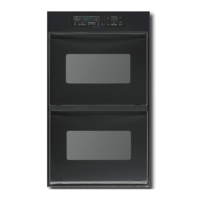


 To Next Page