Check operation
7[] Check the operation of the
cooktop eiements:
Push in and turn OFF
each surface unit o
controi knob to "Hi"
position. Check the
operation of the
cooktop eiements _
and indicator lights. % MED
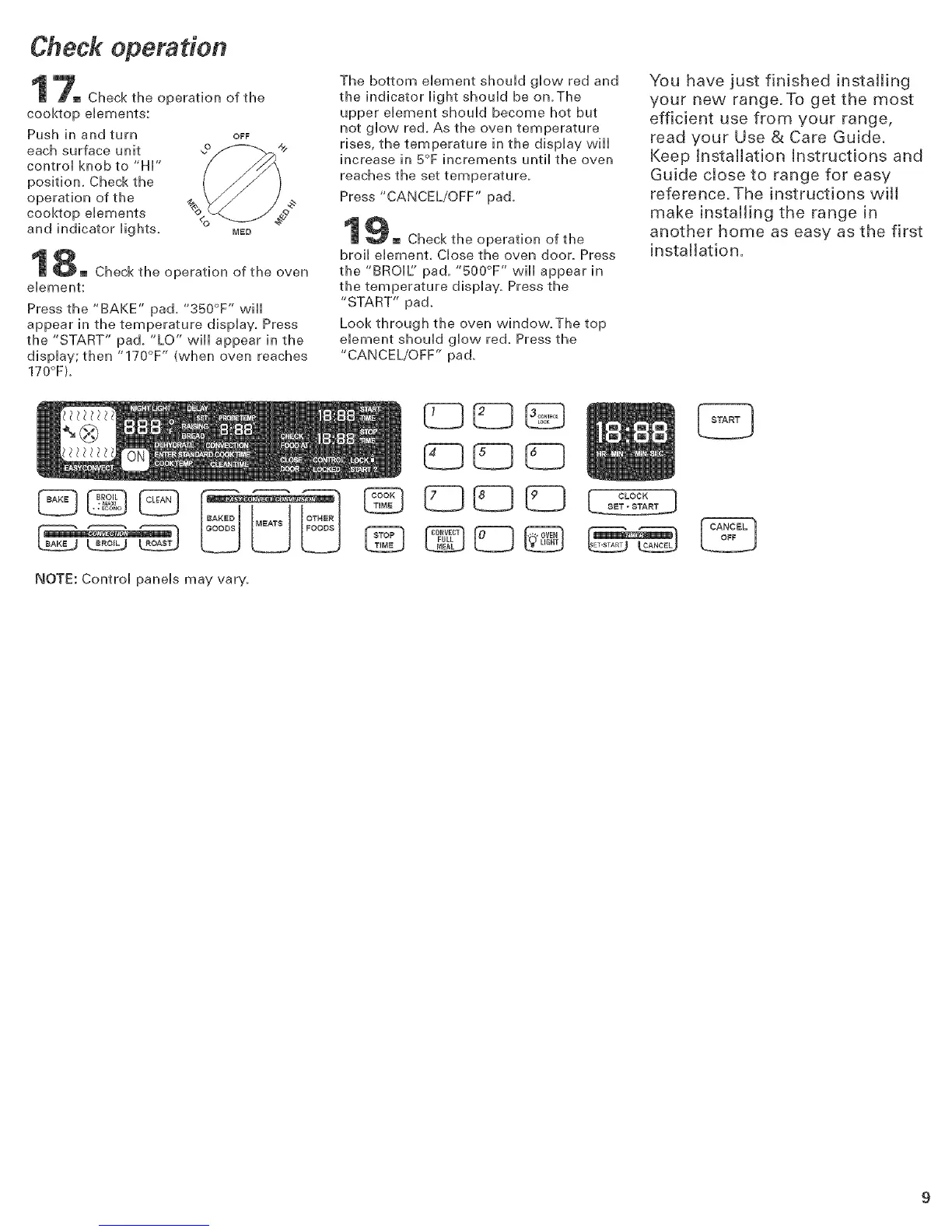
M Check the operation of the oven
element:
Press the "BAKE" pad. "350°F " wiii
appear in the temperature display. Press
the "START" pad, "LO" will appear in the
display; then "170°F " (when oven reaches
170°F).
NOTE: Control panels may vary.
The bottom element should glow red and
the indicator light should be on.The
upper element should become hot but
not glow red. As the oven temperature
rises, the temperature in the display will
increase in 5°F increments until the oven
reaches the set temperature.
Press "CANCEL/OFF" pad.
[] Check the operation of the
broil element. Close the oven door. Press
the "BROIL' pad, "500°F '' wiii appear in
the temperature display. Press the
"START" pad.
Look through the oven window.The top
element should glow red. Press the
"CANCEL/OFF" pad.
qC3
83{383
CLOCK 1SET,START
You have just finished installing
your new range.To get the most
efficient use from your range,
read your Use & Care Guide.
Keep Installation Instructions and
Guide cJose to range for easy
reference. The instructions wilt
make installing the range in
another home as easy as the first
installation.






 To Next Page