17
English
Using Your Food Processor
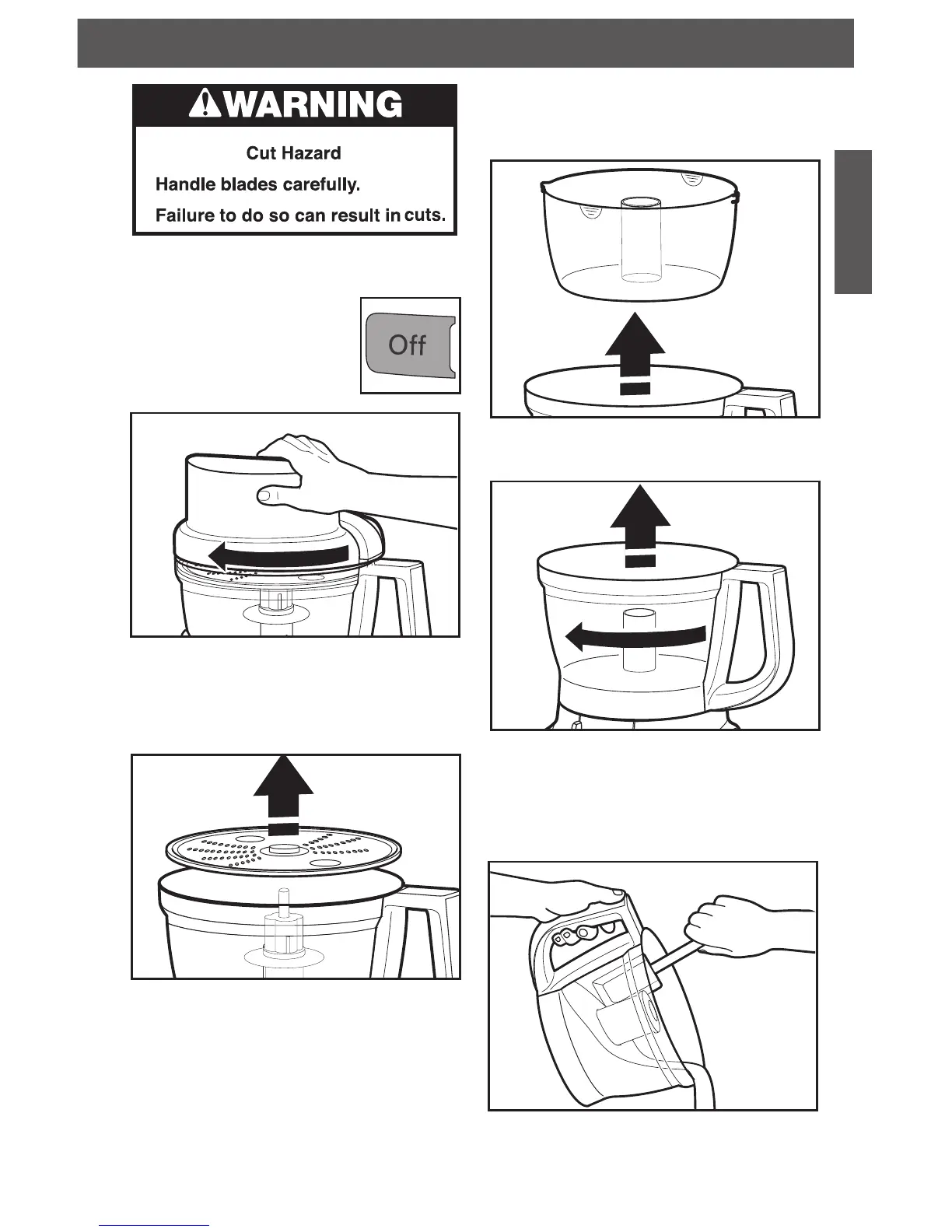
Removing Processed Foods
1. Press the OFF Button.
2. Unplug the Food Processor
before disassembling.
3. Turn the work bowl cover
to the left and remove.
6. Turn the work bowl to the left to unlock it
from the base. Lift to remove.
4. If using a disc, remove it before
removing the bowl. Holding the disc by
the 2 nger grips, lift it straight up.
Remove the adapter.
5. If using the mini-bowl, grasp and remove
the bowl using the nger grips located
along the top edge of the bowl.
7. The multipurpose blade can be removed
from the work bowl before the contents
are emptied. You may also leave the blade
locked in place. Then remove food from
the bowl and blade with a spatula.



 To Next Page