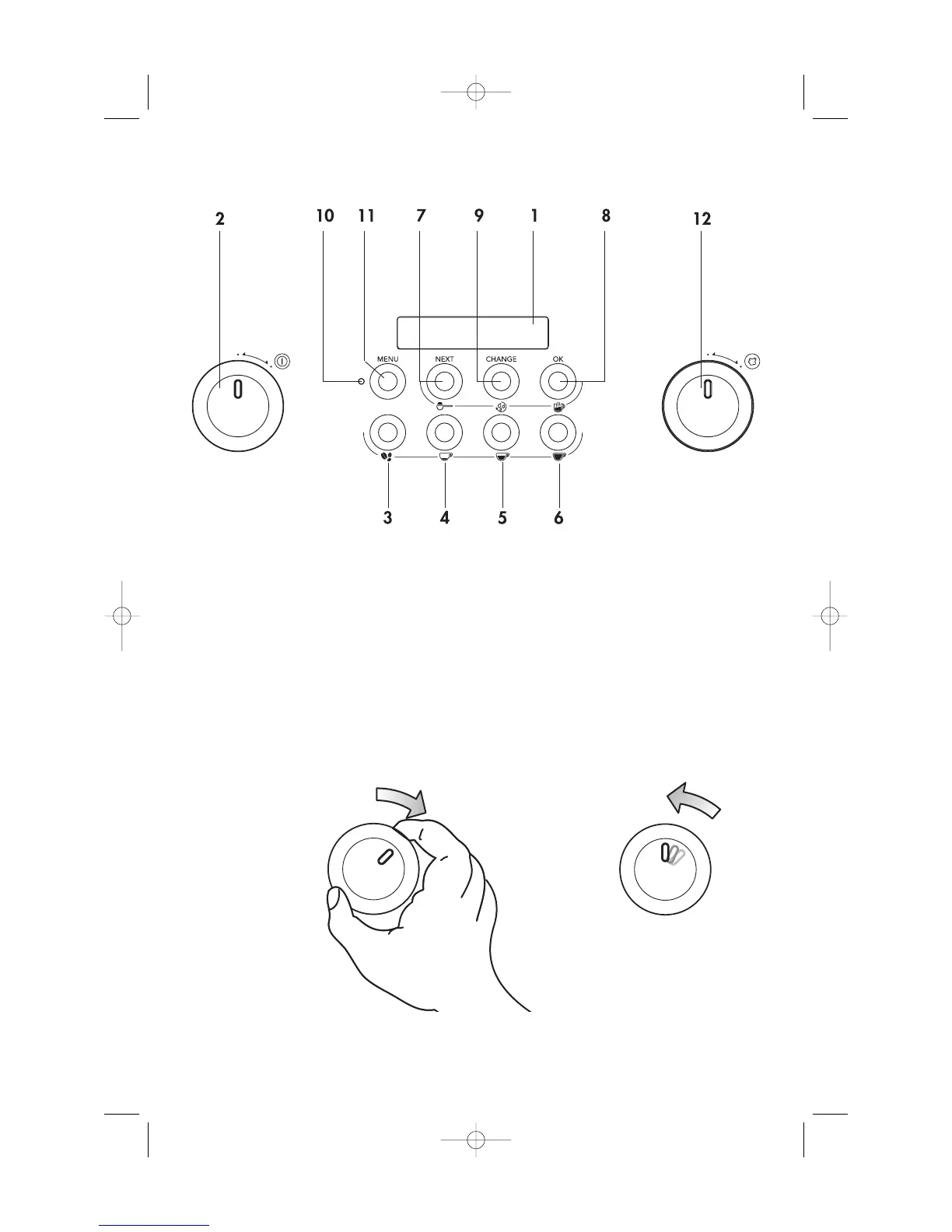
1 Product description
7
Control Panel
1. Display
2. Appliance ON/OFF knob
3. Coffee taste selection button
4. One or two cups short coffee button
5. One or two cups standard coffee button
6. One or two cups long coffee button
7. Button to select ground coffee or, if the MENU
light is on, to display the next parameter on the
menu
8. Button to select hot water or OK to confirm
9. Button to rinse the appliance or, if the MENU
light is on, to change the menu parameters
10. Button to activate or deactivate menu
parameter setting mode (MENU)
11. MENU light
12. Steam knob
To use the knobs,
turn them clockwise…
then release.
They work just like a
switch.






 To Next Page