EasyManua.ls Logo

KitchenAid KSRB22Q - Page 19

KitchenAid KSRB22Q
28 pages
Print Icon
To Next Page IconTo Next Page
To Previous Page IconTo Previous Page
Loading...
Changing
the
light
bulbs
ik
WARNING
Electrical
Shock
Hazard
Before
removing
a
light
bulb,
either
unplug
the
refrigerator
or
disconnect
the
electricity
leading
to
the
refrigerator
at
the
main
power
supply.
Failure
to
do
so
could
result
in
personal
Injury
or
electrical
shock.
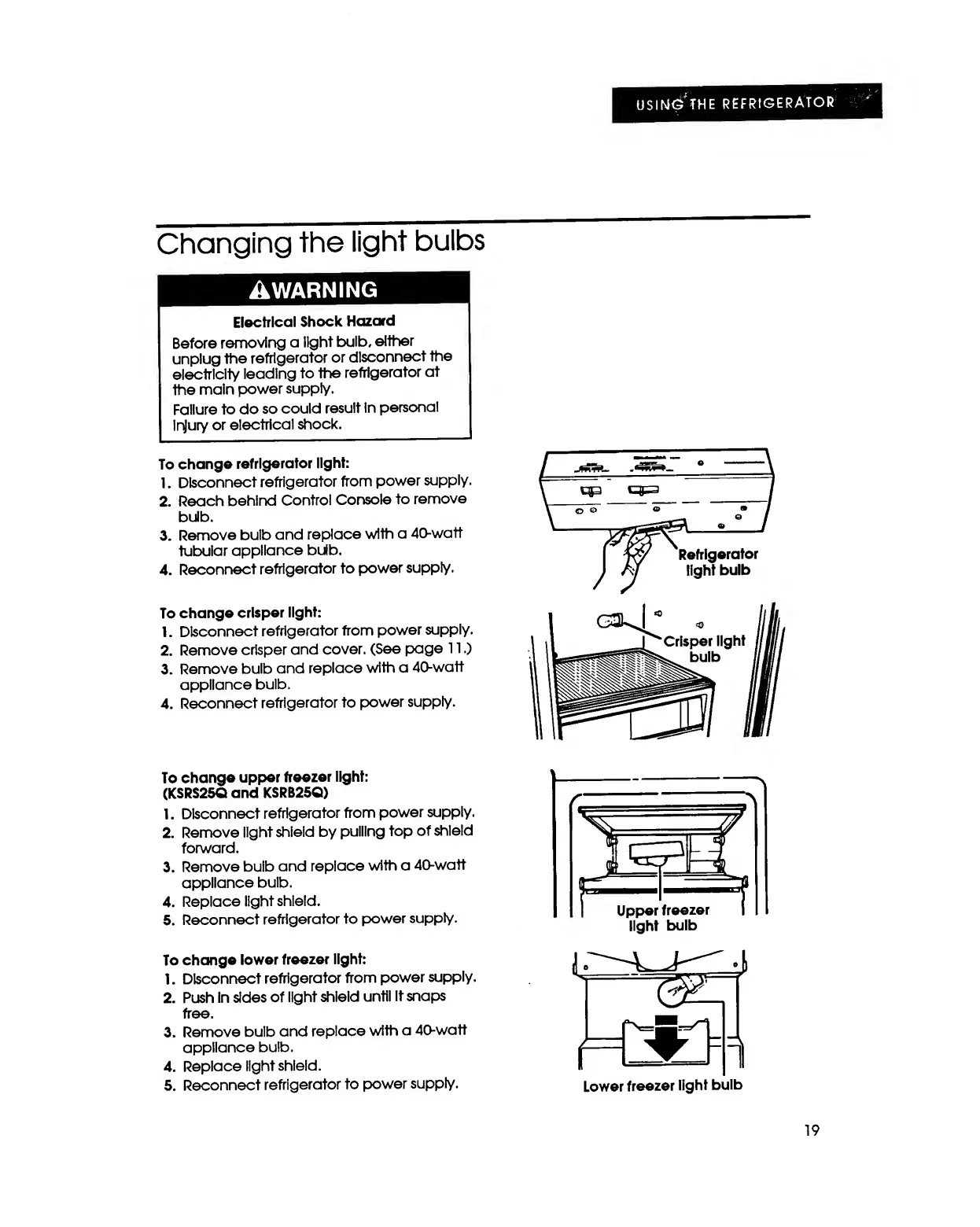
To
change
refrigerator
light:
1.
Disconnect
refrigerator
from
power
supply.
2.
Reach
behind
Control
Console
to
remove
bulb.
3.
Remove
bulb
and
replace
with
a
40-watt
tubular
appliance
bulb.
4.
Reconnect
refrigerator
to
power
supply.
To
change
crisper
light:
1.
Disconnect
refrigerator
from
power
supply.
2.
Remove
crisper
and
cover.
(See
page
11.)
3.
Remove
bulb
and
replace
with
a
40-watt
appliance
bulb.
4.
Reconnect
refrigerator
to
power
supply.
To
change
upper
freezer
light:
(KSRS25Q
and
KSRB25Q)
1.
Disconnect
refrigerator
from
power
supply.
2.
Remove
light
shield
by
pulling
top
of
shield
forward.
3.
Remove
bulb
and
replace
with
a
40-watt
appliance
bulb.
4.
Replace
light
shield.
5.
Reconnect
refrigerator
to
power
supply.
To
change
lower
freezer
light:
1.
Disconnect
refrigerator
from
power
supply.
2.
Push
in
sides
of
light
shield
until
it
snaps
free.
3.
Remove
bulb
and
replace
with
a
40-watt
appliance
bulb.
4.
Replace
light
shield.
5.
Reconnect
refrigerator
to
power
supply.
19

Other manuals for KitchenAid KSRB22Q

Related product manuals