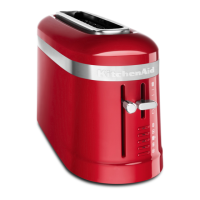
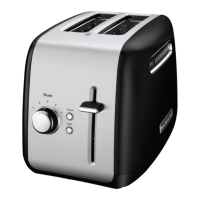
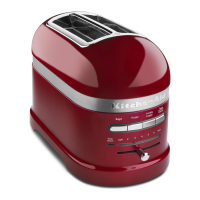
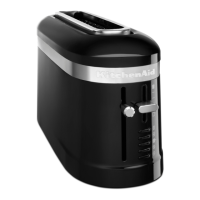
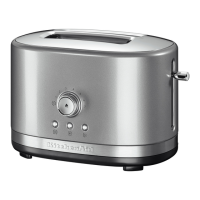
The KitchenAid Toaster, available in models KTT220, KTT221, KTT240, KTT241, KTT251, and KTT261 (shown), is designed for efficient and consistent toasting. Its primary function is to toast various bread products, including bagels, frozen breads, waffles, and pastries, with adjustable darkness settings.
Function Description:
The toaster utilizes an "Even Heat™ System" with advanced-design heating elements and heavy-gauge wire elements to ensure uniform toasting and long-term dependability. The "Accu-Sense™ Toasting" feature incorporates a heat sensor and microprocessor to guarantee consistent toasting results every time. It features extra-long, extra-wide slots to accommodate thick breads and bagels easily. The "Self-Centering Bread Rack" automatically adjusts to hold both thick and thin breads upright, ensuring even toasting on both sides. An "Extra Lift Lever" allows users to raise smaller breads above the slot level for easy removal, preventing burnt fingers.
Important Technical Specifications:
- Voltage: 120 A.C. only
- Watts: 1200
- Hertz: 60
- Plug Type: Polarized plug (one blade wider than the other) for electrical safety.
- Cord: Heavy-Duty Round Cord, designed for easy cleaning and storage under the base.
Usage Features:
The toaster offers a range of features for user convenience and control:
- Darkness Control:
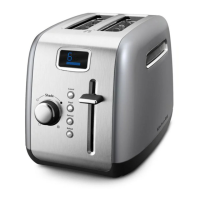
- KTT261 (Touch Darkness Control): Features "up" and "down" arrows on a "Precision Touch Darkness Control with Digital Display." The digital display shows the selected shade level, ranging from 1-3 (Light), 4-6 (Medium), to 7-9 (Dark).
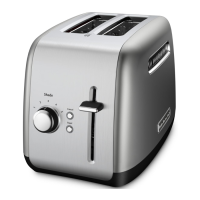
- KTT220, KTT221, KTT240, KTT241, KTT251 (Rotary Darkness Control): A control knob is turned clockwise for darker toast and counterclockwise for lighter toast. Shade settings range from 1-2 (Light), 3-4 (Medium), to 5-6 (Dark).
- Special Functions (Vary by Model):
- BAGEL Button: Available on KTT251 and KTT261. This function browns thick bagels evenly. For KTT261, it can be combined with the FROZEN button for frozen bagels.
- FROZEN Button: Available on KTT251, KTT241, KTT240, and KTT261. This feature thaws and then toasts frozen waffles, pastries, and breads automatically.
- REHEAT Button: Available on KTT251 and KTT261. This warms previously toasted foods quickly without re-toasting or burning. It is recommended for dry bread and bagels only, not for bread with butter or other toppings.
- STOP/RESET Button: Available on KTT251, KTT241, KTT240, and KTT261. This button immediately stops the toasting cycle and raises the toast. For KTT220 and KTT221, stopping requires returning the lift lever to the "up" position.
- Toasting Process:
- Ensure the cord is shortened and secured to storage brackets under the base if necessary, then plug into an electrical outlet.
- Insert bread or other food into the slot; the centering rack will adjust automatically.
- Set the desired darkness level using the appropriate control.
- Push the lift lever down until it locks; the toasting indicator light will illuminate.
- Once toasting is complete, the lift lever returns to the "up" position, the toaster shuts off, and the indicator light turns off. The lift lever can be raised further for easy removal of small items.
- Safety Precautions:
- Do not touch hot surfaces.
- Do not immerse the cord, plugs, or toaster in water or other liquid.
- Close supervision is necessary when children are nearby.
- Unplug when not in use and before cleaning.
- Do not operate with a damaged cord or plug.
- Do not use outdoors.
- Do not let the cord hang over edges or touch hot surfaces.
- Do not place on or near hot gas/electric burners or in a heated oven.
- Do not use for purposes other than intended.
- Do not insert oversized foods, metal foil packages, or utensils.
- Avoid covering the toaster or placing it near flammable materials during operation.
- Do not attempt to dislodge food while plugged in.
- The product is designed for household use only.
- A short power-supply cord is provided to reduce entanglement/tripping risks. If an extension cord is used, it must have an electrical rating at least as great as the appliance and be arranged to avoid draping over countertops where it can be pulled or tripped over.
Maintenance Features:
- Removable Crumb Tray: Slides out for easy cleaning. It should be emptied after each use. The tray may be hot immediately after a toasting cycle.
- Designed for Easy Cleaning: Features smooth surfaces, rounded edges, and a "Clean Touch™ Control Pad" (on KTT261) with no seams to trap crumbs. The exterior resists stains and can be wiped clean easily with a soft, damp cotton cloth.
- Cleaning Instructions:
- Unplug the toaster and allow it to cool completely.
- Slide out the crumb tray and shake crumbs into a waste container.
- Wipe the toaster exterior with a soft, damp cotton cloth. Avoid paper towels, abrasive cleansers, liquid cleaning products, or immersing the toaster in water.
- If grease or oil splatters, wipe them away immediately with a clean, damp cotton cloth.
- Return the crumb tray, pressing firmly until it clicks into position. The toaster should not be used without the crumb tray properly installed.
- KitchenAid does not recommend the use of a toaster cover.
Warranty and Service:
KitchenAid offers a "Hassle-Free Replacement Warranty" in the United States. If the toaster fails within the first year of ownership, KitchenAid will arrange for a free replacement to be delivered, and the "failed" toaster returned. This replacement unit is covered by a one-year full warranty. For service, customers in the U.S. can call 1-800-541-6390. Residents of Puerto Rico use a "Standard First Year Warranty" requiring shipping the toaster prepaid and insured to an Authorized Service Center. Proof of purchase (sales receipt) is required for in-warranty service. Troubleshooting tips include checking if the toaster is plugged in, the circuit fuse/breaker, and pressing the STOP/RESET button (if applicable). If the shade control display is blinking, unplug, cool, re-plug, and reset the darkness control.

 Need help?
 General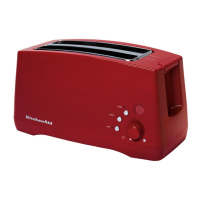



 To Next Page