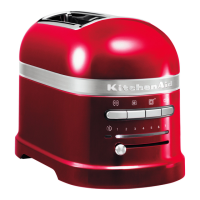
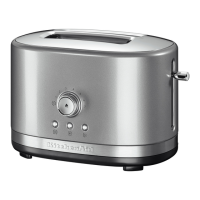
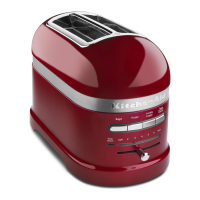
This document describes the KitchenAid 2-slice (5KMT3115) and 4-slice (5KMT5115) Toasters, providing detailed instructions for their safe operation, various toasting functions, and maintenance.
Function Description
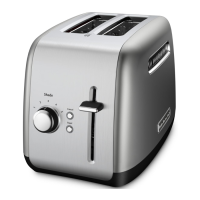
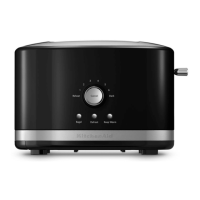
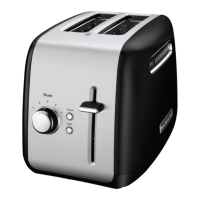
The KitchenAid Toaster is designed for household use, offering multiple functions to perfectly toast various types of bread and pastries. It features extra-wide slots to accommodate different bread thicknesses, including bagels. The toaster is equipped with a high-lift lever for easy removal of smaller items and a shade control lever to adjust the desired level of browning.
Key functions include:
- Toasting: The primary function allows users to toast bread to their preferred shade. The shade control lever enables precise adjustment from light to dark toasting.
- Bagel Function: This specialized setting is designed to toast the inside of a cut bagel without burning its outside surface. When activated, the heating elements adjust to provide optimal heat distribution for bagels.
- Defrost Function: This feature adds extra time to the toasting cycle to first defrost frozen items before toasting them, ensuring even results.
- A Little Longer Function: This function allows for an extended toasting period without resetting the shade control, ideal for achieving a slightly darker toast after a cycle is complete.
- Reheat Function: Designed to quickly reheat previously toasted food without further browning. This function overrides the shade level setting.
- Cancel Function: This button immediately stops the toasting cycle and raises the bread for removal, allowing users to interrupt the process at any time.
Usage Features
The Toaster is user-friendly, with intuitive controls and safety features.
Getting Started:
Before initial use, it is important to check the extra-wide slots for any packing or printed material and remove them. The power cord should be tucked into the channel of the cord guide on the bottom of the Toaster, exiting from the rear beneath the crumb tray, and then plugged into an earthed outlet. It is normal to observe light smoke during the first use, which is harmless and will dissipate quickly.
Toasting Process:
- Insert bread or other food into the slot(s). For even toasting, it is recommended to toast only one bread type and thickness at a time.
- Select the desired shade by adjusting the shade control lever. Raising the lever results in darker toasting, while lowering it leads to lighter toasting. The age, type, and moisture level of bread can affect browning, so adjustments may be needed.
- Press down on the high-lift lever to initiate the toasting cycle. The toast will automatically pop up, and the Toaster will turn off once the cycle is complete.
- To cancel toasting at any time, press the Cancel button (X). The toast will pop up, and the Toaster will turn off. For smaller items, the high-lift lever can be used to raise the toast above the top of the Toaster for easier removal.
When using any function button (Bagel, Defrost, A Little Longer, Reheat), the high-lift lever must be lowered first. The LED light next to the selected function will illuminate while it is active.
- Bagel Function: Insert bagels with the cut side facing the heating elements as indicated by the bagel icon on the Toaster. Press the Bagel button (OD). The Bagel indicator light will glow, and the bagels will pop up automatically at the end of the cycle. This function can be used concurrently with the Defrost function.
- Defrost Function: Insert frozen bread or food into the slot(s). Press the Defrost button (*). The Defrost indicator light will glow, and the toast will pop up automatically after the defrosting and toasting cycle.
- A Little Longer Function: After a regular toasting cycle is complete and the toast has risen, press down on the high-lift lever to lower the toast back into the Toaster. Then, press the A Little Longer button (+). The toast will pop up automatically when the extended cycle is finished.
- Reheat Function: Insert previously toasted dry food into the slot(s). Do not place food with butter or other toppings. Press down on the high-lift lever to start the reheating cycle. Press the Reheat button (S). The toast will pop up automatically, or the cycle can be cancelled at any time by pressing the Cancel button (X). No shade adjustment is needed for this function, as it overrides any set shade level.
Maintenance Features
Proper care and cleaning are essential for maintaining the Toaster's performance and longevity.
Cleaning the Toaster:
- Safety First: Always unplug the Toaster from the outlet and allow it to cool completely before cleaning. The crumb tray will be hot immediately after a toasting cycle.
- Exterior Cleaning: Wipe the Toaster's exterior with a soft, damp cotton cloth. Avoid using paper towels, abrasive cleansers, or liquid cleaning products, and never immerse the Toaster in water. If grease or oil splatters occur, wipe them away immediately with a clean, damp cotton cloth.
- Crumb Tray Cleaning: For consistent browning results, the crumb tray should be emptied after each use.
- Locate the "push" icon in the center of the crumb tray and press it to open the tray slightly.
- Slide the crumb tray out of the Toaster and shake the crumbs into a waste container.
- The crumb tray should be hand washed only.
- To replace the crumb tray, slide it back into its slot and press in on the center of the tray until it clicks into place.
- Important: Do not operate the Toaster without the crumb tray installed. Forcing the crumb tray open without pressing the "push" icon may cause damage.
General Safety and Storage:
- Do not use the Toaster outdoors.
- Keep the appliance and its cord out of reach of children, especially those under 8 years old.
- Ensure the Toaster is unplugged when not in use and before cleaning or handling any parts.
- Do not attempt to dislodge food when the Toaster is plugged in.
- Do not operate the Toaster unattended.
- Avoid using metal objects or utensils inside the toaster slots to prevent damage or electrical shock.
- KitchenAid does not recommend the use of a toaster cover.

 Need help?
 General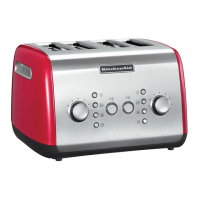


 To Next Page