EasyManua.ls Logo

KitchenAid Artisan 5KTT890 - User Manual

KitchenAid Artisan 5KTT890
12 pages
Print Icon
To Next Page IconTo Next Page
Loading...
Model 5KTT890
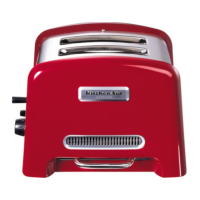
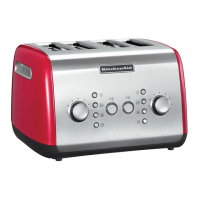
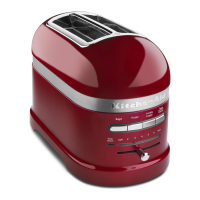
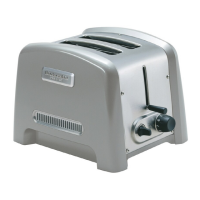
4-slice Toaster
Model 5KTT780
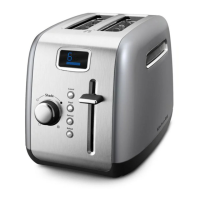
2-slice Toaster
ARTISAN™ BROODROOSTERS
GIDS VOOR HET BESTE RESULTAAT
ARTISAN™ TOASTERS
GUIDE TO EXPERT RESULTS
GRILLE–PAIN ARTISAN™
GUIDE DU CONNAISSEUR
ARTISAN™ TOASTER
ANLEITUNG FÜR PROFI-ERGEBNISSE
TOSTAPANE ARTISAN™
GUIDA AI RISULTATI EXPERT
TOSTADORAS ARTISAN™
GUÍA PARA CONSEGUIR RESULTADOS PROFESIONALES
ARTISAN™ BRÖDROSTAR
GUIDE FÖR BÄSTA RESULTAT
ARTISAN
®
-BRØDRISTERE
OPPNÅ BEST MULIG RESULTATER
ARTISAN™-LEIVÄNPAAHTIMET
OPAS PARHAISIIN TULOKSIIN
ARTISAN™ BRØDRISTERE
VEJLEDNING FOR EKSPERT-RESULTATER
TORRADEIRAS ARTISAN™
GUIA PARA RESULTADOS PROFISSIONAIS
ARTISAN
®
BRAUÐRIST
LEIÐBEININGAR UM RÉTTA NOTKUN
ΦΡΥΓΑΝΙΕΡΕΣ ARTISAN
Οδηγίες χρήσης για τέλεια αποτελέσµατα

Other manuals for KitchenAid Artisan 5KTT890

Question and Answer IconNeed help?

Do you have a question about the KitchenAid Artisan 5KTT890 and is the answer not in the manual?

Summary

Important Safeguards

Electrical Requirements

Troubleshooting Problems

Initial Operation Issues

Addresses initial smoke and heating problems, including troubleshooting steps.

Crumb Tray and Fault Indicators

Explains crumb tray removal and the meaning of a flashing function light.

Toaster Models Overview

Using the Artisan Toasters

Before First Use

Steps to prepare the toaster before the first toasting cycle.

Dual Controls of the 5 KTT890

Explains the independent controls for pairs of slots on the 4-slice model.

Toaster Operation

Step-by-step guide on how to toast bread using the appliance.

Checking the Toaster Progress

How to check toast browning without canceling the cycle.

Canceling the Toaster Cycle

Instructions on how to stop the toasting process prematurely.

Toasting Tips

Using the Optional Sandwich Rack

Instructions for using the sandwich rack accessory to toast sandwiches.

Sandwich Toasting Tips

Tips for making toasted sandwiches using the accessory.

Using the Optional Bun Warmer

Care and Cleaning

Cleaning the Crumb Tray

How to remove, clean, and reinsert the crumb tray.

Cleaning Accessories and Toaster Exterior

Guidelines for washing accessories and wiping the toaster exterior.

Warranty and Service Information

KitchenAid Toaster Warranty

Outlines the terms and conditions of the product warranty.

Authorized Service Centers

Provides contact information for authorized service and repair centers.

Customer Service

Summary

Important Safeguards

Electrical Requirements

Troubleshooting Problems

Initial Operation Issues

Addresses initial smoke and heating problems, including troubleshooting steps.

Crumb Tray and Fault Indicators

Explains crumb tray removal and the meaning of a flashing function light.

Toaster Models Overview

Using the Artisan Toasters

Before First Use

Steps to prepare the toaster before the first toasting cycle.

Dual Controls of the 5 KTT890

Explains the independent controls for pairs of slots on the 4-slice model.

Toaster Operation

Step-by-step guide on how to toast bread using the appliance.

Checking the Toaster Progress

How to check toast browning without canceling the cycle.

Canceling the Toaster Cycle

Instructions on how to stop the toasting process prematurely.

Toasting Tips

Using the Optional Sandwich Rack

Instructions for using the sandwich rack accessory to toast sandwiches.

Sandwich Toasting Tips

Tips for making toasted sandwiches using the accessory.

Using the Optional Bun Warmer

Care and Cleaning

Cleaning the Crumb Tray

How to remove, clean, and reinsert the crumb tray.

Cleaning Accessories and Toaster Exterior

Guidelines for washing accessories and wiping the toaster exterior.

Warranty and Service Information

KitchenAid Toaster Warranty

Outlines the terms and conditions of the product warranty.

Authorized Service Centers

Provides contact information for authorized service and repair centers.

Customer Service

Overview

The KitchenAid Artisan Toaster is a kitchen appliance designed for toasting various types of bread and other food items. It comes in two models: the 5KTT890, a 4-slice toaster, and the 5KTT780, a 2-slice toaster. Both models are designed to deliver "expert results" for toasting.

Function Description:

The primary function of the KitchenAid Artisan Toaster is to toast bread to a desired level of darkness. It achieves this by heating elements within the toasting slots. The toaster also offers additional functionalities through optional accessories: a sandwich rack (Model 5KTSR) for toasting sandwiches and a bun warmer (Model 5KTBW2 for 2-slice, 5KTBW4 for 4-slice) for warming buns.

Important Technical Specifications:

  • Voltage: 220-240 Volts A.C.
  • Hertz: 50/60 Hz
  • Models:
    • 5KTT890: 4-slice toaster
    • 5KTT780: 2-slice toaster
  • Safety Features: The toaster is designed with several safety precautions, including instructions to plug into a grounded outlet, not to remove the ground prong, not to use an adapter or extension cord, and to avoid inserting oversized foods, metal foil packages, or utensils into the toaster slots to prevent fire or electric shock. It also includes a safety alert symbol and warnings for potential hazards.
  • Electrical Requirements: The appliance requires a grounded outlet and advises against using extension cords. If the power supply cord is too short, a qualified electrician should install an outlet near the appliance.

Usage Features:

  • Before First Use: It is recommended to check the slots for any packing material and remove them. The toaster may emit a pungent odor or light smoke during the first use, which is normal and will dissipate quickly.
  • Toaster Operation:
    1. Cord Management: The cord can be shortened by wrapping it under the base.
    2. Power Connection: Plug the toaster cord into a grounded electrical outlet. A tone will sound upon successful connection.
    3. Food Insertion: Insert bread or other food into the toasting slots. For the 4-slice model (5KTT890), if only 1 or 2 slices are being toasted, any pair of slots can be used.
    4. Shade Selection: Turn the Shade Dial to select the desired degree of darkness. Rotating clockwise results in darker toast, while counter-clockwise results in lighter toast. Shade settings are categorized as: 1-3 (light), 4-6 (medium), and 7-9 (dark).
    5. Initiating Toasting: Push the lift lever down until the bread is fully lowered, then momentarily turn the "O/I" Switch to the "I" position. The switch will spring back to the middle, and a function light will glow, indicating the start of the toasting cycle. The toaster will automatically shut off if the "O/I" Switch is held in the "I" position for more than 15 seconds.
    6. Cycle Completion: A tone will sound, and the function light will stop glowing when the toasting cycle is complete. The toast will remain warm in the cavity until the lift lever is raised.
  • Dual Controls (5KTT890): The 4-slice model features separate controls for each pair of toasting slots, allowing for simultaneous toasting of different breads or to different darkness levels.
  • Checking Toast Progress: The manual lift lever can be raised during a toasting cycle to check progress without canceling the cycle. If bread is removed before the cycle is complete, the "O/I" Switch should be momentarily turned to "O" to cancel the cycle.
  • Canceling Toasting: The toasting cycle can be canceled at any time by momentarily turning the "O/I" Switch to the "O" position. The function light will stop glowing, and the cycle will end.
  • Toasting Tips:
    • Different bread types and moisture levels require different shade settings. Dry bread browns faster and needs a lighter setting, while bagels and English muffins, due to their firm texture and high density, may require higher settings.
    • For optimal results, toast only one bread type and thickness per pair of toasting slots.
  • Using the Optional Sandwich Rack (Model 5KTSR):
    1. Open the rack by spreading the handles.
    2. Place one edge of the sandwich against the bottom channel.
    3. Press the handles together to grip the sandwich.
    4. Lower the toaster lift lever and insert the sandwich rack into the slot.
    5. Select a shade level and momentarily turn the "O/I" Switch to "I" to begin toasting.
    6. Remove the hot rack after toasting and then remove the sandwich, using a spatula or tongs if needed.
    • Sandwich Toasting Tips: Avoid overfilling. Thinly sliced ingredients work best. Lightly buttering the outside of the sandwich bread (not the side facing the filling) slows browning and helps warm the filling.
  • Using the Optional Bun Warmer (Models 5KTBW2/5KTBW4):
    1. Lower the toaster lift lever(s) as far as possible.
    2. Place the bun warmer on top of the toaster, ensuring its wire loops fit into the toaster slots.
    3. Place buns on top of the warmer, select a shade level, and momentarily turn the "O/I" Switch to "I" to begin warming. The bun warmer will be hot after use.

Maintenance Features:

  • Cleaning:
    1. Always unplug the toaster and allow it to cool completely before cleaning.
    2. Crumb Tray: Slide out the crumb tray(s) – the 4-slice model has two trays, one for each pair of slots. Shake crumbs into a waste container. It is recommended to empty the crumb tray after each use. The tray will be hot after toasting.
      • Important Note: Lifting the crumb tray handle locks it inside the toaster, preventing removal. Always pull the crumb tray straight out without lifting the handle.
      • The crumb tray is dishwasher-safe (top rack) or can be hand-washed in warm soapy water. Rinse and dry thoroughly with a soft cloth.
      • Ensure the crumb tray is fully inserted for best toasting results; do not use the toaster without it.
    3. Accessories: The optional sandwich rack and bun warmer can be washed in the top rack of a dishwasher or by hand in warm soapy water. Rinse and dry thoroughly.
    4. Toaster Exterior: Wipe the toaster with a soft, damp cotton cloth. Do not use abrasive cleansers, scrubbers, or liquid cleaning products. Never immerse the toaster in water.
    5. KitchenAid does not recommend using a toaster cover.

Troubleshooting:

  • Pungent Odor/Light Smoke: Normal during first use, will dissipate.
  • Function Light Dark/No Heat: Check if plugged in. Unplug and replug. If no tone sounds, check the electrical circuit (blown fuse/tripped breaker). Refer to warranty for service if problem persists.
  • Difficulty Removing Crumb Tray: Ensure the crumb tray handle is not lifted; pull the tray straight out.
  • Flashing Function Light: Indicates a fault in the electronics. Unplug the toaster and refer to warranty for service.

Warranty Information:

  • Europe, Australia, New Zealand: Two-year full warranty from date of purchase.
  • Other Regions: One-year full warranty from date of purchase.
  • Coverage: KitchenAid will cover replacement parts and repair labor costs for defects in materials or workmanship, provided service is by an Authorized KitchenAid Service Center.
  • Exclusions: Repairs for non-household food preparation use, damage from accident, alterations, misuse, abuse, improper installation/operation, or non-compliance with local electrical codes. KitchenAid does not assume responsibility for indirect damages.

Service Centers:

All service should be handled by an authorized KitchenAid Service Center. Contact the dealer for the nearest facility.

  • UK: 0845 6011 287
  • Ireland: M.X. ELECTRIC, 25 Alymer Crescent, Kilcock, CO.KILDARE. Call: 1 6792398/87 2581574, Fax: 1 6284368.
  • Australia: 1800 990 990
  • New Zealand: 0800 881 200
  • General (UK & Ireland Toll-free): 00800 38104026
  • Address: KitchenAid Europa, Inc., PO BOX 19, B-2018 ANTWERP 11, BELGIUM.
  • Website: www.KitchenAid.com
  • KitchenAid Europa, Inc. (Physical Address): Nijverheidslaan 3 Box 5, B-1853 Strombeek-Bever, BELGIUM.

The product is marked according to the European directive 2002/96/EC on Waste Electrical and Electronic Equipment (WEEE), indicating that it should not be disposed of with household waste but handed over to an applicable collection point for electrical and electronic equipment recycling.

KitchenAid Artisan 5KTT890 Specifications

General IconGeneral
BrandKitchenAid
ModelArtisan 5KTT890
CategoryToaster
LanguageEnglish

Related product manuals