High Power Amp Essentials
www.kitronik.co.uk/2143
Fault Finding
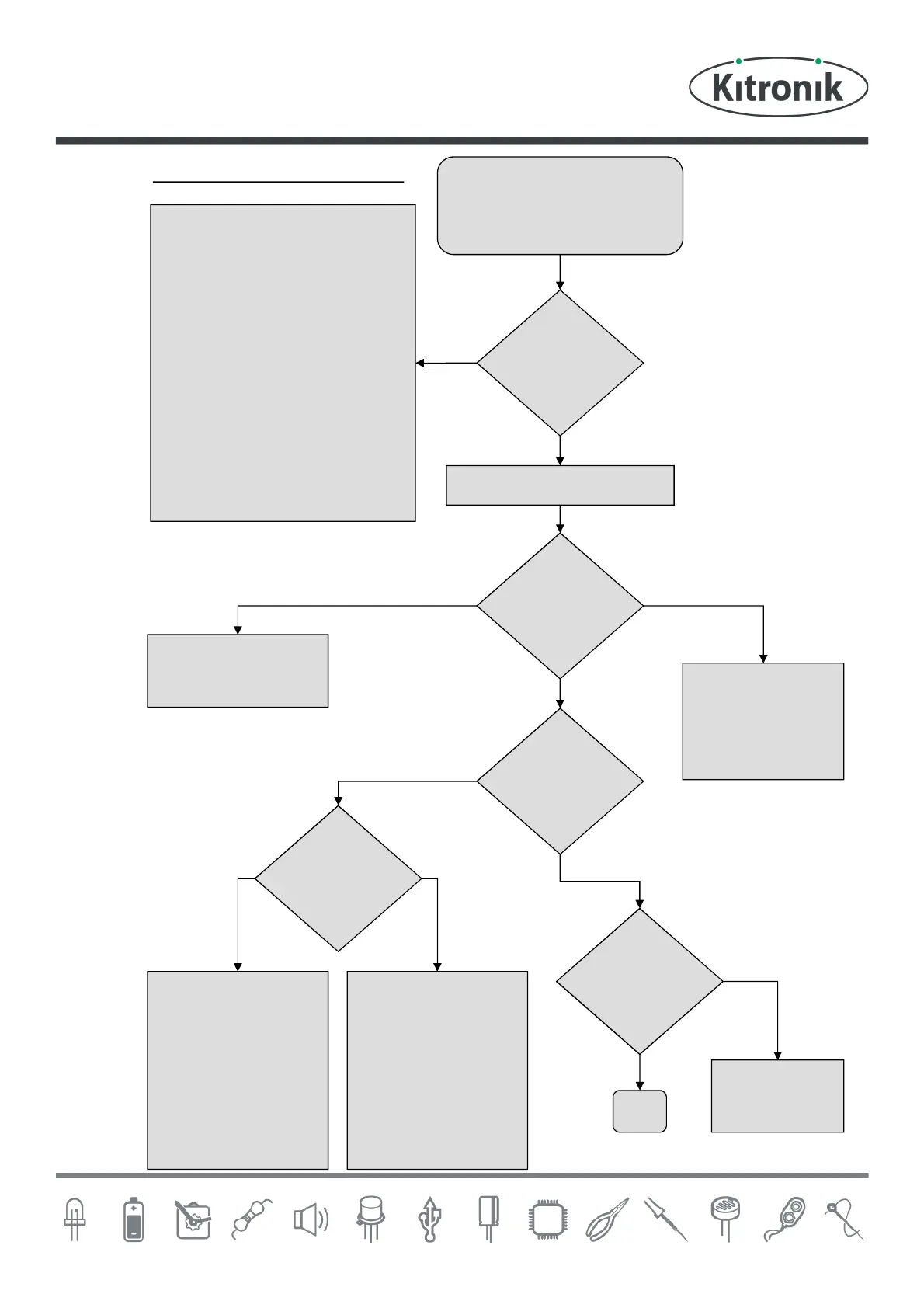
Does the
LED light?
Yes
No
No
Fault finding flow chart
Start
Connect power to the board and
set the switch to on.
Check
The soldering on the DC power
socket for dry joints and that the
correct pins have been used.
The connections are the correct
way around on the POWER
terminal block.
The POWER terminal for dry
joints.
The LED is the correct way
around and for shorts / dry joints.
The switch for dry joints.
The diode is the right way
around.
Check
R4 for dry joints.
Stop
Is any
music heard?
Yes
No
Is audio
coming out of
both channels?
Yes
Which output
doesnt work?
Check
R4 for dry joints.
C3 for dry joints.
IC1 pins 1, 2 & 4 for
dry joints.
OUT1 for dry joints.
The connections on
the speaker for dry
joints.
OUT1
Connect audio to the board
Yes, but one of the channels is
always at max volume and the
volume control has no affect
OUT2
Check
R4 for dry joints.
C5 for dry joints.
IC1 pins 12, 14 & 15
for dry joints.
OUT2 for dry joints.
The connections on
the speaker for dry
joints.
Is there a pop
on power up?
No
Check
C4 for dry
joints.
Yes
Check
R1 for dry joints.
C4 for a short.
Dry joints on IC1
pins 6, 7 & 9.


 To Next Page