14 15
USB charging
You can plug a USB cable into the USB socket (H) to charge a smartphone
device. The output voltage and current is 5 V/500 mA. Tablets will not
charge when connected to the USB charge port (H).
Wall mounting
To avoid the risk of personal injury and damage to the unit, installation
should be done only by qualified or competent persons.
Note: For best results, the speaker should be installed at least 10 cm
(4 inches) below your television.
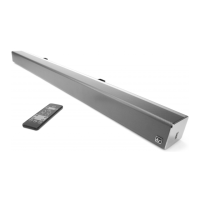
Please note: that due to the weight of the Chorus, we only recommend
wall mounting onto solid brick/concrete walls and stud walls only if you
are able to locate and fix each of the 2 anchor points into the actual studs.
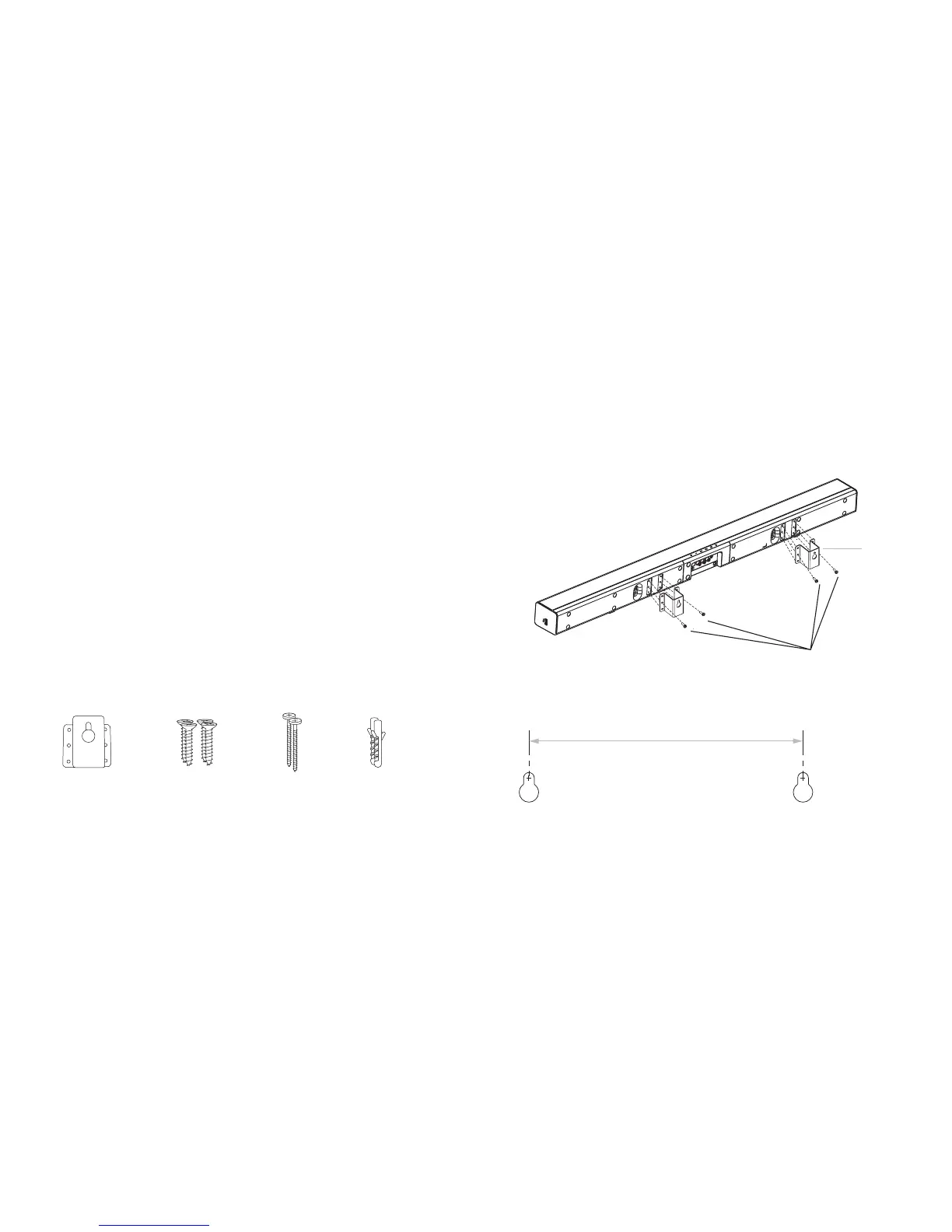
1. Check you have all of the above parts before beginning installation
2. Additional tools (not supplied) will be required
3. Place the 2 brackets on the Chorus and using Screws A x 4 supplied,
screw them into the holes at the rear of the unit
Bracket x 2 Screw A x 4 Screw B x 2 Dowel B x 2
400 mm
WALL
[continued...]
Bracket
UNIT
Parts
Screw A x 4
4. Using the image below as reference, mark up 2 dots on the wall
400 mm apart ensuring they are level


 To Next Page