8 9
Bluetooth pairing
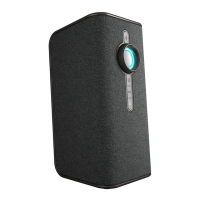
1. Switch the power button to the ON position, then press and hold the
multi-function button
for 5 seconds and the indicator light will
flash red and blue alternately.
2. Search for the system with your Bluetooth device and you should see
“Ignite”. Enter the password ’0000’ if requested.
3. When the pairing is successful, the Bluetooth indicator light will flash
blue slowly.
4. The Ignite can hold six paired devices in its memory. You can pair more
than six devices, but the memory will never contain more than six.
When the memory is full and an additional device is paired, the first device
that was paired is deleted from the memory and replaced with the newly
paired device.
Note:
If you want to clear the memory of all paired devices, turn the Ignite ON then
press and hold the Vol- and Vol+ for about 5 seconds. The light will then flash
red and blue, meaning the memory has been cleared. The Ignite is then in
pairing mode, ready for a new device.


 To Next Page