4 5
Re-pairing or pairing new devices
1. Turn Bluetooth o on any previously paired devices
2. Follow the ‘Pairing the speaker to your device’ instructions
OR
1. Turn o the speaker by holding the On/O button (1) for 3 seconds
2. Turn the speaker on again and re-enter pairing mode by holding the On/O button (1) for 5 seconds
3. Follow the ‘Pairing the speaker to your device’ instructions
Charging your mobile or device with the speaker
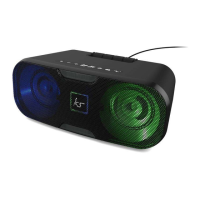
• Turn the Slam 2 on by holding the On/O button (1) for 1 second
• Connect the USB charging cable for your device to the USB charging port (9) and then
connect your device
Pairing the speaker to your device
• Turn the Slam 2 on by holding the On/O button (1) for 1 second
• The Slam 2 will automatically enter pairing mode if a previously paired device is not detected
• The Input indicator LED (5) will ash blue whilst in pairing mode
• Turn your iOS, Android, or Windows device’s Bluetooth ON and search for new devices.
• Select ‘KS SLAM 2’. If asked for a passcode, enter ‘0000’
• Once paired, the speaker will play an audio tone and the Input indicator LED (5) will shine a solid blue


 To Next Page