Chapter 5: Configuring the DN965X
DN9650/DN9652 Network Bridge
18 Operator Manual
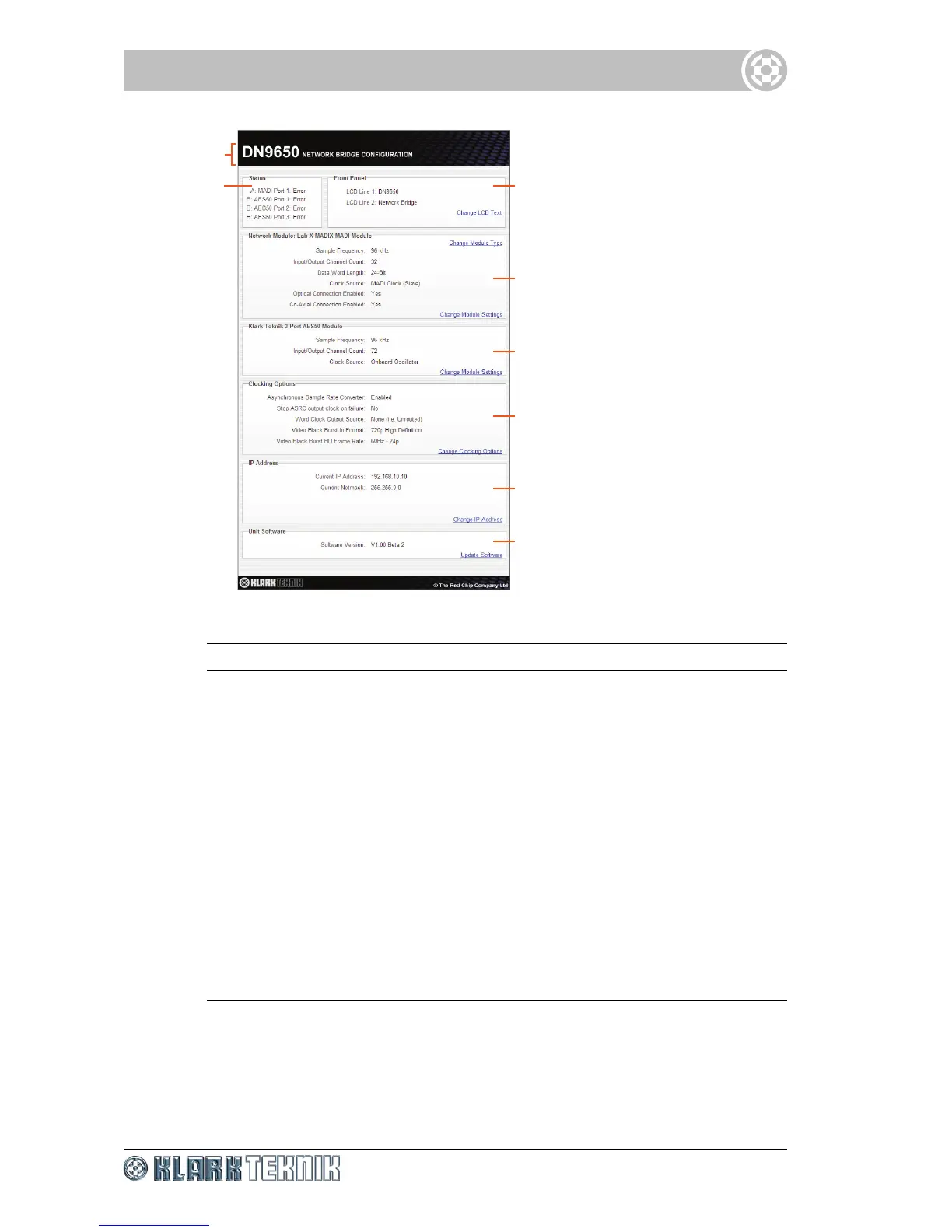
Figure 2: Typical configuration menu
Item Screen element
1
Unit type and title of web page.
2
Status A view-only section that shows the communication status of the
network module(s) and/or the three AES50 audio ports.
3
Front Panel Shows the current display of the LCD screen (DN965X front
panel) and lets you change it.
4
Network A module panel Shows the parameters of the currently fitted
network module in position A and lets you change its type and settings.
5
Network B module panel Shows the parameters of the currently fitted
network/3-port AES50 (DN9650 only) module in position B and lets you
change its type and settings.
6
Clocking Options Shows the configuration details of the clock and lets
you change its settings.
7
IP Address Shows the current IP address and netmask and lets you
change them.
8
Unit Software Shows the current version of the unit’s host software and
lets you perform an upgrade.



 To Next Page