60
EN
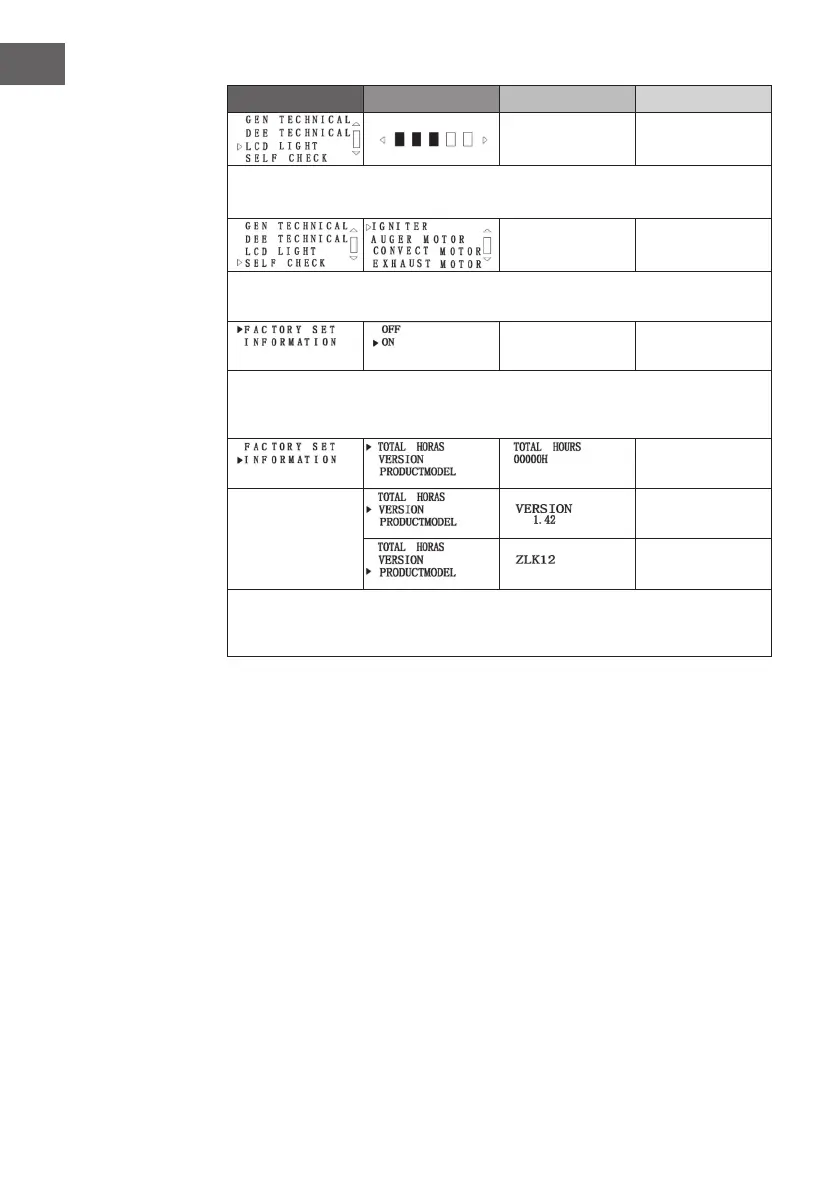
Menu item Level 2 Level 3 Level 4
Press the SET button to move to level 2. Press the [-] button to move to the next menu
item.
Press the SET button to move to level 2. Press the [-] button to move to the next menu
item.
Press the SET button to move to level 2. Press the [-] button to move to the next menu
item. This function allows you to restore the factory default settings. Note: If you want
to make changes here, contact qualied personnel!
Press the SET button to move to Level 2 and Level 3. Press the [-] button to move to
the next menu item. This function allows you to check the total running time, software
version and model. Note: The model number shown here is an example only!



 To Next Page