56
EN
OPERATION AND FUNCTIONS
Switch on the device
Note: The burner must be checked and all ash must be removed before
switching on.
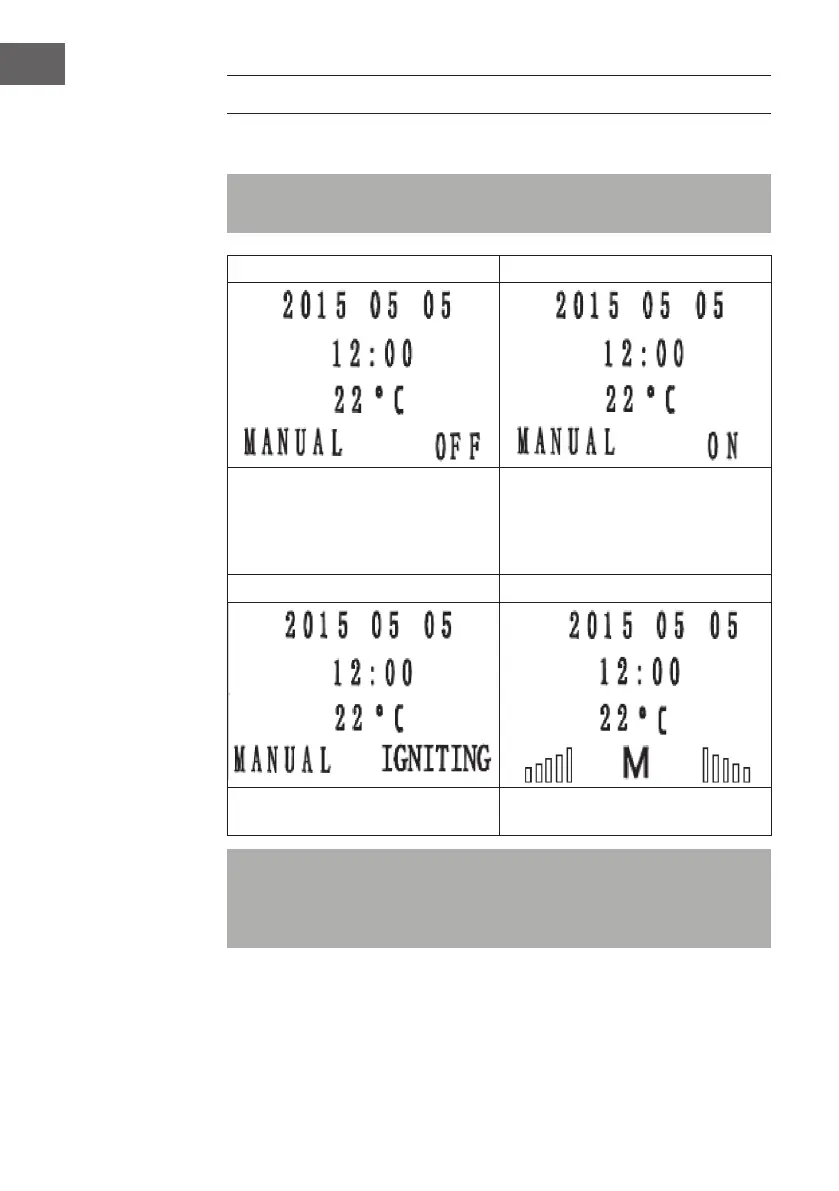
1 2
Plug the AC adapter into the wall outlet.
The operating lamp lights up and the
following display appears. Press and hold
the POWER button for 3 seconds to move
to the next indicator.
The screen lights up and the display shows
„ON“.
3 4
The heating starts to heat up. As soon as the heating furnace has heated
up, the following display appears.
Note: The rst time a new oven is used, there is a little smoke and a
pungent odour caused by the heating of the paint and the anti-rust oil on
the sheet metal. Please open the window! After a short time of combustion
the smell disappears.


 To Next Page