20
EN
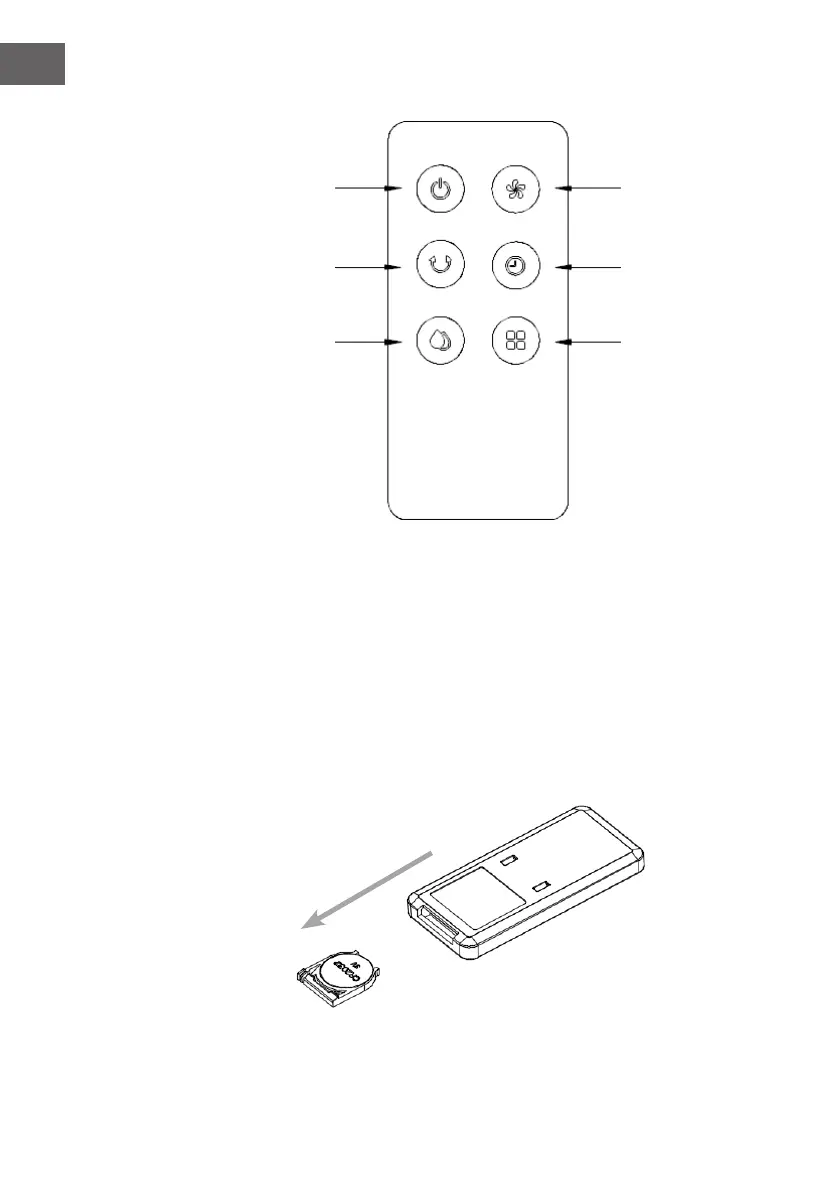
Display panel of remote control
21
43
65
1 ON/OFF button
2 Wind speed button
3 Swing button
4 Timing button
5 Humidication/cooling button
6 Mode button
• To install a new battery: open the battery compartment on the back of the remote
control and insert a 3V CR2032 battery. Press down the latch, then pull the battery
holder out in the direction of the arrow. Pay attention to the polarity when inserting
the battery. Then slide the battery compartment back in.
• Using the remote control: When using the remote control, hold it in the direction of
the IR receiver.




 To Next Page