31
EN
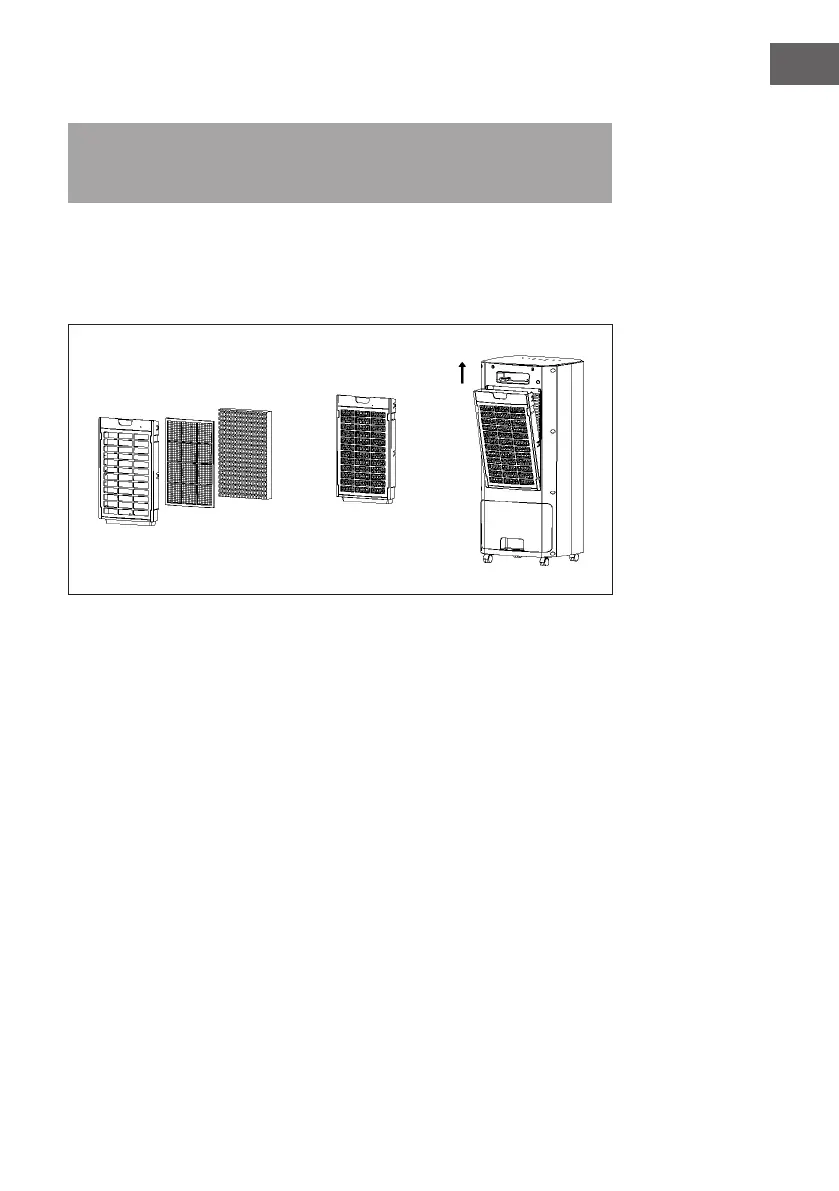
Cleaning the honeycomb lter
Note: If the lter screen is not cleaned for a long time, this may affect the functioning
of the appliance, e.g. reduce the air ow and increase the noise level. Clean the air
lter once a month.
• Remove the honeycomb lter component from the rear cover. Then remove the
honeycomb lter and dust lter. Rinse it out in water a few times. If it is not yet clean,
you can brush it off with a soft bristled brush. Then replace the lter in the reverse
order.




 To Next Page