36
EN
Double cup
• Once preheating is complete, press the double cup
button to start brewing coee. The "double cup"
indicator light ashes. The device starts and ends
coee dispensing automatically. If you want to stop
the coee dispensing early, press the double cup
button again. The "single cup", "double cup" and
"steam/preheat" indicators will illuminate. (The
automatic dispensing time is preset and includes
the coee brewing time.)
Steam/
preheat
• Press the steam/preheat button, the steam/
preheat indicator light will ash and the steam
preheating will start. When preheating is complete,
the indicator light will be solid and the device will
enter steam mode. If you press the steam button
again during the process, the machine will switch
from steam mode to coee brewing mode and the
"single cup" and "double cup" indicator lights will
ash quickly, indicating that the boiler temperature
is too high for coee brewing. Allow the device
to cool down or drain hot water from the device.
Coee can only be dispensed when the "single
cup", "double cup" and "steam/preheat" indicator
lights are on.
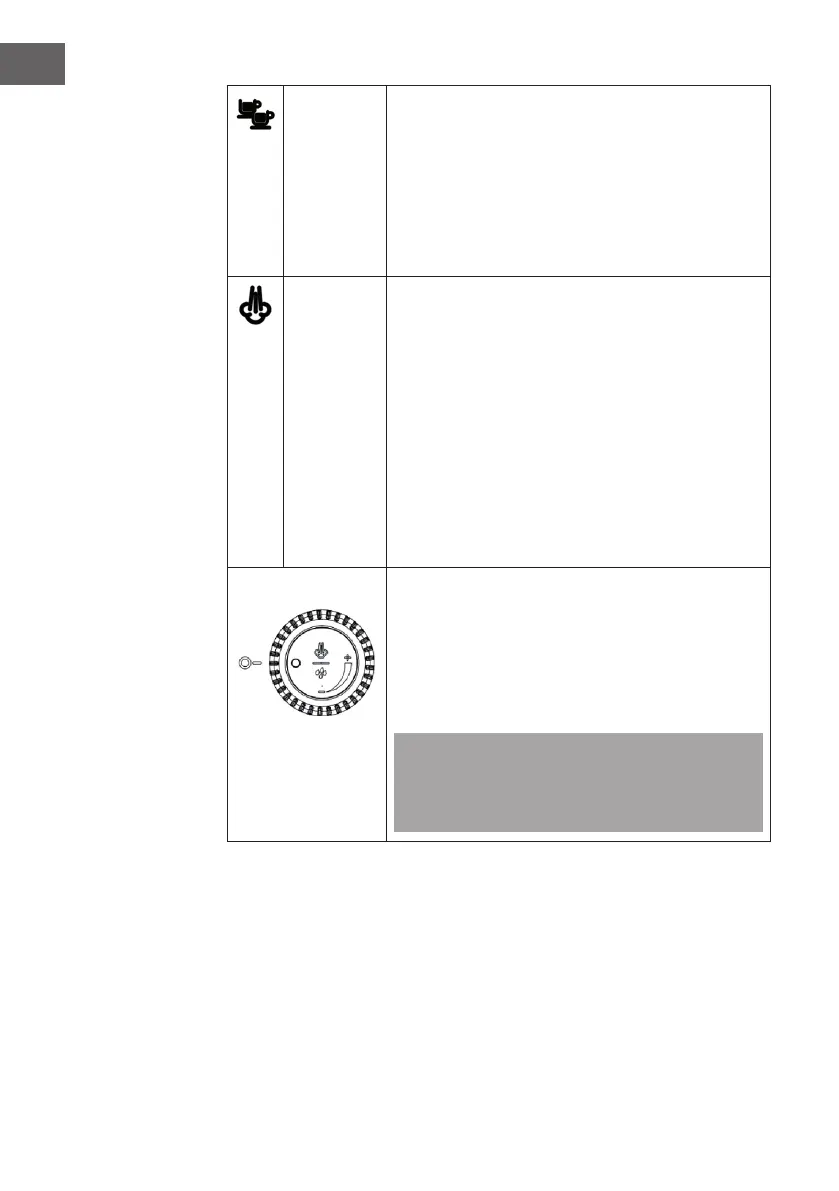
Steam dial
• In the image to the right, the steam knob is shown
in the o position. Turn the dial fully anti-clockwise
to turn it on. Two dierent operating modes can be
controlled with the control dial: When the device is
in coee dispensing mode, hot water is dispensed
via the steam pipe. When the device is in steam
mode, the steam wand produces steam.
Note: When turning on the unit, the steam/preheat
indicator light will ash rapidly, which means the
steam control is not o. Turn the steam dial to the o
position.



 To Next Page