EasyManua.ls Logo

Klarstein DryFy Connect 30 - User Manual

Klarstein DryFy Connect 30
96 pages
Go to English
Print Icon
To Next Page IconTo Next Page
Loading...
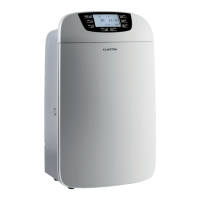
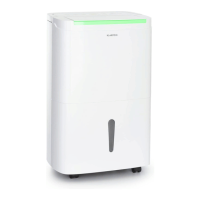
10034433 10034434 10034435
DryFy Connect 30/40/50
Luftentfeuchter
Dehumidier
Deshumidicador
Déshumidicateur
Deumidicatore

Questions and Answers

  • N
    Nicholas LeonAug 3, 2025
    How to troubleshoot a Klarstein DryFy Connect 30 that is not running?
    • S
      stephensrogerAug 3, 2025
      If your Klarstein Dehumidifier isn't running, first ensure the mains plug is properly inserted into the socket. Also, check if the water tank is full or not correctly inserted; empty the tank or re-insert it properly. If the room temperature is lower than 5°C or higher than 32°C, the device might not run, which is normal and not a fault.
  • K
    Kimberly BrownAug 8, 2025
    Why is my Klarstein Dehumidifier not dehumidifying effectively?
    • D
      Debra WilliamsAug 8, 2025
      If your Klarstein Dehumidifier isn't effectively dehumidifying, it might be due to low room temperature or humidity, which reduces dehumidification, especially in the dry season. Another cause could be blocked air inlets or outlets, so ensure you clean them.
  • A
    Amber RodriguezAug 13, 2025
    What to do if my Klarstein DryFy Connect 30 Dehumidifier is making unusual noises?
    • J
      Jacob BarkerAug 14, 2025
      If your Klarstein Dehumidifier is making unusual noises, ensure it's placed on a flat surface. Also, check for any blockage in the ventilation grille and clean it if necessary. A splashing noise is normal, as it indicates circulating coolant.
  • J
    Jeremy WilliamsAug 18, 2025
    Why is water escaping from my Klarstein DryFy Connect 30 Dehumidifier?
    • A
      Alexandra DayAug 19, 2025
      If water is escaping from your Klarstein Dehumidifier, check the connection between the water outlet and drain pipe and tighten it if loose. Also, inspect the drain system for any blockages and remove them, ensuring the drain line is straight.
  • J
    James NewtonAug 23, 2025
    What to do if no air is blowing out of my Klarstein DryFy Connect 30?
    • M
      Melissa NelsonAug 23, 2025
      If no air is being blown out of your Klarstein Dehumidifier, the ventilation grille might be blocked. Clean the ventilation grille to resolve this issue.
  • R
    rosefrankAug 28, 2025
    Why does frost occur on my Klarstein Dehumidifier?
    • A
      Arthur HawkinsAug 28, 2025
      If frost occurs on your Klarstein Dehumidifier, especially when the ambient temperature is low, this is a normal phenomenon. The dehumidifier has an automatic defrost function to handle this.

Summary

Safety Instructions

Product Overview and Key Functions

Control Panel

Timer Settings

Set the 24-hour timer for automatic on/off switching. Cancel by pressing twice.

Dry Function Operation

Activates internal drying to prevent mould. Can be cancelled by pressing again.

Air Velocity Control

Select between HIGH and LOW air speed in AUTO or CONTINUOUS modes.

LCD Display Information

Shows ambient humidity, set humidity, or timer status.

Humidity Setting and Pump Control

Adjusts humidity levels (30-80%) for Auto mode. Also toggles pump function.

Mode Selection and Parental Lock

Select operating modes like AUTO or CONTINUOUS. Includes Parental Lock feature.

Power On;Off

Press the button to turn the unit on or off.

Installation

Installation Placement Guidelines

Ensure minimum distances of 50 cm to the top and 20 cm to all sides for proper ventilation.

Operation without Continuous Drainage

Manual Water Tank Drainage

When the tank is full, stop operation, empty the tank, and ensure the float is movable.

Continuous Water Drainage Setup (Model 10034433)

Continuous Water Drainage Setup (Models 10034434;10034435)

Filter Installation and Pump Activation

Filter Installation

Insert activated carbon filter into the filter frame correctly before powering on.

Continuous Drainage with Pump

Connect a 5mm drain pipe when the pump function is activated.

Commissioning and Operation

Timer for Auto Switch-Off

Set the timer from 1 to 24 hours to automatically switch off the dehumidifier.

Timer for Auto Power On

Set the auto power on time in standby mode similarly to auto power off time.

AUTO Mode Operation

The compressor and fan operate based on ambient humidity relative to the set target humidity.

CONTINUOUS Mode Operation

The compressor runs regardless of relative humidity; fan speed is adjustable.

Device Functions

Drying Function

Activates a one-hour drying process to prevent mould formation.

Humidity Indicator

Indicator light on the unit changes color (red, green, blue) based on humidity levels.

Pump Function

Activate/deactivate the pump function by holding the humidity button for over 3 seconds.

Air Swing Function

Start or stop the air swing function by pressing timer and dry buttons simultaneously.

Device Control by Smartphone

Download Klarstein App

Scan QR code or download app from App Store/Google Play.

Connect to WiFi Network

Ensure smartphone is connected to the same WiFi network as the Klarstein device.

Open and Sign In to App

Open the Klarstein app and sign in or create an account.

Troubleshooting

Troubleshooting WiFi Connection

Check power, WiFi, password, and proximity for connection issues.

Cleaning and Care

Cleaning Precautions

Unplug the appliance before cleaning. Do not use chemical solutions on the body.

Cleaning the Water Tank

Clean the water tank and cover regularly with a slightly moistened cloth.

Cleaning the Appliance Surface

Rub the surface with a moistened cloth. Avoid detergents and abrasive sponges.

Cleaning the Filter Grid

Clean the washable PP grid with warm/cold water every two weeks. Avoid chemicals and hot water.

Hints on Disposal

Declaration of Conformity

Klarstein DryFy Connect 30 Specifications

General IconGeneral
BrandKlarstein
ModelDryFy Connect 30
CategoryDehumidifier
LanguageEnglish

Related product manuals