24
EN
2. Keep warm temperature setting
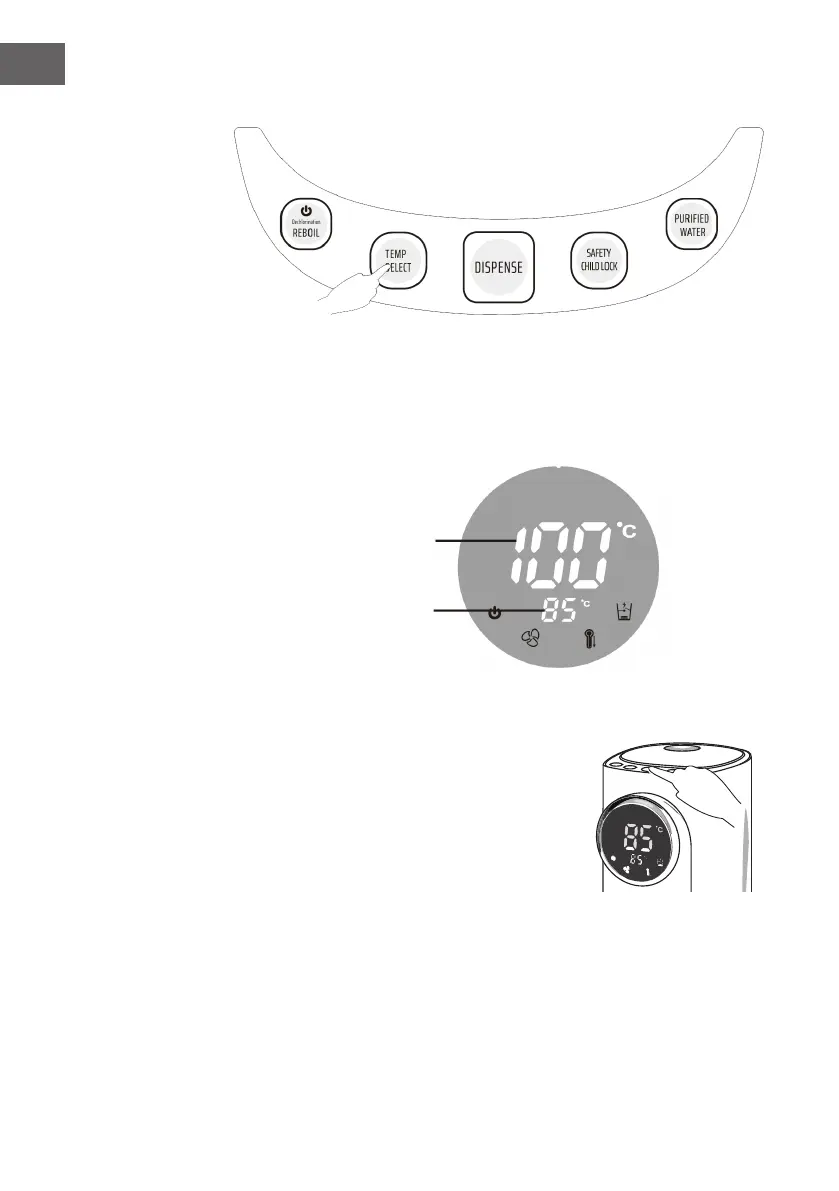
• Press the “Temp Select“ button to set the keep warm temperature. You can make
the following selection: 85°C 75 °C 65 °C 55 °C 45 °C Temp
decline 95 °C. The default keep warm temperature is 85 °C. If you select “Temp
decline“, the display will show the “--“ icon and the temperature will drop.
3. Dispense and Safety Lock
• Press the “Safety Child Lock“ button to unlock
water dispense function.
• After the “Safety Child Lock“ indicator is
deactivated, press and hold the “Dispense“ button
to dispense water.
• If you do not press the button, the water dispense
stops and the safety lock is automatically activated
if no operation is made for 10 seconds.
• Press and hold the “Safety Child Lock“ button for
5 seconds, the “Safety Child Lock“ button and the “Dispense“ button will be light
up (ashing 3 times) that means the safety lock function has been deactivated. It
can happen at any time that no water is dispensed because there is too little water
in the water tank.
• Press the “Safety Child Lock“ button, the safety lock is activated again.
Real-time temperature
Keep warm temperature


 To Next Page