23
EN
5 6
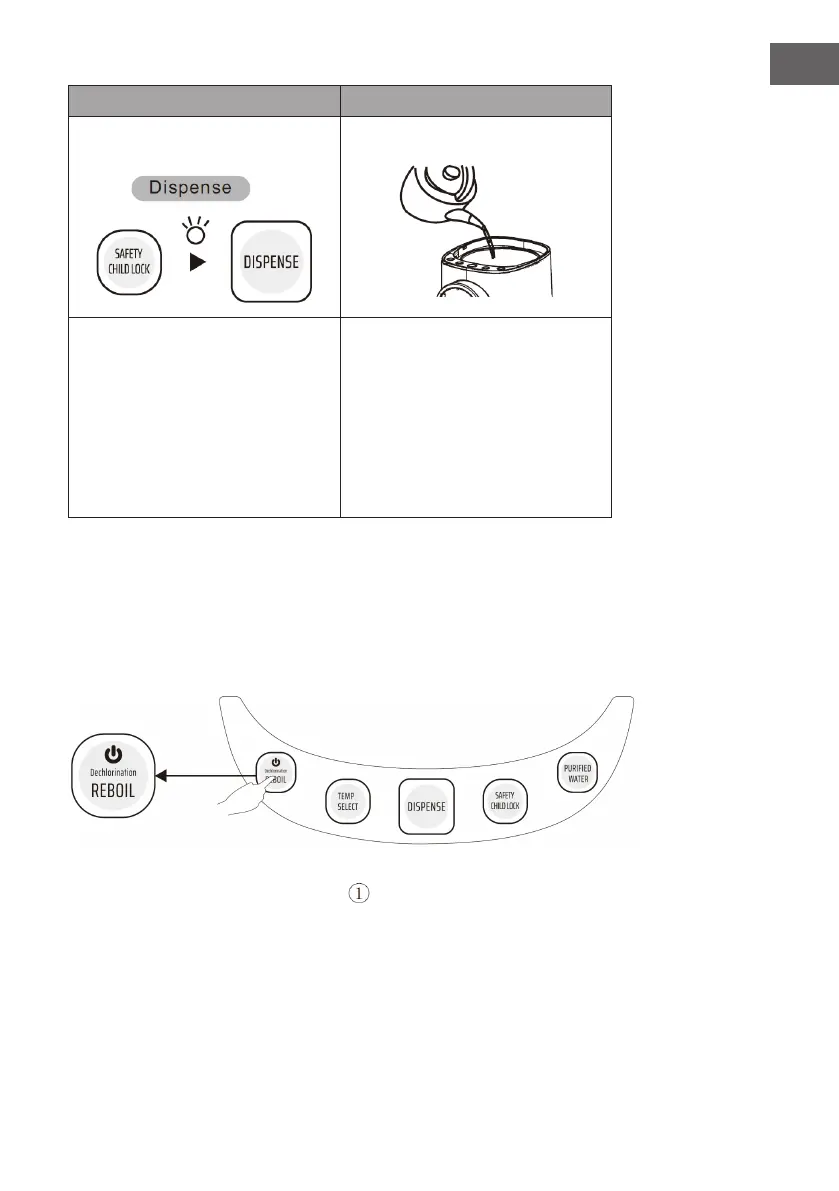
Water dispense. Rell water.
• Press the “Safety Child Lock”
button to unlock the water dispense
function. After the indicator is on,
press and hold the dispense button.
The safety lock will auto restart if no
operation for 10 seconds.
• Beware water ow easily increases
or splashes when dispensing if
water level decreases.
• Water easily overows when
boiling. Make sure the lid is well
closed.
1. Boil water
• Do not open the lid while boiling.
• Do not rell water while boiling.
• Do not cover the steam port.
• Beware of hot steam to avoid scalding.
1. Insert the mains plug into the socket. The
icon will appear on the LED display
indicating that the appliance is in standby mode.
2. Press the “Reboil” button to start boiling water. When the water has been heated to
100 °C, the holding state indicator ashes for 60 seconds. When the indicator turns
off, the appliance is in warm mode.
3. Press the “Reboil” button for 5 seconds, the appliance switches to standby mode.


 To Next Page