30
ES
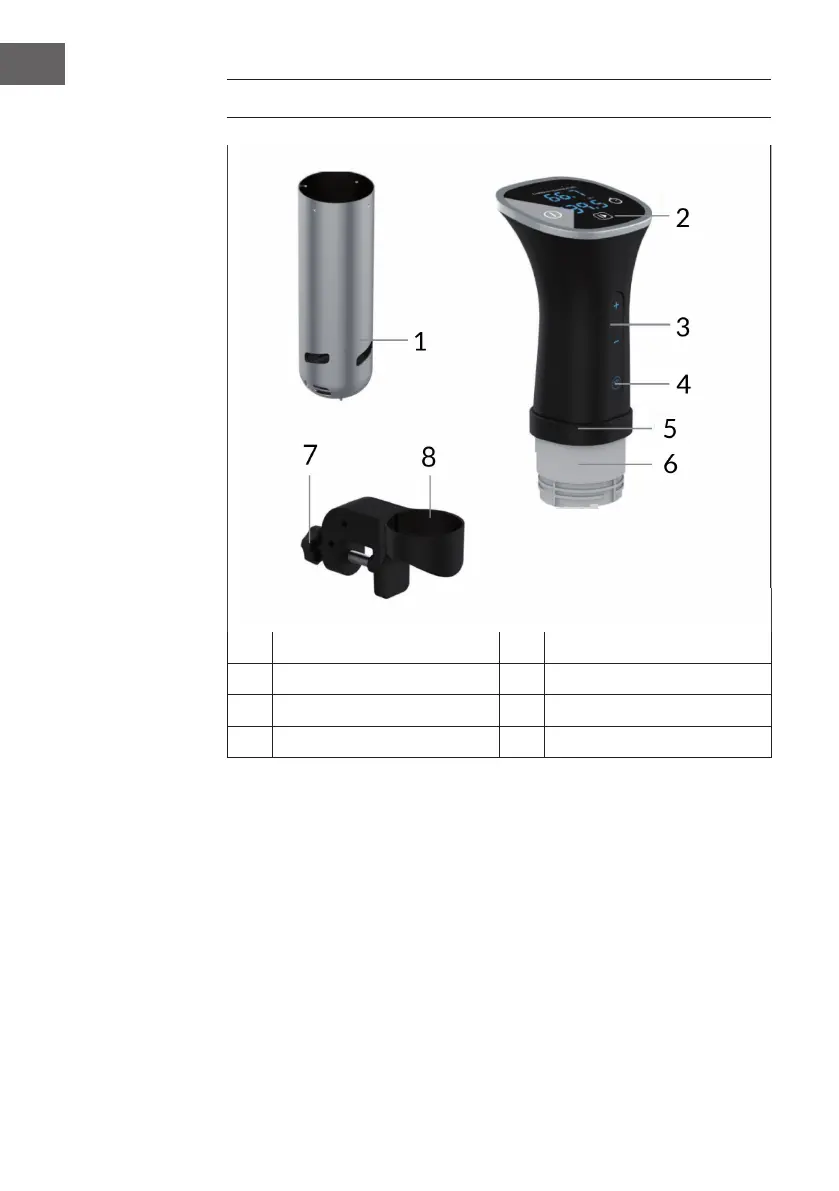
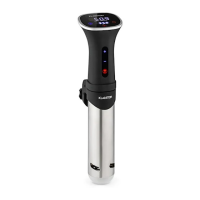
VISTA GENERAL DEL APARATO
1
Tapa de la bomba
5
Carcasa del motor
2
Panel de control
6
Alojamiento de la bomba
3
Botones de ajuste (+/-)
7
Botón de la anilla de sujeción
4
Botón WiFi
8
Anilla de sujeción regulable
PANEL DE CONTROL Y TECLAS
El panel de control se compone de una pantalla LED, un temporizador (timer) y botones
para regular la temperatura, además de una tecla Start/stop.
AJUSTES
Modicar la unidad de temperatura
Mantenga pulsado el botón Start/
Stop durante 3 segundos para
cambiar la unidad de temperatura
de grados Fahrenheit a Celsius y
viceversa.
Temperatura actual
Temperatura


 To Next Page